Buying priorities
Start by deciding what must be recoverable, then choose capacity and access speed that suit how often you move files and where you need to reach them.
| Priority |
What to check |
Your needs |
| Recovery scope |
Check whether the route restores individual files, a phone backup or a whole computer. Keep a copy separate from the original device, and consider an offline local copy for important files. |
I want photos and documents to remain recoverable if my laptop, phone or its internal storage becomes unavailable. |
| Capacity and growth |
Compare used storage with the drive or cloud allowance, allowing room for future files and backup history. For Mac Time Machine, Apple advises a backup disk with at least twice the Mac's storage capacity. |
I need space for today's library as well as future photos, videos and documents, without unexpectedly reaching a cloud limit. |
| Speed and compatibility |
Choose HDD for long-term bulk backup or SSD for frequent transfers. Check the exact port, cable, host protocol, file system and power requirements before buying. |
I want a drive that works with my intended laptop or phone and does not rely on a maximum transfer speed my device cannot support. |
| Cloud security and access |
Check how storage is shared across services, account recovery settings and sharing permissions. Turn on 2-step verification where it is available for the cloud account. |
I need to reach files across devices while keeping the account that holds my copies properly protected. |
Joybuy product options
Joybuy options for local photo, document and laptop-file storage, including portable SSDs for frequent transfers and an external HDD for a bulk local copy.
 No image available
Samsung MU-PG4T0B 4 TB USB 3.2 Gen 2x2 SSD
For a sizeable portable local archive or frequent large-file copying between compatible devices.
Stated 4 TB capacity, USB 3.2 Gen 2x2 connectivity and transfer figures up to 2,000 MB/s. Check that the host supports USB 3.2 Gen 2x2 before relying on the maximum speed, and keep a separate off-site or safely stored copy for irreplaceable files.
Joybuy
 No image available
Samsung MU-PG2T0B 2 TB USB 3.2 Gen 2x2 SSD
For a portable local copy of personal files and a working archive that is moved regularly.
Stated 2 TB capacity, USB-C connectivity and transfer figures up to 2,000 MB/s. Confirm the exact device port supports USB 3.2 Gen 2x2, and check that 2 TB allows for current files, backup versions and growth.
Joybuy
 No image available
SanDisk Portable SSD 2 TB
For carrying a local archive of photos, videos and documents between compatible devices.
Stated 2 TB capacity, read speed up to 800 MB/s, 2-metre drop protection and a supplied USB cable. Check the included cable connectors and host compatibility for the intended laptop, phone or adapter.
Joybuy
 No image available
Samsung T7 Shield Portable SSD 1 TB
For a smaller portable local copy that may be carried between compatible Mac, PC and Android devices.
Stated 1 TB capacity, USB 3.2 Gen 2, up to 1,050 MB/s read and 1,000 MB/s write, plus supplied USB-C-to-C and USB-C-to-A cables. Confirm capacity for a full laptop backup and verify the device connection conditions.
Joybuy
 No image available
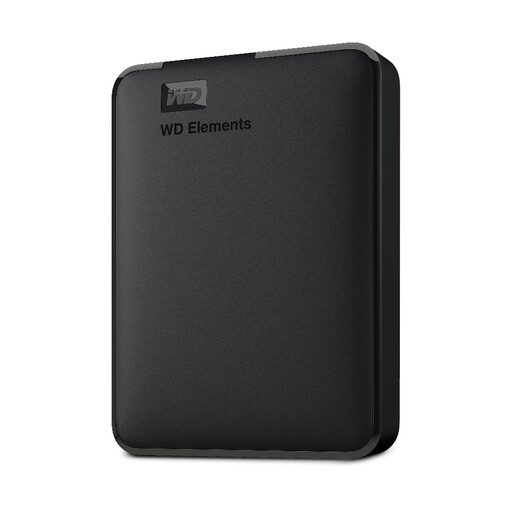
WD Elements 2 TB Portable External Hard Drive
For a bulk local archive or computer-based backup of photos, videos and important documents.
Stated 2 TB capacity, SuperSpeed USB 3.2 Gen 1 at 5 Gbps and PC/Mac formatting. Check file-system, power and connection support before using it with a phone, tablet or another non-computer device.
Joybuy
Frequently asked questions
Does cloud syncing back up an entire Mac?
Not necessarily. Apple states that iCloud can sync and store selected data such as photos and iCloud Drive files, but it does not back up an entire Mac. Use Time Machine or another full-backup tool if whole-Mac recovery is required.
How large should an external drive be for a Mac Time Machine backup?
Apple advises a backup disk with at least twice the storage capacity of the Mac. This guidance is for Time Machine rather than a universal size rule for every manual photo-copy workflow.
What happens when a cloud-storage account fills up?
It depends on the provider. Google says a full account can prevent Drive uploads, Gmail sending or receiving, and photo and video backup to Google Photos; Microsoft says users over a reduced allowance may be unable to upload, edit or sync new OneDrive files.
How should I secure a cloud backup account?
Use a unique, strong password and turn on 2-step verification where available. The National Cyber Security Centre says this makes account access harder for criminals even if they know the password, and identifies cloud storage as an account type where it may need to be switched on.
Do personal household photo backups need UK GDPR registration?
For purely personal or household activity, the ICO says data-protection law does not apply. This does not extend to business, professional, public-facing or wider sharing activity, which may involve different obligations.


