What should you check before choosing?
Start with the size and location of the library, then choose a destination you can keep separate and restore from. If several devices share the collection, weigh the convenience of a NAS against the work of backing up the NAS itself.
| Priority | What to check | Your needs |
|---|
| Recoverable copy |
Keep a copy apart from the primary device or library. Restore a sample folder of photos and videos to check that it opens; the National Cyber Security Centre advises checking how to restore backed-up files. |
I want my photos back if a device is lost, a file is deleted or access to the original library fails. |
| Capacity |
Measure the current library, including videos and any cloud download. Compare that size with the chosen drive’s capacity and leave room for new files and migration copies. |
My collection is still growing, so a destination that only fits it today could interrupt a later backup. |
| Cloud export |
Check the service’s download method before choosing local storage. Google supports a Photos data export; Apple describes downloading full-resolution iCloud originals to a Mac. Amazon says its browser workflow cannot download entire albums. |
I need a practical way to move the library, not just space to put it once downloaded. |
| Connection and portability |
Check the drive capacity, connector and computer compatibility. For Samsung T7 transfer-speed claims, Samsung says the host and cable must support USB 3.2 Gen 2, with UASP enabled, to reach the stated maximum. |
If I carry copies between devices, a portable drive matters; if backups stay at one desk, I can consider a desktop drive instead. |
| Several devices and versions |
For a NAS, check how backups are scheduled, how an earlier version is restored and where the NAS data will be backed up. Synology documents version retention in Hyper Backup, but a NAS still needs another destination. |
Several household devices may need one backup destination, and I want a way to recover an earlier file version. |
External drives for a local copy
These Joybuy drives are options for the local-copy part of a photo backup: portable SSDs and hard drives for moving files, plus a desktop hard drive for a fixed location. Whichever you choose, compare its capacity with your library and test a restore.
 No image available
Samsung Portable SSD T7 4 TB, grey
A portable local-copy option if you need to carry the photo library. The name specifies USB Type-C 3.2 Gen 2; check your device and cable compatibility, and whether 4 TB leaves enough room for growth.
View on Joybuy
 No image available
SanDisk Portable SSD 2TB
A portable SSD to consider for a local copy that travels. Measure the photos and videos first to see whether 2TB leaves room for later backups, and confirm the connection works with your intended device.
View on Joybuy
 No image available
Western Digital My Passport Ultra portable hard drive, 5TB, blue
A portable hard-drive option for keeping a larger local photo copy. Check whether 5TB covers the present library and future additions, then confirm compatibility with the computer you will use to back it up and restore it.
View on Joybuy
 No image available
Western Digital Elements Port. 4TB, black
A 4TB USB 3.0 option for a local photo copy. Compare that capacity with the entire collection, including videos, and check the connection and file-system requirements of the computer you plan to use.
View on Joybuy
 No image available
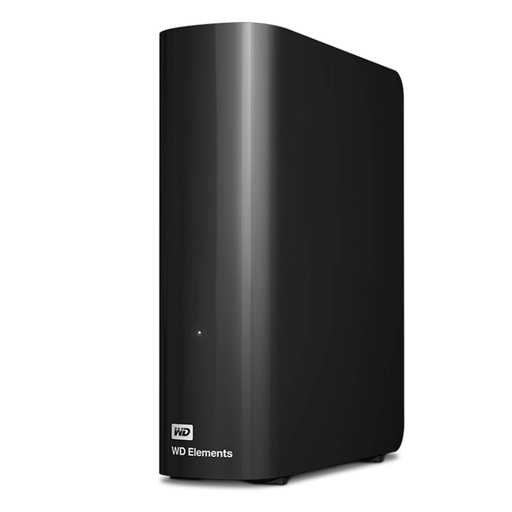
Western Digital Elements Desktop external hard drive, 10TB
A desktop-drive option when the local photo copy will normally stay at one location. Check that 10TB suits the measured library and that you have a suitable computer connection, desk space and power outlet; store the backup safely when it is not in use.
View on Joybuy
Photo backup questions
How much storage do I need for a photo and video backup?
Measure the whole library first, including videos and any downloaded cloud archive, then allow room for future files and temporary copies during a move. Capacity varies by model: Seagate lists 4 TB to 30 TB for its Expansion Desktop range, while the portable drives shown here have their own stated capacities. Choose against your measured collection, not the product category alone.
When is an external drive a backup rather than extra storage?
It is a backup when it holds a copy of files that still exist elsewhere and you can restore them from it. Keep the drive separate from the original device, restore a sample folder to check it, and disconnect it when the backup is complete. The National Cyber Security Centre advises checking that you know how to restore backed-up files.
Can I export Google Photos in bulk?
Yes. Google’s download guidance includes Photos among the products whose data can be exported. Create and download the archive, then check its contents and preserve a separate copy; account for any photos added or changed while the export is being prepared.
Can I copy an entire iCloud Photos library to an external drive?
Yes, using a Mac to download the originals first. Apple says selecting “Download Originals to this Mac” downloads the entire iCloud photo and video library in full resolution. Check that the Mac has room for the download before copying it to an external drive and testing the copy.
Can Amazon Photos download a whole album through a browser?
No, not through the browser workflow described in Amazon’s customer-service instructions: Amazon says entire albums cannot be downloaded there. Test how you will select and download the photos and videos you need before treating an external drive as a workable copy of that cloud library.


