Buying priorities for household backups
Start with where the recoverable copy will live, then confirm the capacity, connection and file format that fit every device in the household.
| Priority |
What to check |
Your needs |
| Separate recoverable copy |
Keep important files in a location separate from the original device; check that files can be restored, not merely copied. |
I want photos and documents to remain recoverable after loss, breakage, accidental deletion, malware or device replacement. |
| Backup routine |
Check whether Windows File History, Time Machine or a cloud service can run automatically for the folders you need. |
I need a recent copy without having to remember every manual transfer. |
| Device compatibility |
Confirm the connector, cable, power arrangement, partition setup and file system. Formatting erases existing files. |
My files need to move between Windows, macOS or an iPad without finding that the drive is read-only or cannot connect. |
| Capacity and transfer speed |
Match capacity to the archive size and growth; check the host port and cable before relying on quoted USB transfer speeds. |
I want to pay for SSD speed or portable ruggedness only when frequent large transfers or mobile use make it worthwhile. |
Joybuy product options
Joybuy product options for local household backups and file transfers, including portable SSDs for frequent large transfers and portable HDDs for larger local archives.
 No image available
Samsung Portable SSD T7 4TB Grey
For households that move large photo or video libraries between compatible computers or Android devices.
Stated 4TB capacity, USB 3.2 Gen 2 and up to 1,050/1,000 MB/s sequential read/write; USB-C-to-C and USB-C-to-A cables are listed. Confirm the file format for your Windows, macOS or iPad workflow, and note that maximum speed depends on a compatible host and cable.
Joybuy
 No image available
Lexar ES4 Portable SSD Magnetic Set 2TB
A mobile-oriented option for moving files between computers and compatible USB-C devices, including iPhone 15 and 16 models.
Stated 2TB capacity, USB 3.2 Gen 2 and up to 1,050 MB/s read and 1,000 MB/s write; USB-C-to-C and USB-A-to-C cable options are listed. The magnetic attachment is stated for iPhone 15 and 16 series, and the factory format and partition setup should be checked before use.
Joybuy
 No image available
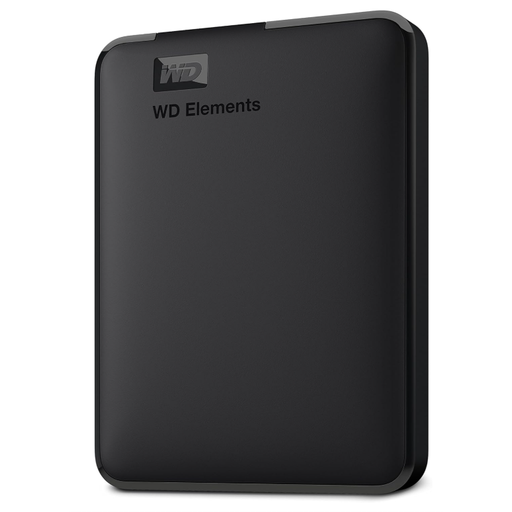
Western Digital Elements Portable HDD 6TB
For a growing household photo, video and document archive where local capacity matters more than frequent high-speed transfers.
Stated 6TB capacity, USB 3.2 Gen 1 or USB 3.0 connectivity, USB bus power and a supplied Micro-USB-to-USB-A cable. It is stated to be pre-formatted for Windows; reformatting for macOS erases data, and important files need another separate recoverable copy.
Joybuy
 No image available
Samsung MU-PG1T0B 1TB Portable SSD
Suited to frequent transfers of large photo or video batches when the household has compatible USB-C hardware.
Stated USB 3.2 Gen 2x2, up to 2,000 MB/s read and 1,950 MB/s write, plus USB-C-to-C and USB-C-to-A cables. Check that the host supports USB 3.2 Gen 2x2 and that 1TB is sufficient for the archive’s expected growth.
Joybuy
 No image available
Western Digital Elements Portable HDD 4TB
A portable local archive option for households mainly using Windows computers and storing photos, videos, music and documents.
Stated 4TB capacity, USB 3.2 Gen 1 or USB 3.0 at 5Gbps, a Micro-B drive connector and supplied USB-A cable. The listing states Windows 10+ recognition; check whether reformatting or an adapter is needed for other systems.
Joybuy
Frequently asked questions
Can one external drive back up both a Mac with Time Machine and ordinary shared files?
Do not assume so. Apple states that when a storage device is set up for Time Machine backups, it can be used only for Time Machine backups and not for other files. Use a separate drive or plan the storage arrangement carefully if you also need shared-file storage.
What format should a household choose for a drive shared between Windows and macOS?
For ordinary cross-platform file sharing, Apple’s Disk Utility guidance says to use MS-DOS (FAT) for disks of 32GB or less and exFAT for disks over 32GB. Formatting erases all files on the disk, and Apple says macOS may read NTFS while Disk Utility does not support writing it.
Can an iPad read a portable drive directly?
Often yes, but confirm the iPad connector or adapter, a single data partition and a supported format. Apple lists APFS, encrypted APFS, Mac OS Extended, exFAT, FAT32 and FAT as supported formats, and notes that external hard drives often need their own power source or a powered USB hub.
How can a Windows household automate backups to an external drive?
Microsoft says File History can make regular backups to an external drive or network location. It automatically includes standard libraries such as Documents, Pictures, Videos and Music, while other folders can be added to a library.


