Choose a desktop around the office’s photo-book software before deciding between macOS and Windows: CEWE supports locally saved Creator projects on either platform and an InDesign-to-PDF workflow on both. If the work includes Photoshop, Adobe recommends at least 16GB of RAM, a fast internal SSD and a display resolution of 1920 × 1080 or higher. Then compare the exact computer’s storage, display connections and peripheral needs for the shared desk.
Who needs which setup?
Photo-book designers using Photoshop or InDesign
If you retouch images, build detailed layouts or export PDFs, check application compatibility and the working space available for your files. Adobe recommends at least 16GB of RAM and a fast internal SSD for Photoshop; the monitor is a separate decision when reviewing images for print.
Creators sharing a limited desk
A compact computer can leave more room for the monitor and other work, but you still need to plan its connections and placement. Apple Mac mini, Dell Pro Micro and Lenovo ThinkCentre Neo 50s are compact routes with different configurations and display arrangements.
Teams using photo-book creation software
If most work happens in a supplier’s creator software or online editor rather than in intensive image editing, start with the chosen service and how the team will save projects. CEWE says its Creator Software saves projects locally on a PC or Mac.
What matters when choosing?
Decide which application and file workflow the office will use, then check the computer and monitor as a complete desk setup. A higher-memory configuration is most relevant when the work actually includes demanding local editing, rather than basic template-led layouts.
| Concern |
What to check |
Who this matters to |
| Editing performance |
For Photoshop, check for at least 16GB of RAM and a fast internal SSD. Adobe also recommends 100GB of available disk space. |
If I edit photos and assemble detailed layouts locally, I need room for the application and working files, not just enough memory to launch it. Around 40% of consumers put editing performance first. |
| Desk space and connections |
Check the exact model’s display outputs and ports against the monitors and peripherals the office intends to use. |
On a crowded shared desk, I need to place the computer without disrupting the screen and peripheral setup. Desk space and connections come first for around 30% of consumers. |
| Workflow and support |
Confirm software and operating-system compatibility, how projects will be saved or backed up, and who will maintain the computer. |
When several colleagues work on a book, I need them to use the intended files and creation tools without a platform change complicating handover. Around 30% of consumers prioritise workflow and support. |
Buying pitfalls
-
Buying to Photoshop’s minimum rather than the editing workload
Adobe lists 8GB of RAM as a minimum but recommends 16GB or more, a fast internal SSD and 100GB of available disk space. The minimum alone is a poor way to choose a computer for sustained image editing.
Decide whether the office will use a browser or creator tool, Photoshop, or both; check the exact memory configuration and available SSD space for the intended work.
-
Treating the computer and monitor as one print-review solution
A desktop’s display connections and Adobe’s recommended resolution do not establish the colour accuracy of the monitor used to review a photo book.
Choose the monitor separately, checking its resolution and connection alongside the photo-book provider’s proofing or colour-management guidance.
A separate monitor and a suitable cable or adapter may be needed for the chosen setup.
-
Assuming a small computer will be quiet
A compact chassis describes physical size, not how much noise a particular computer makes in a shared room.
If noise will affect colleagues, check acoustic information for the exact model or consider whether it can be tried under suitable return terms. Keep its ventilation unobstructed.
Relevant brands to consider
Apple
Mac mini is a compact macOS route for an office that wants to select its display and peripherals separately.
- Apple lists Mac mini configurations with 16GB of unified memory and support for multiple external displays.
- Choose the exact memory and storage configuration, and plan for a separate monitor, keyboard and mouse.
Dell
Dell Pro Micro is a compact Windows business-desktop route for offices comparing small chassis and Windows 11 Pro configurations.
- Dell’s UK listings include a Pro Micro configuration with 16GB of DDR5 memory and a 512GB SSD.
- Other listed memory configurations include 8GB; check the exact model against Adobe’s 16GB-or-more Photoshop recommendation.
Lenovo
ThinkCentre Neo 50s is a small-form-factor Windows route when desk space and monitor connections matter.
- Lenovo’s UK listing includes 16GB and 32GB memory configurations and states support for up to two independent monitors.
- Confirm the chosen configuration and outputs; compact format alone does not establish how quiet it will be in the office.
HP
HP’s Pro and ProDesk small-form-factor lines offer Windows business-desktop configurations to compare for local photo-book work.
- HP’s UK listings include configurations with 16GB of memory and 512GB storage, as well as 32GB and 1TB options.
- Check the exact model’s configuration, display connections and support terms rather than applying a range listing to every desktop.
Joybuy product choices
These compact desktops include Mac mini configurations for a macOS workflow, Windows mini PCs and a FIREBAT mini PC whose operating system should be confirmed before choosing photo-book software. Compare each one with the monitor and peripherals the shared office will use.
 No image available
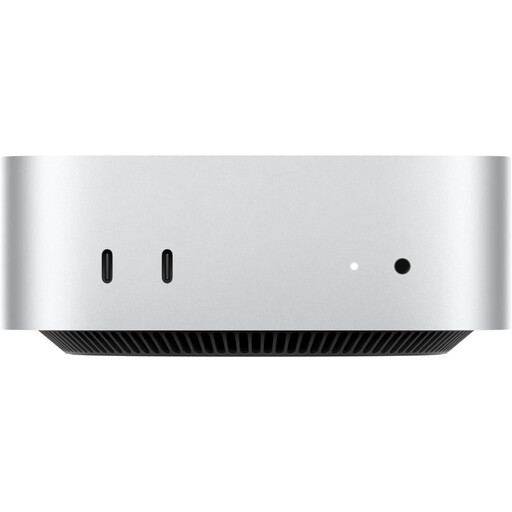
Apple Mac mini (2026), M6, 24GB, 512GB SSD
Consider this configuration if the office uses a macOS-compatible photo-book workflow and wants a separately chosen display.
The listed variant has a 12-core CPU, 12-core GPU, 24GB of memory and a 512GB SSD. Plan for a separate monitor, keyboard and mouse; check the monitor’s suitability for print review.
Joybuy
 No image available
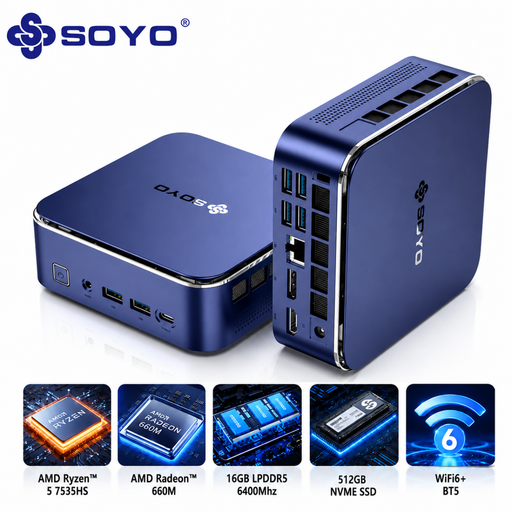
SOYO S5Air, Ryzen 5 7535HS, 16GB, 512GB SSD
Consider this Windows mini PC where desk space is limited and the intended photo-book applications support Windows 11 Pro.
The title specifies 16GB of LPDDR5 memory and a 512GB NVMe SSD. Check its display connections against the office monitor and confirm quietness requirements for the exact model.
Joybuy
 No image available
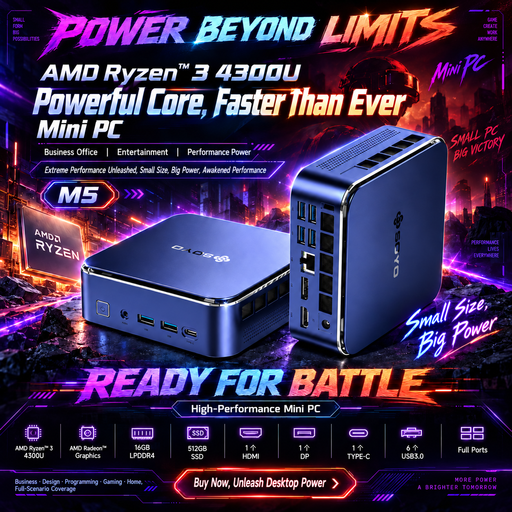
SOYO M5, Ryzen 4300U, 16GB, 512GB SSD
Consider this Windows 11 mini PC if its stated connections suit the shared office’s monitor arrangement.
The title specifies 16GB of LPDDR4 memory, a 512GB SSD, HDMI 2.0, DisplayPort 1.4 and Type-C connections. For Photoshop work, check the available SSD workspace against Adobe’s recommendations.
Joybuy
 No image available
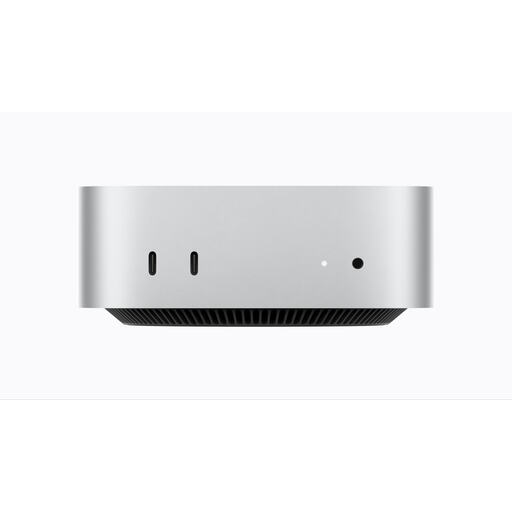
Apple Mac mini (2026), M6, 16GB, 256GB SSD
Consider this configuration for a macOS-compatible workflow if its storage leaves enough space for the office’s projects.
The listed variant has a 12-core CPU, 12-core GPU, 16GB of memory and a 256GB SSD. Check available working space if using Photoshop, and plan for a separate monitor, keyboard and mouse.
Joybuy
 No image available
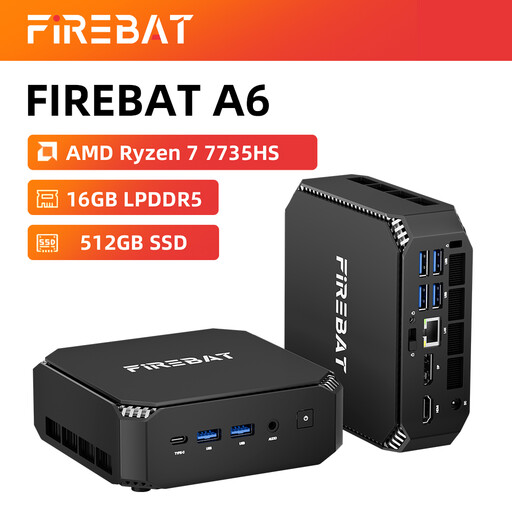
FIREBAT mini PC, Ryzen 7 7735HS, 16GB, 512GB SSD
Consider this mini PC only after confirming that its operating system supports the office’s intended photo-book applications.
The title specifies 16GB of memory, a 512GB SSD and dual M.2 slots. Check the monitor connections and exact-model noise information if those are decisive for the shared desk; the title’s silent wording is not a measured acoustic specification.
Joybuy
Common questions
Do I need 16GB of RAM to make photo books?
Not necessarily for a simple browser-based or template-led workflow. If the office will use Photoshop, Adobe recommends 16GB of RAM or more, compared with its 8GB minimum; choose against the applications and image-editing work the team will actually use.
Should our photo-book computer be a Mac or a Windows PC?
Either can fit if the chosen software, files and peripherals work on that platform. CEWE says its Creator Software can save projects locally on a PC or Mac, and its InDesign-to-PDF route is available on both; compare the exact desktop and monitor setup after checking the team’s existing workflow.
Do photo-book layouts require a dedicated graphics card?
Do not choose a dedicated graphics card solely because the project is a photo book. Check the graphics requirements of the specific editing application and intended display against the exact computer, particularly if the workflow includes Photoshop rather than a basic online editor.


