Households protecting irreplaceable memories
Family photos, videos and personal documents may be difficult to recreate. The National Cyber Security Centre advises considering both cloud and removable-media copies for irreplaceable photos and videos.


Choose local storage when your priority is a copy you can open without cloud access; choose cloud storage when access across devices matters more. For irreplaceable household files, keeping both a local and a cloud copy reduces reliance on one location or account, but you still need to check that each copy can be restored and avoid treating a synchronised folder as an independent archive.
Family photos, videos and personal documents may be difficult to recreate. The National Cyber Security Centre advises considering both cloud and removable-media copies for irreplaceable photos and videos.
A substantial collection may need a local copy that can be opened without an internet connection or a cloud service’s current sync settings. Microsoft Support notes that OneDrive online-only files cannot be opened while the device is offline.
If photos and documents travel between a phone, Mac and Windows PC, check connectors as well as the drive’s file system. Apple identifies formats for Windows-compatible use, while SanDisk offers a dual-connector drive for selected USB-C and USB-A transfers.
Decide whether the copy must remain accessible without internet, recover independently of a synced folder, or travel between devices. Then size the storage for the files you intend to keep.
Choose it when: You need an offline-accessible copy of a large collection or regularly carry files between devices.
Trade-off: A drive kept in the same place as the originals does not provide a separately located copy; a connected drive can also be exposed during a malware incident, as the National Cyber Security Centre warns.
Choose it when: Access across devices and a copy away from your local drive matter most.
Trade-off: Online-only files need a connection unless you make them available locally; synchronisation may also carry a deletion across devices.
Choose it when: Irreplaceable files need both local access and a copy held separately.
Trade-off: You must maintain both copies, secure account access and periodically check that recent files can be restored.
| Concern | What to check | Who this matters to |
|---|---|---|
| Independent recovery | Check where separate copies are kept and whether you can restore a sample folder. Consider disconnecting a removable copy after updating it. | If family photos are lost from my main device or cloud account, I need another copy I can actually restore. Around 36% of consumers put independent recovery first. |
| Capacity for a growing library | Measure the current collection and allow room for growth; compare that need with the drive capacity or cloud allowance. | When my photo and document collection keeps growing, I need space for the files I intend to retain, not just a drive that holds today’s selection. For around 29% of consumers, capacity is the primary concern. |
| Offline access and portability | Check which cloud folders are available offline, whether the drive must travel, and which connections your devices can use. | I need to open or move important files even when the internet is unavailable, while accepting that a carried drive can be misplaced. Offline access or portability comes first for around 21% of consumers. |
| Compatibility and privacy | Check device ports and file-system compatibility before copying; if you encrypt a drive, keep its password or recovery key safe. | My copy needs to work on the computers I use, and I want to limit access to personal documents if the drive is lost. Around 14% of consumers make compatibility and privacy their main concern. |
Google Drive Help says that files moved to Trash while mirrored or streamed are put in Trash everywhere. A local view of a synced file may therefore follow the same deletion as its cloud copy.
Keep a separately managed copy of files you may need to recover independently, and test how to restore it.
The National Cyber Security Centre warns that ransomware can reach attached backup storage. Keeping a removable drive connected between updates reduces its separation from the device it protects.
Disconnect the drive after updating the backup when you do not need it for active work, and store it securely.
Apple warns that formatting erases files on a disk or volume. Its Disk Utility method for encrypting an external storage device also requires erasing the device first.
Make and check another copy of existing files before using an erase-and-format workflow.
A drive still has to work with your computer, cable and file system. Samsung says the T7 Shield’s maximum stated speeds depend on compatible host hardware and connections; Apple distinguishes Mac and Windows-compatible disk formats.
List the devices that must read the files, check their ports and supplied cables, and decide on a suitable file system before moving the collection.
A different cable or adapter may be needed, and reformatting takes time if the drive arrives in a format unsuitable for your devices.
These product lines illustrate different local-storage uses; a brand name alone does not establish whether a particular drive fits your library or devices.
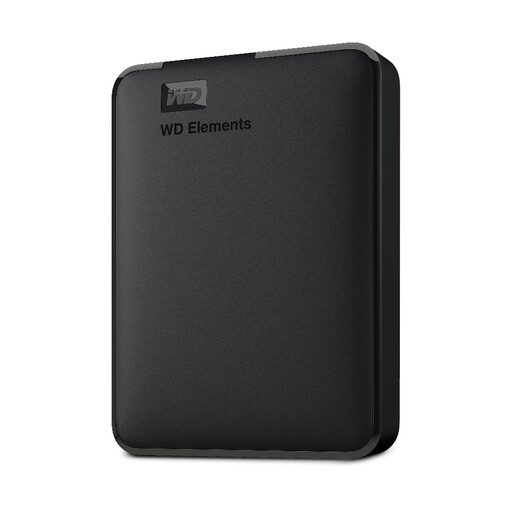
A reference point for external hard drives used to hold a local household archive.
Relevant to people considering a compact portable SSD for carrying a local copy and transferring large files.
Relevant to selected smaller collections moved between devices, as well as portable local storage.
These external hard drives and portable SSDs are options for keeping a local copy of household photos and documents. Choose a capacity that fits the collection, then check device compatibility; a local drive can also be used alongside a separate cloud copy.
 No image available
Consider this portable SSD if you need a 4 TB local copy that can travel between devices.
The product name specifies USB Type-C 3.2 Gen 2 connectivity. Check the file system against every device that must open the files, and keep the drive away from liquids.
 No image available
This portable external hard drive is an option for a sizeable local photo and document library that fits within its 5TB capacity.
Its listing describes a USB-C connection with a USB-A adapter. It also says the drive is pre-formatted for Windows and needs reformatting for macOS; safeguard any existing files before formatting, which Apple warns erases a disk.
 No image available
Consider this removable local drive if the photos and documents you intend to copy fit within 2TB.
The product name specifies USB 3.0 and describes it as formatted for PC and Mac. Confirm the file system works with your intended devices before transferring the library.
 No image available
This portable SSD suits a selected local collection that fits within 1 TB, particularly if you carry the copy between places.
The product name specifies USB 3.2 Gen 2. Samsung states resistance ratings for the T7 Shield under defined conditions; do not treat them as protection against every accident or as a substitute for another copy. Check the file system before moving files between devices.
 No image available
This portable SSD provides a local-copy option for a collection that fits within 2TB.
Before choosing it for transfers between devices, check its connector and file-system compatibility with each one you plan to use. If the copy contains sensitive documents, also check whether its available protection meets your needs.
Not on its own if changes to the synced files affect every copy you rely on. Google Drive Help says that files moved to Trash while mirrored or streamed are put in Trash everywhere; keep a separately managed copy when you need recovery independent of that sync path.
Yes, if its connections and file system work with both computers. Apple identifies ExFAT as a Windows-compatible format for volumes over 32 GB and warns that formatting erases files already on the disk, so check the format before copying and safeguard existing files before changing it.
Consider encryption that works with the devices you will use, and store its password or recovery key separately from the drive. Apple warns that its Disk Utility encryption workflow requires erasing the device first; Microsoft lists BitLocker To Go for removable drives on supported Windows editions and says a recovery key may be needed to regain access.
Check the exact cloud plan’s storage allowance and recurring charges, or the drive model’s capacity, warranty terms and damage exclusions. A warranty does not replace a separate copy of your files: the National Cyber Security Centre’s backup advice centres on keeping important data in another safe location from which it can be restored.