What to check before choosing
Start with the files you need to recover, then check how the chosen route copies them, restores them and remains separate from your everyday devices.
| Priority |
What to check |
Your needs |
| Recoverability |
Confirm which folders, photos, settings and apps are included. Check how to restore a file, folder or whole device, and make sure recent files appear in the backup destination. |
I need a copy that contains the files that matter and can be restored after loss, damage, theft or inaccessible data. |
| Capacity |
Compare storage with the selected backup set and expected growth. Check whether photos, email, documents and other services share one cloud allowance, and review file-type limits. |
My backup needs room for a growing collection of photos, videos and documents without unexpectedly stopping. |
| Automation and separation |
Check power, Wi-Fi, account, app and folder requirements for automatic backup. For removable media, disconnect it after updating and store it separately. |
I want frequently changing phone photos and computer folders to stay current, while keeping another copy apart from daily-use devices. |
| Security |
Enable 2-step verification for important backup accounts where available. Check encryption options, password retention and who can access shared cloud or NAS files. |
I want personal photos and documents protected if an account, computer or portable drive is lost or accessed by someone else. |
Joybuy product options
Joybuy product options for creating a removable local backup copy, plus a USB option for limited secondary copies of selected files.
 No image available
Samsung MU-PE1T0S 1TB USB Type-C 3.2 Gen 2
A portable local-copy option for photos and documents across compatible Macs, PCs and Android devices.
Stated specifications include 1TB capacity, USB Type-C and USB 3.2 Gen 2 connectivity, with read/write speeds up to 1,050MB/s and 1,000MB/s when the host and cable are compatible.
Check backup software, restore steps and the exact password-protection options before relying on it. Keep a separate off-site copy for irreplaceable files.
Joybuy
 No image available
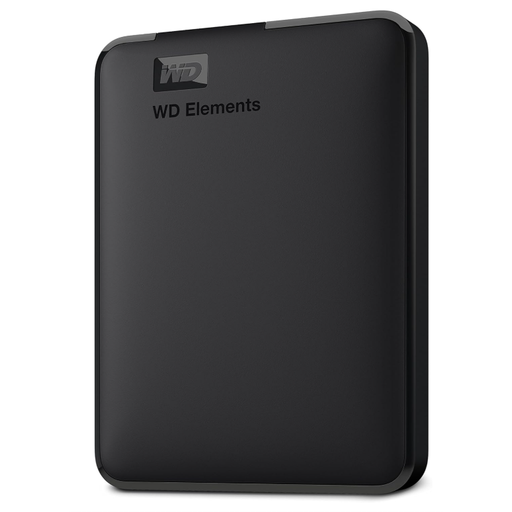
Western Digital Elements Portable External Hard Drive 6TB
A high-capacity local destination for large household photo, video and document libraries, particularly on Windows systems.
Stated specifications include 6TB capacity, USB 3.2 Gen 1, USB-A connection and Windows pre-formatting. macOS use requires reformatting.
Check whether your Windows backup configuration covers the required folders and can restore them. If portable-drive privacy matters, confirm available encryption through your backup software.
Joybuy
 No image available
SanDisk Portable SSD 2TB
A portable local-copy option for a sizeable set of photos, videos and documents that is updated between devices or locations.
Stated specifications include 2TB capacity, USB compatibility, read speeds up to 800MB/s and up to 2m drop protection.
Confirm port type, cable and file-system compatibility for every device you use. Check whether backup scheduling, encryption and restore steps are available before treating it as a complete backup solution.
Joybuy
 No image available
Western Digital Elements Portable External Hard Drive 4TB
A removable local backup destination for growing photo and document collections in a Windows-centred household.
Stated specifications include 4TB capacity, USB 3.2 Gen 1 connectivity, an included USB-A cable and Windows 10+ recognition.
Other operating systems may require reformatting, so check the file system needed by every device. Confirm backup scheduling, encryption and restore workflow before relying on the drive.
Joybuy
 No image available
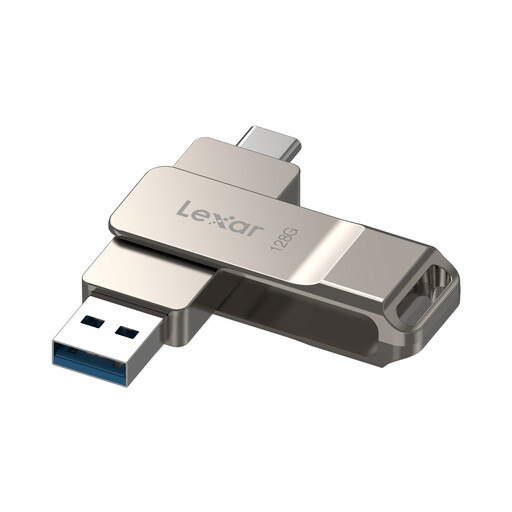
Lexar D40E 128GB Dual USB 3.2 Gen 1 Flash Drive
A compact option for a manually maintained secondary copy of selected documents or photos rather than a whole household library.
Stated specifications include 128GB capacity, USB-A and USB-C connectors, USB 3.2 Gen 1 and read speeds up to 100MB/s.
Android access requires a device supporting USB OTG. Check encryption-software compatibility and password recovery arrangements before storing sensitive files.
Joybuy
Frequently asked questions
Is cloud storage alone enough for family photos?
Cloud storage can provide an automatic off-site copy, but it should not be your only recovery layer for irreplaceable material. The National Cyber Security Centre advises considering both cloud and removable-media copies for irreplaceable photos and videos, and notes that connected cloud locations can also be compromised in some incidents.
How much backup capacity should I choose?
Measure the folders, photo libraries and device backups you intend to protect, then allow room for growth. Google states that personal-account storage is shared across Drive, Gmail, WhatsApp backups and Google Photos, so a full account can stop new photo and video backup.
Can an iPhone be backed up to a computer instead of iCloud?
Yes. Apple documents local iPhone backups to a Mac or Windows computer. If Health and Activity data are needed in a Windows local backup, Apple says the backup must be encrypted, and that encryption password cannot be recovered if it is forgotten.
How should a backup drive be stored between backup runs?
Disconnect removable backup media when it is not in use, then keep it protected from loss, theft and household damage. The National Cyber Security Centre warns that ransomware and other malware can reach attached media, so a permanently connected drive is not an independent offline copy.
What after-sales support matters for backup hardware?
Check the manufacturer’s current support page, warranty terms for the exact UK model, firmware and software availability, and whether the backup software supports your device ecosystem. A drive’s physical durability does not replace a separate recoverable copy of the files stored on it.


