What should you check before buying?
Choose how you will obtain a complete copy, then measure its size and decide how often it must be updated. Storage capacity and connection specifications cannot compensate for an incomplete export.
Portable external SSD
Choose it when: You need to carry a local copy or move files between computers.
Allow for: The chosen capacity must fit the export and updates; quoted transfer speeds depend on a compatible connection.
Desktop external hard drive
Choose it when: You want a large local archive that normally remains at home.
Allow for: An external power supply and a separate copy that is not left permanently connected.
Network-attached storage
Choose it when: Several devices need shared storage and you can manage regular backups.
Allow for: Drive selection, setup and maintenance; usable space depends on the installed drives and configuration.
Additional cloud backup
Choose it when: You need a copy stored away from home that can receive regular updates.
Allow for: Upload and restore time, account security and sufficient storage allowance; syncing alone is not an isolated backup.
Copies in more than one place
Choose it when: Irreplaceable family photos justify a working library plus separate local and off-site copies.
Allow for: Regular updates and occasional restore checks; multiple copies do not guarantee recovery from every event.
| Concern | What to check | Who this matters to |
|---|
| Usable export |
Test a download; inspect originals, videos and folder organisation, and check temporary space on the computer. |
If my photos are mainly in a cloud service, I need to know I can retrieve an organised copy before choosing its destination. Around 25% of consumers put export and organisation first. |
| Capacity for updates |
Measure the downloaded library and allow for growth; for a NAS, check usable rather than raw capacity. |
A large collection of full-resolution photos and videos needs space beyond today’s files. Capacity is the primary concern for around 31% of consumers. |
| Regular updates |
Check device access, update options and whether earlier versions can be restored. |
With photos arriving from several phones and computers, I need a process I can keep using. Around 19% of consumers prioritise multi-device management. |
| Separate recovery copy |
Plan an independent destination and test a sample restore; disconnect removable media between updates where appropriate. |
Irreplaceable family photos need a copy that is not exposed to the same deletion or connected-device incident. Around 25% of consumers put recovery separation first. |
Portable drives on Joybuy
These portable SSDs and hard drives are options for keeping a local photo-library copy that you can move between devices. Choose a capacity only after measuring the downloaded library and allowing for updates; use another independent destination if this drive would otherwise be your only backup.
 No image available
Samsung MU-PG4T0B 4 TB SSD, Black
A portable local-copy option if your export and planned updates fit within its 4 TB stated capacity.
USB Type-C and USB 3.2 Gen 2x2; check the intended computer’s port and connection compatibility.
View on Joybuy
 No image available
Samsung MU-PG2T0B 2 TB SSD, Black
Consider this portable copy destination if the measured library leaves room for updates within 2 TB.
USB Type-C and USB 3.2 Gen 2x2; check host-port compatibility before relying on that connection standard.
View on Joybuy
 No image available
Samsung MU-PG1T0B 1 TB SSD, Black
This portable option needs particular attention to capacity: check that the complete export and future additions fit within 1 TB.
USB Type-C and USB 3.2 Gen 2x2; confirm the computer’s connection before purchase.
View on Joybuy
 No image available
Samsung T7 Shield 1 TB SSD, Blue
Use its 1 TB stated capacity as a starting point for checking whether a portable copy will hold your export and updates.
USB 3.2 Gen 2; Samsung says the T7 Shield’s quoted maximum speeds require a compatible host, cable and UASP support.
View on Joybuy
 No image available
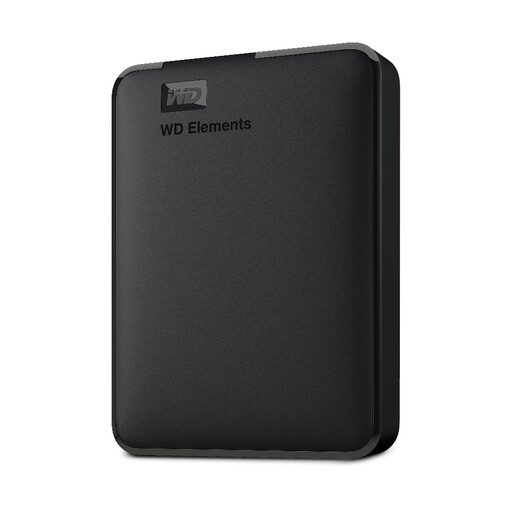
WD Elements 2 TB Portable Hard Drive, Black
This portable hard drive offers a local destination if your downloaded photos, videos and planned updates fit within its 2 TB stated capacity.
USB 3.0; check its file system against the intended PC or Mac, as reformatting may be needed for some uses.
View on Joybuy
Photo backup questions
How much storage does a photo backup need?
Measure the downloaded originals and videos, then choose enough usable space for that copy, expected additions and any versions you plan to retain. Photo count alone is a poor sizing measure; for a NAS, Synology notes that usable capacity varies with the installed drives and RAID configuration.
Can I download my whole cloud photo library to a drive?
The method depends on the service. Google Account Help describes Takeout archives, Apple Support describes downloading iCloud originals, and Amazon Customer Service says its web process requires selecting photos within an album rather than downloading the entire album in one action. Test a smaller download and inspect its contents before starting a large transfer.
Is iCloud Photos a separate backup?
Do not rely on iCloud Photos sync alone as an independent recovery copy. Apple Support says edits and deletions are reflected across devices, so keep a separately stored copy that you can restore without the synced library.
How should I maintain an external-drive backup?
Update it often enough to capture new photos that matter to you, then open a restored sample to check the copy. The National Cyber Security Centre warns that connected backup media can be affected by incidents involving the computer; disconnect a removable copy between updates where appropriate.
Do UK privacy rules prevent a household photo backup?
For purely personal or household activity with no professional or commercial connection, the Information Commissioner’s Office says the activity is outside the scope of the UK GDPR. That does not settle rights to copy or share every image: the Intellectual Property Office says photographs are generally protected by copyright. Uses beyond a private household collection need their own assessment.


