Home archive builders
If your full photo and video export will stay mainly at home, allow for a growing library and a repeatable copying routine. The National Cyber Security Centre also advises keeping a backup disconnected when it is not needed.


Choose storage after checking the size of the downloaded photo and video library and deciding where the additional copy will live. A portable SSD suits a copy you move regularly, while a desktop hard drive suits a large archive kept mainly at home; use a USB flash drive for selected files or a smaller library, and consider a separate cloud copy for off-site protection. Whichever route you choose, check device compatibility and open a sample of files from the backup before relying on it.
If your full photo and video export will stay mainly at home, allow for a growing library and a repeatable copying routine. The National Cyber Security Centre also advises keeping a backup disconnected when it is not needed.
If you need to read the copy on more than one computer or another compatible device, check its connector and file system before loading files. Apple identifies exFAT as a Windows-compatible option for a data drive used with a Mac.
If the copy travels with you, a compact drive may be easier to handle than a desktop model. Check any physical-protection claim for the exact model, and keep another copy separate from the drive you carry.
For a substantial photo library, establish the size of the local export before comparing drives. Then decide whether capacity, carrying the copy, access from your devices or recovery after a loss is your main constraint.
Consider it when: You regularly carry or transfer a large copy between compatible devices.
Trade-off: Quoted speeds depend on the host, cable and supported USB mode; physical protection varies by model.
Consider it when: Your priority is a large archive kept beside a home computer.
Trade-off: It needs a suitable place and external power, and a permanently connected copy is less isolated from a computer incident.
Consider it when: You want to carry an archive drive but do not need the quoted speeds of a particular SSD.
Trade-off: Check the chosen model’s capacity, connection and power requirements rather than applying desktop-drive specifications to it.
Consider it when: You need a selected album, a hand-off copy or storage for a smaller library.
Trade-off: Check whether the exact drive can hold and reopen the files you intend to copy, especially large videos.
Consider it when: You want an off-site copy alongside a local backup you can inspect.
Trade-off: You still need to understand the service’s export process and check that files can be recovered.
| Concern | What to check | Who this matters to |
|---|---|---|
| Usable capacity | Measure the downloaded export, including videos, and allow space for growth and a fresh copy. Check the capacity of the exact variant. | If my whole library must fit on one archive drive, I need room beyond today’s export. Around 36% of consumers would put capacity first. |
| Portable transfers | Check the drive connection, supplied cable and host USB capability before relying on a quoted maximum speed. | When I regularly move the copy between places, carrying it and completing transfers conveniently matter most; around 29% of consumers would make portable transfers their primary concern. |
| Device compatibility | List the devices that must access the drive and check their ports, file-system requirements and backup software before formatting. | I need to open the same files on my intended devices, not merely plug the drive in. For around 21% of consumers, compatibility would be the deciding concern. |
| Recovery after loss | Keep a separate copy, disconnect a local backup when appropriate, and try opening backed-up photos and videos. | If my computer or connected drive is affected, I want another copy I can actually use; recovery would come first for around 14% of consumers. |
The National Cyber Security Centre describes incidents in which ransomware affected both original files and connected backups. One drive can also be lost or fail.
Maintain another separate copy, disconnect a local backup after updating it when practical, and periodically open files from the backup.
The downloaded copy may include videos and other exported files, while formatting leaves less usable space than the labelled capacity.
Measure the local export where possible and leave room for additions and a replacement copy.
Apple warns that formatting a disk erases its files. Changing the file system of a drive holding the only local copy puts that copy at risk.
Decide which devices and backup tools must use the drive before copying files. If a format change is necessary, secure another usable copy first.
Samsung says the T7 Shield’s quoted speed depends on compatible host hardware and cables. Its physical-protection claims have specific test conditions and warranty exclusions.
Check the precise model, connection, included cable and warranty terms; do not use a ruggedness claim in place of a second copy.
The T7 Shield line is a portable SSD option when a compact additional copy needs to travel.
The X10 Pro is a portable SSD line worth checking if format and USB-C host compatibility will determine your workflow.
Its desktop drive lines are relevant to a large archive kept mainly at home.
My Book is a desktop storage line to consider when archive capacity matters more than carrying the drive.
These portable SSDs, portable hard drives and desktop hard drives are options for keeping a local copy of a photo library. Match the capacity to your downloaded files, then check the intended devices and keep another copy separate.
 No image available
Consider this portable drive if you need to carry an additional copy and the full export fits with room to grow.
The title specifies 4 TB, USB Type-C and USB 3.2 Gen 2. Check the intended device and file-system setup before copying the archive.
 No image available
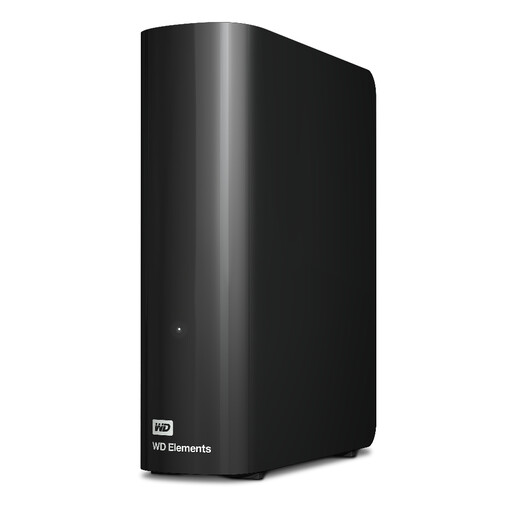
Consider a desktop drive when the archive will stay mainly at home and a fixed location with mains power is practical.
This variant is labelled 16TB. Check that its format suits the computer you will use, and keep a separate copy of the files.
 No image available
This portable SSD is an option if your additional copy fits comfortably within its capacity and you need to carry it.
The title specifies 2TB. Check the connector, cable and format against your devices before choosing it for a full library export.
 No image available
Consider this portable hard drive if you need to move an archive and its capacity leaves room beyond the current export.
The title specifies 5TB. Check its format against every computer that must use it, and preserve another copy before any reformatting.
 No image available
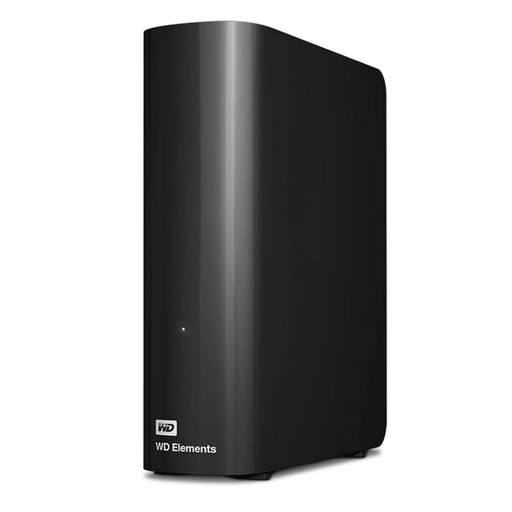
This desktop drive is an option for a mainly home-based copy if the downloaded library fits with space for growth.
The title specifies 6TB. Plan for a fixed location and mains power, and check the format before loading files.
Choose capacity from the size of the downloaded library, including videos, and leave room for additions and a fresh copy. The labelled drive capacity will not all be usable after formatting, as Crucial notes in its storage guidance.
Yes, if the drive’s format and your intended backup workflow support both computers. Apple identifies exFAT as a Windows-compatible format on Mac; check your backup software before choosing it, because formatting a drive erases its files.
Use the export or download options for your particular service, then inspect the local files before sizing a drive. Google Account Help describes downloadable data exports, Apple Support explains downloading iCloud originals, and Amazon Customer Service documents browser downloads of selected photos and videos; check your account’s current options rather than assuming a whole library can be downloaded in one step.
No: one drive provides an additional copy, but not protection against every loss affecting that drive. The National Cyber Security Centre advises separation between copies, including keeping a backup offline or disconnected when it is not in use; test that you can open files from it too.
Yes. Apple Support recommends a local backup even if you use iCloud Photos, and describes Time Machine or manually copying the library to external storage. Back up referenced files stored outside the Photos library separately, and do not use the drive holding the library as its Time Machine backup destination.