Mobile one-to-one presenters
If you carry your portfolio between locations and usually show it to one client, a compact 10.9–11-inch screen may be easier to handle than a larger tablet. Apple and Samsung both list models in this size range.


Choose a tablet around the way you present: a compact screen is easier to carry for one-to-one viewing, while a larger screen gives several clients more room to inspect images. Where glare is likely, check display treatment as well as size; before relying on any tablet away from mains power, save the portfolio locally and rehearse a session at your intended brightness.
If you carry your portfolio between locations and usually show it to one client, a compact 10.9–11-inch screen may be easier to handle than a larger tablet. Apple and Samsung both list models in this size range.
If you place the tablet on a desk or show photographs to several people, a 12.1–13-inch screen gives you more viewing area. Consider how you will support and carry it as well as how the images look.
Windows, mixed lighting and outdoor-adjacent settings make reflections worth checking. Apple and Samsung describe display treatments on relevant models, but inspect the screen in lighting similar to your venues if legibility is central to the presentation.
Choose it when: you travel between appointments and normally show photographs to one person at a time.
Trade-off: a 10.9–11-inch screen leaves less room for viewing images together across a table.
Choose it when: clients will inspect photographs together on a table or stand.
Trade-off: the extra screen area takes more space to carry; Apple lists its 13-inch iPad Air Wi-Fi model at 616 g, against 464 g for the 11-inch model.
| Concern | What to check | Who this matters to |
|---|---|---|
| Viewing in difficult light | Check the exact display's brightness specification and anti-reflective treatment; inspect it in similar lighting if possible. | If I present near windows or in changing light, I need clients to see the photographs without distracting reflections. Around 31% of consumers put viewing in difficult light first. |
| Session away from power | Read the battery claim's test conditions and rehearse with your own files at the intended brightness. | A client session cannot pause while I find a socket, so I need the charged tablet to last through my planned presentation. For roughly 31% of consumers, session endurance is the primary concern. |
| Screen area and carrying | Compare the exact model's screen size and weight, then decide whether you will hold it or set it on a table. | When several clients inspect images together, I want enough screen area without making the tablet awkward to transport. About 23% of consumers prioritise that balance. |
| Offline storage | Size your exported image and video collection, allow room for apps, and check the capacity of the exact variant. | I need every client collection to open even when there is no dependable connection. Approximately 15% of consumers put local portfolio capacity first. |
A capacity figure or an 'up to' claim does not tell you how long your own portfolio will run at your chosen brightness. Apple's cited battery claim covers web browsing on Wi-Fi or video watching, not a particular photo presentation.
Rehearse the full session with the intended files, app and connectivity settings before a client appointment.
A larger screen helps people view images together but changes how the tablet feels to carry. Apple lists its 13-inch iPad Air Wi-Fi model at 616 g and its 11-inch model at 464 g.
Try the size in the position you will use: handheld for one-to-one viewing or supported on a table for group review.
Peak and other stated brightness figures can describe different conditions, while reflection handling is a separate consideration. A larger number alone does not establish how a screen will look at your venue.
Check the precise display specification and inspect the screen under similar lighting when glare could interrupt a presentation.
A Wi-Fi-only tablet can show a locally saved portfolio without a connection, but the presentation app and every essential file must also open offline.
Download the final collection, open critical files without internet access, check available storage and charge the tablet before leaving.
Apple's 11-inch and 13-inch iPad Air models offer a choice between a smaller tablet to carry and more screen area for shared viewing.
Samsung's 10.9-inch Galaxy Tab S10 Lite and 12.4-inch Galaxy Tab S10+ address different screen-size needs within the brand's tablet range.
Lenovo's Tab Plus Gen 2 provides a 12.1-inch option for a portfolio usually viewed on a table or by more than one person.
These tablets offer different screen sizes and local-storage capacities for carrying a portfolio or showing it to clients. Check each model's display in your intended lighting and rehearse your offline presentation before relying on it away from power.
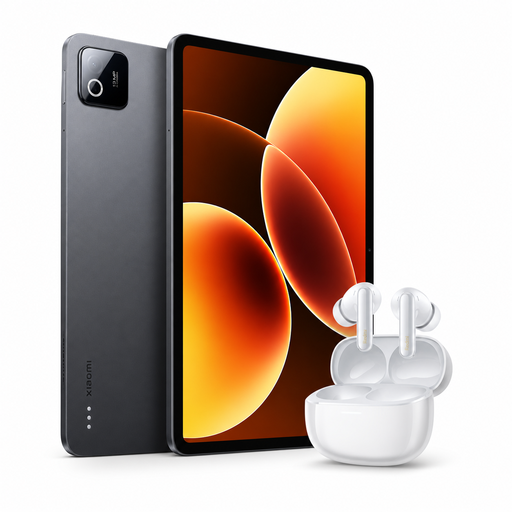 Image unavailable
Consider this bundle if you want to keep a portfolio on a Wi-Fi tablet and use the included earbuds separately.
The tablet title specifies 8 GB RAM and 128 GB storage; check that the exported portfolio fits alongside your apps.
Test your presentation at the intended brightness before depending on it away from mains power, and inspect the screen if reflections matter.
 Image unavailable
Its 12.7-inch screen is worth considering when clients will view photographs together on a table.
The title specifies a 2K display, 256 GB storage, an included stylus and a 10,000 mAh battery. Battery capacity does not establish presentation time.
Check handling comfort and inspect the display in lighting like your venue before choosing it for frequent travel or glare-prone meetings.
 Image unavailable
The 12-inch format may suit a portfolio that clients inspect together rather than a presentation held throughout in one hand.
The title specifies an FHD+ display, 256 GB storage, Android 15 and an 8,800 mAh battery. The capacity is not a measure of portfolio-session runtime.
Check the screen in your intended lighting and rehearse the session before relying on it without mains power.
 Image unavailable
Consider this Wi-Fi model if your portfolio can be saved locally before one-to-one appointments.
The title specifies 8 GB RAM and 256 GB storage; compare that capacity with your exported files and app needs.
Open the collection offline and test screen legibility and session endurance in the conditions you expect to use.
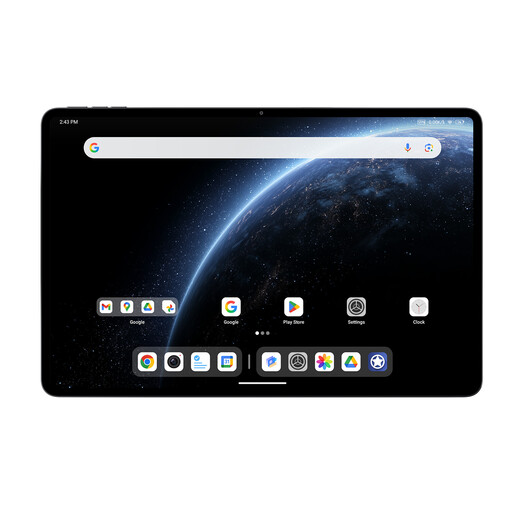 Image unavailable
The 12.95-inch size is worth considering for a portfolio shown to clients from a table or stand.
The title specifies 256 GB storage and a 15,000 mAh battery, but that capacity does not establish presentation runtime. It also states that no charger is included.
Confirm a suitable charging setup, check carrying comfort and inspect the screen before depending on it for an off-grid meeting.
No, if your files and presentation app work offline, a Wi-Fi-only tablet can show the portfolio without mobile data. Consider cellular when you need connected updates or cloud access while travelling, but keep a local copy for places with unreliable signal.
A stated battery figure cannot guarantee the duration of your particular presentation. Apple's cited up-to-10-hour claim concerns Wi-Fi web browsing or video watching; rehearse with your own images, app, brightness and connectivity settings.
Choose a capacity after measuring your exported images, videos and client collections, then leave room for the operating system and apps. Apple lists iPad Air options from 128 GB to 1 TB, while Lenovo lists 256 GB for the cited Tab Plus Gen 2 configuration; neither figure alone tells you what your files require.
Take the tablet through an appropriate electrical recycling route rather than putting it in household rubbish. GOV.UK advises that electrical products and batteries should not go into household rubbish when they no longer work or are no longer wanted.