Regular family-photo printers
If you expect to print family or travel photos repeatedly at home, weigh the sizes and paper you need against the running costs of the exact ink system.


For regular home printing and the freedom to choose or adjust photos yourself, compare photo-capable inkjets by their supported print sizes and the cost of the exact ink-and-paper combination. For occasional batches, compare a print service’s complete order cost; for small photos to share promptly, a compact printer may suit you if its format and dedicated supplies fit your needs.
If you expect to print family or travel photos repeatedly at home, weigh the sizes and paper you need against the running costs of the exact ink system.
If you usually print after a holiday or for a particular occasion, compare ordering a batch with buying and maintaining a printer.
If you want to choose a photo on your phone and hand someone a small print soon afterwards, check that the finished size and dedicated media suit you.
Consider it when: you expect repeated home printing or want the flexibility to choose from supported photo sizes.
Trade-off: ink, paper and upkeep vary by model, so compare the precise supplies and sizes you will use.
Consider it when: postcard-sized snapshots are more useful to you than A4 prints or enlargements.
Trade-off: check the matched media kit and any cassette needed for the format you want.
Consider it when: selecting photos on a phone and sharing small keepsakes promptly is the main purpose.
Trade-off: small-format film is not a substitute for a standard album-sized print.
Consider it when: you want occasional batches without owning and maintaining a printer.
Trade-off: include delivery or collection arrangements and check whether a fixed print ratio will crop your photo.
Choose the finished print size and how often you expect to print before comparing equipment. Then compare the complete cost of those prints with an actual service order, rather than relying on a headline ink-yield or per-print figure.
| Concern | What to check when buying | Who this matters to |
|---|---|---|
| Cost of repeat prints | For the same print size, include the printer, matched ink, photo paper and relevant upkeep; compare that with the complete cost of a service order. | If I expect to print batches throughout the year, I want to know what the supplies for my chosen sizes will actually cost. Around 30% of consumers put the cost of repeated home printing first. |
| Print size and appearance | Check the exact model’s borderless sizes, compatible paper and finish, and whether the print ratio will crop the original image. Canon UK and Epson United Kingdom list different model-specific formats; CEWE UK explains that a fixed 6 × 4-inch ratio can crop images with different proportions. | If I am making album prints or choosing a frame, I need the finished dimensions and crop to work for the photo. Around 30% of consumers prioritise print size and presentation. |
| Small prints to share | Check the printed image area, power arrangement and exact film or paper-and-ink kit. Fujifilm’s instax mini format has a 46 × 62 mm image area; Canon lists postcard media for the SELPHY CP1500. | If I want to hand out photos soon after taking them, I care more about a convenient small print than a large album format. Around 20% of consumers prioritise immediate keepsakes. |
| Occasional batches | Compare the quantity, dimensions, finish, crop, delivery charge and expected arrival or collection time for an actual order. | If I print only after trips or family occasions, I would rather compare a complete batch order than take on equipment and upkeep. Around 20% of consumers prioritise a simple option for occasional prints. |
The Canon SELPHY CP1500 uses postcard-format media, while instax mini has a much smaller image area. They serve different print needs.
Decide on the finished dimensions before comparing compact printers, and check both the sheet size and the image area.
A manufacturer’s yield estimate is based on specified conditions, and a service price can depend on the order. Neither alone gives the complete cost for your photos.
Compare the same print size and quantity, including the printer and its relevant supplies or the full service order.
Paper, film, ink and cassettes are format- and model-specific. Canon lists specified media for the CP1500, and instax mini uses its own film format.
Check the full printer model against the manufacturer-listed media code and any cassette required for your chosen size.
Canon’s CP1500 longevity figure is tied to stated album-storage conditions. Epson says print stability varies with media, image, light, humidity and atmospheric conditions.
Read the test conditions and store valued prints accordingly; do not treat a stated lifespan as a guarantee for prints displayed in different conditions.
Canon’s UK photo range includes refillable A4 home printing with the PIXMA G650 and a separate postcard-format route with the SELPHY CP1500.
Epson’s UK photo models include A4 and A3+ refillable EcoTank printers and the cartridge-based A3+ Expression Photo HD XP-15000.
The instax mini Link 3 is a phone-oriented route for making small keepsakes rather than standard album-sized prints.
These Joybuy choices cover home photo-capable inkjets, including A4 and larger-format models, and a dedicated 4 × 6-inch photo printer.
 No image available
Consider it for repeated home printing if its listed photo sizes match your albums or frames.
The product information lists refillable ink and photo-paper sizes of 10 × 15 cm and 13 × 18 cm.
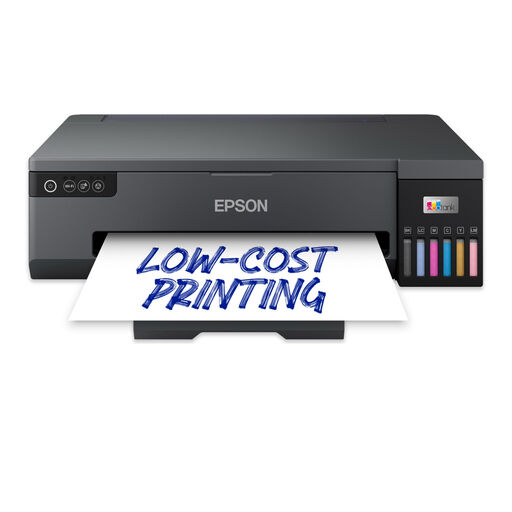 No image available
Consider it if you want larger home photo prints and the listed single-function format suits your setup.
The product information identifies A3+ photo printing, refillable ink tanks, Wi-Fi and Epson Connect.
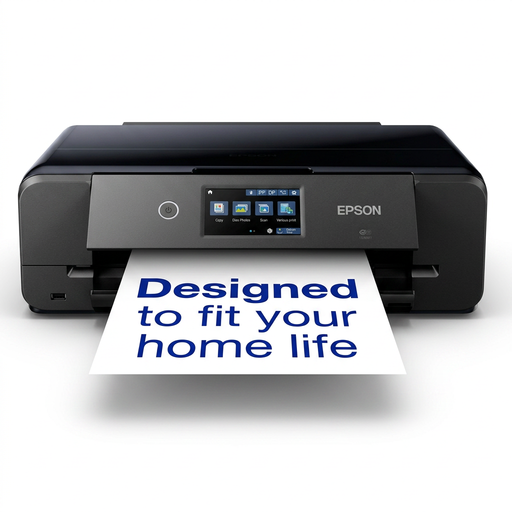 No image available
Consider it if you want larger-format photo printing alongside scanning or copying.
The product information specifies six-colour printing and borderless photo output up to A3.
 No image available
Consider it for album or frame prints from compatible mobile devices when its dedicated media format suits you.
It prints 4 × 6-inch (100 × 148 mm) photos using dye diffusion thermal transfer; the product information specifies a print time under 70 seconds. A dedicated paper cartridge is required.
 No image available
Consider it if you want an A4 inkjet that also supports several listed photo-paper sizes.
The product information lists individual ink cartridges and photo paper from 9 × 13 cm to 20 × 25 cm, as well as Wi-Fi and Epson Smart Panel app support.
It depends on how many prints you expect to make and in which sizes. Add the printer, its exact ink, paper and relevant upkeep across your expected prints, then compare that with complete service orders including delivery. An ink-yield estimate or a service’s lowest bulk price alone does not settle the choice.
The Canon SELPHY CP1500 is not an A4 printer: Canon lists postcard media at 100 × 148 mm and smaller formats. For A4 output, check an A4-capable inkjet such as the PIXMA G650 or EcoTank ET-8500.
Match the full printer model to its manufacturer-listed ink or media code, paper dimensions and any required cassette. Canon lists KP-36IP or RP-108 for CP1500 postcard media and GI-53 bottles for the G650; instax mini uses its own film format.
Do not treat a test figure as a guarantee for a displayed print. Canon’s CP1500 100-year figure specifies album storage under stated temperature and humidity assumptions; Epson says actual print stability varies with media, image, display conditions, light, humidity and atmospheric conditions.
Follow the support instructions for your exact printer model. Canon’s nozzle-check guidance says to inspect the printed pattern and take the indicated cleaning action if nozzle lines are missing; another model may use different procedures or supplies.