Album-style diary makers
If you add individual photos to a chronological diary, a repeatable postcard format may matter more than printing a whole page. Check that compatible paper and ink packs suit the printer you choose.


Choose a postcard printer for regular photo inserts, an A4 photo printer if you want to print complete diary pages, or a small instant or sticker printer for decorative images. Measure your diary pages before choosing: the smaller formats cannot take the place of full-page printing, while each route calls for its own compatible media.
If you add individual photos to a chronological diary, a repeatable postcard format may matter more than printing a whole page. Check that compatible paper and ink packs suit the printer you choose.
If your diary pages combine photographs and captions, look at the page sizes and paper handling of an A4 photo printer. Scanning and document printing may also matter if the same machine will serve other tasks.
If photos are small elements within a decorated page, an instant-film or adhesive-backed print format may fit. Measure the space available for each image and check the required film or paper.
Start with the space each photograph will occupy, then consider how you will handle the prints, replenish media and send images to the printer.
| Concern | What to check | Who this matters to |
|---|---|---|
| Photo and page size | Measure the diary’s photo spaces; check supported print dimensions and whether captions need to be printed on the same page. | If I want photographs and captions together on a full page, small separate prints will not suit my layout. Around 25% of consumers would put page format first. |
| Handling and storage | Check what the maker says about the print surface and the storage conditions behind any longevity claim. | If I will turn the diary’s pages often, I want prints that suit that handling and my intended storage. Roughly 25% of consumers would make print handling their primary concern. |
| Replacement media | Identify the exact compatible paper, cartridge or film; check pack contents and whether replacements are available. | When I print regularly, I need to know that I can keep using the same format. About 25% of consumers would prioritise media replenishment. |
| Printing from a phone | Check the connection method and whether the printer’s current app works with your phone. | If I assemble diary pages while away from my desk, sending photos from my phone matters more than a larger page format. Around 25% of consumers would put that workflow first. |
A small print may work as decoration but leave too little room for the diary’s main photograph. An A4 printer serves a different purpose if you only want individual inserts.
Mark out the intended image space on a page, then compare it with the printer’s supported output dimensions.
Canon UK lists its RP-108 set as ink and 108 sheets of 100 × 148 mm paper for compatible SELPHY printers. MyFUJIFILM United Kingdom states that film for the instax Link WIDE is sold separately.
Check the exact media format and what comes with the printer before choosing a model.
Canon’s statement about long-lasting SELPHY prints depends on album storage and its test assumptions. Epson’s stated photo yield is a manufacturer figure, not a promise for every image and print setting.
Read the conditions attached to any claim and choose the format for the diary you will actually make.
Small adhesive-backed and instant-film images can decorate a page, but they do not provide the layout area of an A4 print.
If photographs and captions must appear on one printed page, check full-page printing capability rather than portability alone.
Canon’s SELPHY CP1500 represents a compact postcard-printing route.
Epson’s EcoTank ET-8500 is an A4 photo-printer option for diary pages that combine images with other content.
The instax Link WIDE is a phone-led instant-film option for individual scrapbook images.
The Sprocket Select is a compact option for small decorative photo prints.
These choices cover postcard inserts, larger diary-page layouts and small decorative prints. Compare each model’s media requirements with the pages you plan to make.
 No image available
Consider this format for individual postcard-style diary inserts rather than complete printed pages.
Check which Hi-Print paper cartridge fits this model before choosing media.
 No image available
Consider this model if you plan to print larger diary-page layouts. Check its supported page sizes and paper types against your intended pages.
 No image available
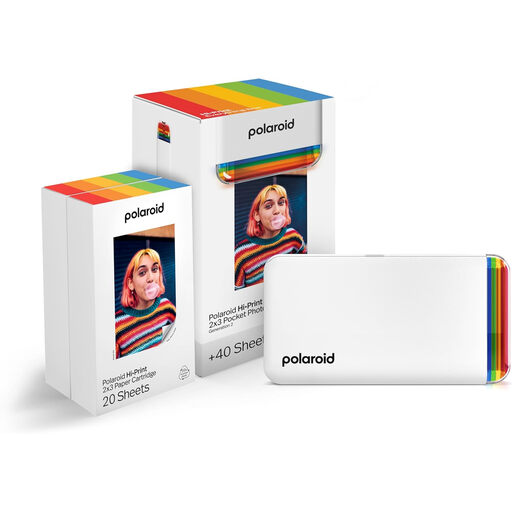
The small-print format suits decorative diary images rather than a full-page photograph.
The named bundle includes a 40-sheet paper cartridge; check compatible replacement cartridges for continued printing.
 No image available
Consider this portable printer when small decorative images are the aim. Check the output dimensions and compatible paper against your diary layout.
 No image available
This small-format option is worth considering for diary decoration rather than complete printed pages. Check the print dimensions and compatible cartridges before buying.
Choose the size that fits your diary layout. Canon UK specifies 100 × 148 mm postcard media for the SELPHY CP1500, MyFUJIFILM United Kingdom gives the instax Link WIDE a 62 × 99 mm picture area, and Epson United Kingdom lists borderless A4 printing for the EcoTank ET-8500. Measure the page or photo space, including any room needed for captions.
Check the exact printer and bundle before buying media. Canon UK’s compatible RP-108 set combines ink with 108 sheets of postcard paper, while MyFUJIFILM United Kingdom says film for the instax Link WIDE is sold separately. For an ink-tank printer, check the supplied ink and the photo paper you intend to use.
Yes, with the cited phone-led models, but their connections differ. The Canon SELPHY CP1500 uses Wi-Fi, while the instax Link WIDE and HP Sprocket Select use Bluetooth-led app workflows. Check that the current app supports your phone before choosing a printer.
Use an electrical-waste collection route. GOV.UK says waste electrical products can be taken to a local household waste recycling centre; check your local centre’s arrangements before visiting.