Album and card portrait keepers
If you want holiday portraits for albums, cards or small frames, start with the finished print size. A shared desk may also make more than one input method useful when photos come from different devices.


Choose a postcard-capable printer if the holiday portraits are destined for albums, cards or small frames, particularly when people need more than one way to submit photos. Choose a compact sticker or instax-film printer if small handouts and a portable setup matter more than conventional photo size. Before buying, check each person’s device and app requirements, along with the exact paper, cartridge or film the printer takes.
If you want holiday portraits for albums, cards or small frames, start with the finished print size. A shared desk may also make more than one input method useful when photos come from different devices.
If people mainly want stickers or journal inserts to take away, a compact phone-led printer may suit the session. Check that everyone who wants to print can use its app and connection method.
If handing around physical film prints is part of the activity, consider an instax printer. Fujifilm positions its WIDE format for group scenes as well as individual portraits; it is a different output choice from postcard photo paper.
Decide what people will do with the portraits before choosing a printer format. Then check how photos will reach the printer at the shared desk and whether its size and supplies suit the session.
| Concern | What to check | Who this matters to |
|---|---|---|
| Portrait format | Check the supported print dimensions and whether the output is photo paper, a sticker or film. Canon lists 100 × 148 mm postcard prints for the SELPHY CP1500. | If my portraits are going into an album or a small frame, I would put print size ahead of making stickers. Around 42% of consumers would make portrait format their primary concern. |
| Shared connections | Check the required app and operating systems, plus whether users need Wi-Fi, Bluetooth, USB-C or memory-card printing. HP lists no memory-card support or macOS compatibility for the Sprocket Select. | When photos are spread across several people’s devices, I want each person to have a workable way to print. Roughly 33% of consumers would put shared-device access first. |
| Space and handouts | Check the printer’s footprint, power source and media type. A compact printer still needs the correct paper, cartridge or film. | At a temporary or crowded desk, I would favour a printer that is easy to move and makes small takeaways. About 25% of consumers would prioritise portability and handouts. |
A sticker or film print is not interchangeable with a postcard-size photograph. Canon lists postcard output for the SELPHY CP1500, while its QX20 uses smaller sticker media and Fujifilm’s Link WIDE uses film.
Decide where the portrait will go, then check the exact dimensions and media type supported by the model.
Phone-led printers and printers with computer or memory-card input can lead to different workflows at a shared desk. HP lists no macOS compatibility or memory-card support for the Sprocket Select.
List the devices people will use and check the model’s app, operating-system and connection requirements before purchase.
Canon’s QX20 uses dedicated ink-and-paper sets, HP’s Sprocket Select uses ZINK paper, and Fujifilm’s Link WIDE uses instax WIDE film. A similarly named supply may not fit the printer you choose.
Confirm the exact compatible supply and compare its availability and ongoing cost alongside the printer.
Canon’s longevity statement for SELPHY CP1500 prints is tied to album storage; it should not be read as a promise for every display or storage condition.
Check the manufacturer’s stated conditions if you intend to keep holiday portraits for years, and choose a suitable album or protected display.
Canon’s SELPHY CP1500 and QX20 illustrate two different desk setups: postcard-capable printing and smaller rechargeable sticker printing.
The HP Sprocket Select is a pocket-oriented option for small, sticky-backed prints from a phone.
The instax Link WIDE prints smartphone photos on WIDE film for people who want physical film handouts.
These choices cover a larger 4x6 portrait format and smaller, phone-led keepsake formats. Choose by the print you want to take away, then check the connection and compatible supplies for the exact model.
 No image available
Consider this for holiday portraits intended for albums or frames when phone-based printing suits the desk. The product name specifies Bluetooth and a 4x6 print format; check the required app, other input methods and compatible cartridges for your setup.
 No image available
Consider this when a portable printer for small photo keepsakes matters more than postcard-size portraits. Its product name specifies zero-ink printing; check the intended phones’ app compatibility and the exact paper required.
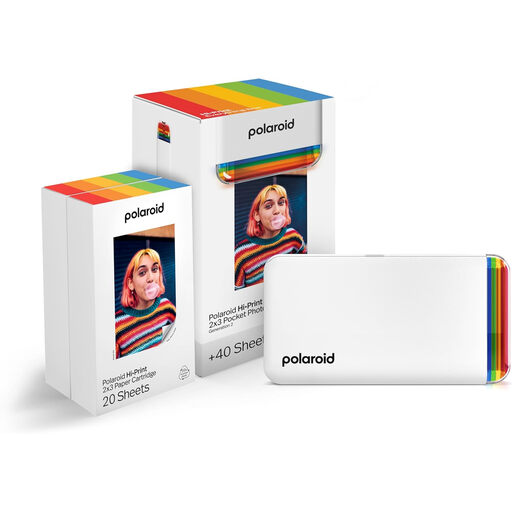 No image available
Consider this bundle for small, phone-led holiday-photo keepsakes rather than postcard portraits. Its product name identifies a 2x3 printer and a 40-sheet paper cartridge; check phone compatibility and the exact replacement cartridge before buying.
 No image available
Consider this for small photo keepsakes when people plan to print from their phones. The product name specifies the 2x3 Gen 2 variant; check whether paper is included, which cartridges fit and whether each intended phone can use the required app.
Choose a postcard-capable printer if the portraits are for albums, cards or small frames. Canon lists 100 × 148 mm postcard output for the SELPHY CP1500; its QX20 makes smaller stickers, while Fujifilm’s instax WIDE is a film format for a different kind of handout.
They can if their phones meet the chosen printer’s app and connection requirements, so check every intended device. Canon lists wireless app printing for the SELPHY models, HP lists Bluetooth and its Sprocket app for the Sprocket Select, and Fujifilm uses Bluetooth and the Link WIDE app for its instax printer.
Plan for the compatible media your exact printer uses and check its availability before buying. Canon lists dedicated ink-and-paper sets for the QX20, HP specifies ZINK paper for the Sprocket Select, and Fujifilm’s Link WIDE uses instax WIDE film.
Ask the retailer about electrical-equipment take-back when you buy the replacement. GOV.UK states that retailers must offer take-back of waste electrical equipment of the same type as the item purchased; check how that retailer arranges the service.