Group-portrait display planners
Students who want a reunion photo for a room, pinboard or album need to consider the size of the finished print, not just where the printer will fit.


Choose a postcard-capable printer if the reunion portrait needs enough room for several faces and will go in a frame or album. Choose Instax WIDE for a film-style group keepsake, or a smaller sticker printer when easy storage and hand-outs matter more than portrait size. Check the exact print format, compatible media and phone connection before choosing.
Students who want a reunion photo for a room, pinboard or album need to consider the size of the finished print, not just where the printer will fit.
Students bringing out a printer for occasional gatherings need somewhere to store it and a straightforward way to receive photos from the phones being used.
Students who want friends to leave with a physical memento may prefer an instant-film format, provided its print size and dedicated film suit the occasion.
Decide what the finished portrait is for before choosing the printer: a display print, a film keepsake and a small adhesive hand-out call for different media.
Choose it when: The group portrait will be displayed or kept in an album; Canon UK lists 100 × 148 mm postcard prints for the SELPHY CP1500.
Accept: A compact printer still needs storage space, and the CP1500 uses compatible paper-and-ink sets.
Choose it when: A film-style print to hand to friends matters most; instax by Fujifilm positions WIDE, its largest printer format, for group shots.
Accept: The film format and its border are part of the result, and printing requires matching Instax WIDE film.
Choose it when: Guests will take away small adhesive prints and the printer needs to be put away between gatherings.
Accept: Small media leaves less room for a multi-person portrait; Canon UK lists 54 × 85 mm and 72 × 85 mm media for the SELPHY QX20.
| Concern | What to check | Who this matters to |
|---|---|---|
| Group-portrait size | Compare actual media dimensions and allow room for everyone in the image. Canon UK lists 100 × 148 mm postcard prints for the SELPHY CP1500 and 54 × 85 mm card-size media for the QX20. | I want to see everyone's face when the photo is on a wall or in an album. Around 27% of consumers put display-size portraits first. |
| Storage and setup | Measure the storage spot, check power needs during printing and confirm the connection method for the phones being used. | In a shared flat, I need to put the printer away after the reunion and get photos onto it without a permanent desk setup. For around 27% of consumers, that ease of storage and setup is the primary concern. |
| Take-home keepsakes | Choose between a film print, a small adhesive print and a larger portrait; check how many prints guests will want. | I would rather give friends something to take home that night than make one portrait for display. That makes keepsakes the first priority for around 20% of consumers. |
| Media and phone compatibility | Identify the exact replacement paper or film and check that the required app works on the intended phones. | If we print again after the reunion, I need to know we can get the right media and still use our phones with the printer. Around 26% of consumers put those practical checks first. |
A printer that fits easily in a drawer may produce a print too small for a group portrait. Canon UK lists 54 × 85 mm card-size media for the QX20, compared with 100 × 148 mm postcard prints for the CP1500.
Decide whether the print is for display or handing out, then compare media dimensions before comparing printer bodies.
These formats use different supplies: Canon's CP1500 uses compatible paper-and-ink sets, Instax printers use film matched to their format, and HP lists ZINK paper for the Sprocket Select.
Identify the exact replacement media for the model and format you choose, and check that you can obtain it for future gatherings.
A printer's wireless connection does not mean every guest can send it a photo in the same way. The Canon SELPHY QX20 uses a Wi-Fi app connection, while the instax Link WIDE uses an app and Bluetooth.
Check the required app on the intended phone and make a test print beforehand. Decide whether guests will send their photos to one host phone.
Canon's SELPHY CP1500 and QX20 illustrate two different choices: postcard-capable printing and smaller sticker or card prints.
The Instax range is relevant when the physical film print is part of the reunion activity.
The HP Sprocket Select is a reference point for small, phone-connected sticky prints rather than a larger display portrait.
These printers cover a 4x6 portrait format and smaller take-home prints. Choose by the size of the photo you want to keep or share, then check the compatible media and phone setup for the particular model.
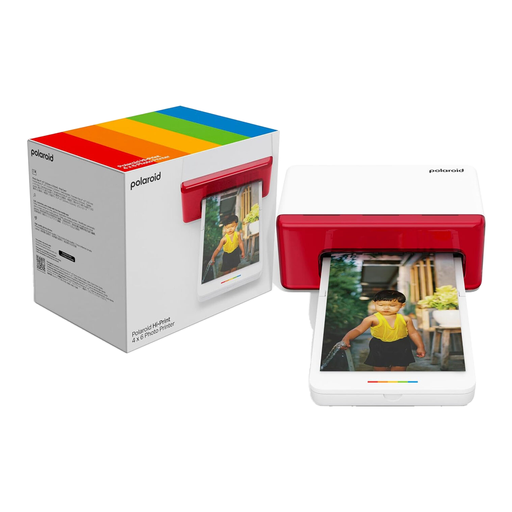 No image available
Consider the 4x6 format if the reunion portrait is intended for an album or display rather than a small hand-out.
Check the compatible Hi-Print paper cartridge and that the intended phones can use the printer's app.
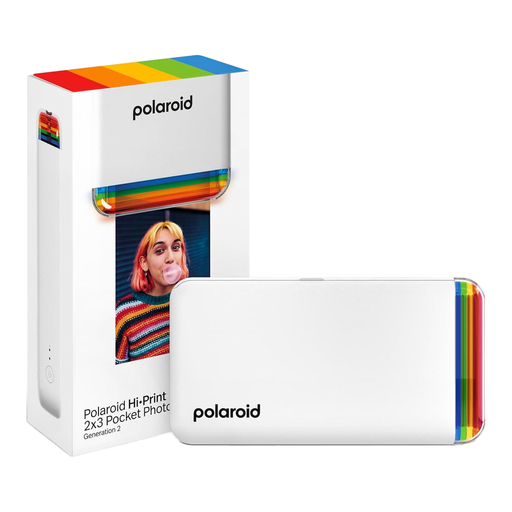 No image available
The 2x3 format suits small reunion keepsakes rather than a portrait intended for display.
Check the compatible Hi-Print 2x3 cartridge and phone-app requirements before choosing it.
 No image available
Consider this bundle if guests will take away small prints and you want the stated paper cartridge with the printer.
It is a 2x3 variant with a 40-sheet paper cartridge; check compatible replacement cartridges and phone-app requirements.
 No image available
Consider it for small prints to share or keep, rather than assuming it will produce a display-sized group portrait.
The product name identifies zero-ink printing; check its print dimensions, compatible photo paper and phone requirements before choosing it.
Start with a postcard-capable format if the group portrait is going on a wall or into an album: Canon UK lists 100 × 148 mm prints for the SELPHY CP1500. If the film look matters more, instax by Fujifilm positions its WIDE format for group shots; check the finished image area before choosing a smaller format.
Phone printing is possible with the right app and connection, but decide who will control the printer before the gathering. Canon identifies wireless smartphone printing for the SELPHY CP1500 and direct Wi-Fi app printing for the QX20; the instax Link WIDE uses an app and Bluetooth. Test the intended phone and workflow in advance.
Choose media made for the exact printer and format rather than assuming ordinary photo paper will work. Canon's CP1500 uses compatible paper-and-ink sets, Instax printers need the matching mini, SQUARE or WIDE film, and HP lists ZINK paper for the Sprocket Select. Check the model and media name together before buying replacements.