On-the-day handout organisers
These organisers need compact portraits that guests can take home during the session. A postcard format may be enough: Canon UK specifies 100 × 148 mm prints for the SELPHY CP1500.


Choose a compact dye-sublimation printer if guests need postcard-size portraits to take away during the reunion. If the studio needs larger display prints, look at an inkjet that supports the required paper size; for repeated sessions or carefully prepared portraits, also weigh paper handling, shared-device access and consumable maintenance.
These organisers need compact portraits that guests can take home during the session. A postcard format may be enough: Canon UK specifies 100 × 148 mm prints for the SELPHY CP1500.
These printers need to choose between A4 and larger portrait displays, sometimes using different paper feeds. Epson UK specifies A3+ borderless output and separate photo, A4 and rear feeds for the ET-8550.
For carefully prepared portraits, tonal and black-detail choices may matter more than quick handouts. Epson positions the SureColor SC-P700 for a professional photo workflow that also requires setup and maintenance planning.
Decide whether the finished portrait is a guest handout or a display print before comparing printing time, file-sharing methods and consumables.
| Concern | What to check | Who this matters to |
|---|---|---|
| Portrait size | Confirm the largest required print and whether borderless output is supported at that size. | For framed reunion portraits, I need space for a larger image rather than only a postcard; around 30% of consumers put display size first. |
| Guest handouts | Check print time at the intended size and how guests’ files will reach the printer. | When guests are waiting, I need a straightforward way to produce small take-home prints; around 30% of consumers prioritise immediate handouts. |
| Repeated printing | Check paper feeds, shared-device connections and the compatible replacement media and ink. | Across several sessions, I need to manage paper changes and shared access without disrupting printing; roughly 20% of consumers put the repeat-print workflow first. |
| Portrait rendering | Assess the ink system, intended photo paper and setup or maintenance requirements. | If portraits are being prepared for careful display, I want to assess tonal and black detail and can allow for more upkeep; around 20% of consumers prioritise fine-art control. |
Canon UK lists the SELPHY CP1500’s largest print format as 100 × 148 mm postcard size, so it cannot make an A4 or A3+ portrait for display.
Set the finished portrait size before choosing a printer. Choose a model specified for the larger format if the portraits will be framed or mounted at that size.
A manufacturer’s yield claim has test conditions; the studio’s images, print sizes and quality settings can change how far its ink goes.
Check the conditions behind the chosen model’s claim and try a small batch at the intended portrait size and setting before planning repeated sessions around it.
Epson says the SureColor SC-P700 uses supplied ink during initial setup, leaving limited cartridge ink and maintenance-box life afterwards.
Plan for setup, replacement ink and the maintenance box when deciding how the printer will be kept ready for studio sessions.
The Information Commissioner’s Office says a recognisable person’s photograph is usually personal data. An organisation must identify a lawful basis before sharing personal data.
For an organisation-run session, agree who receives files, approves prints, can access originals and deletes unwanted copies. Check the organiser’s data-protection responsibilities for its intended use.
Canon has distinct options for postcard handouts and larger dye-ink photo prints.
Epson’s ET-8550 addresses refillable-ink photo printing, while the SureColor SC-P700 is positioned for a more involved professional photo workflow.
The Sprocket Studio is a small-format alternative to consider when 4 × 6 in prints meet the session’s needs.
These choices cover different starting points: a printer to assess for larger studio portraits, a 4x6 handout printer and a model to assess where A4 portraits are sufficient. Check each model against the finished print size and the studio’s file-sharing plan.
 No image available
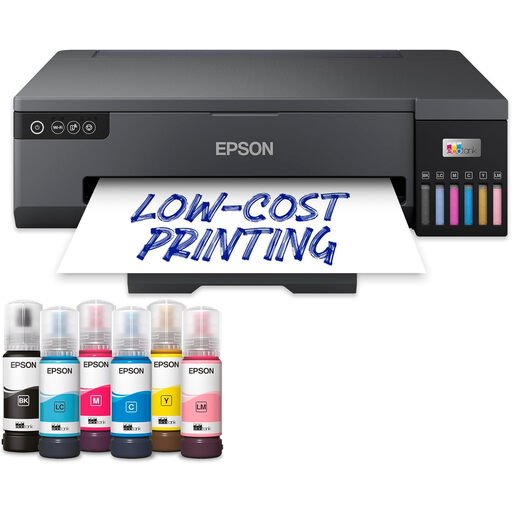
Consider this model for larger studio portraits only after confirming its maximum paper size: the listed A3+ description conflicts with dimensions of 29.7 × 42 cm. Check the required borderless size and photo paper for the intended display.
 No image available
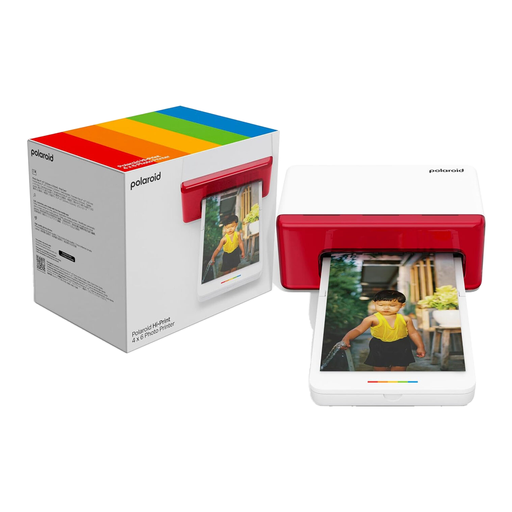
The 4x6 format suits postcard-size reunion handouts rather than larger display portraits. Its title specifies Bluetooth; check the phone-printing workflow and the availability of compatible paper cartridges before the event.
 No image available
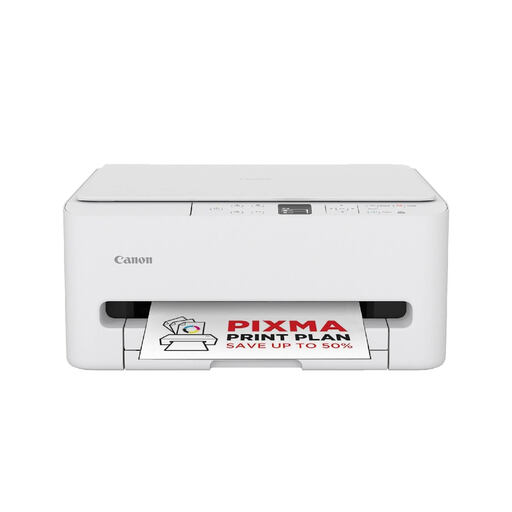
Consider this model if A4 portraits would meet the studio’s needs. Confirm its supported photo paper, borderless output and photo-print time before relying on it for reunion prints.
Choose postcard size for immediate take-home prints, or specify the intended larger size before selecting a display printer. Canon UK lists 100 × 148 mm postcards for the SELPHY CP1500 and borderless A3+ among the PIXMA PRO-200S’s options; Epson UK also specifies A3+ borderless output for the ET-8550.
Yes, if the chosen printer has an input method that suits the studio and someone manages the print queue. Canon lists Wi-Fi, USB-C and compatible SD-family card input for the SELPHY CP1500; Epson lists Wi-Fi, Wi-Fi Direct and Ethernet for the ET-8550. A designated operator can help prevent duplicate or incorrect prints.
Check setup consumables and maintenance parts for the exact model. Epson says the SureColor SC-P700 uses supplied ink during initial setup, limiting the cartridge ink and maintenance-box life left afterwards, and includes an additional maintenance box.
Yes, when a studio, club or other organisation handles and shares recognisable portrait files, it should assess its data-protection responsibilities. The Information Commissioner’s Office says such photographs are usually personal data and that an organisation must identify a lawful basis before sharing personal data; the appropriate arrangements depend on who is organising the session and how the images will be used.