What matters when choosing?
Decide the largest finished photograph and the most frequent printing task before comparing devices. A compact hand-out printer, an A3+ photo printer and a shared multifunction printer solve different parts of a dance group’s workload.
| Concern | What to check | Who this matters to |
|---|
| Repeat printing and supplies |
Compare refillable and cartridge workflows, then check the ink and paper needed for your usual photographs. |
If I organise recurring orders, I need to replenish supplies without repeatedly interrupting the work. Around 36% of consumers put that workflow first. |
| Enlarged display prints |
Confirm the finished size, borderless support at that size and compatibility with your intended photo paper. |
Photographs for a display board need to fit the planned space and presentation. For around 29% of consumers, enlarged display output is the primary need. |
| Event-day hand-outs |
Check postcard-print size, the rated time for that paper and how a phone or camera connects. |
When I am handing out keepsakes after a performance, I need a manageable way to print them there and then; around 21% of consumers prioritise that task. |
| Shared group tasks |
Check whether the required print, copy and scan sizes are supported, along with paper handling. |
One shared device may also need to handle rehearsal paperwork and forms. That mixed workload comes first for around 14% of consumers. |
Joybuy product choices
These choices range from a larger-format Epson printer to compact Polaroid and Xiaomi keepsake printers, with a Canon multifunction model for groups considering smaller prints alongside everyday tasks. Match the print size and workflow to your group’s main job rather than treating them as interchangeable.
 No image available
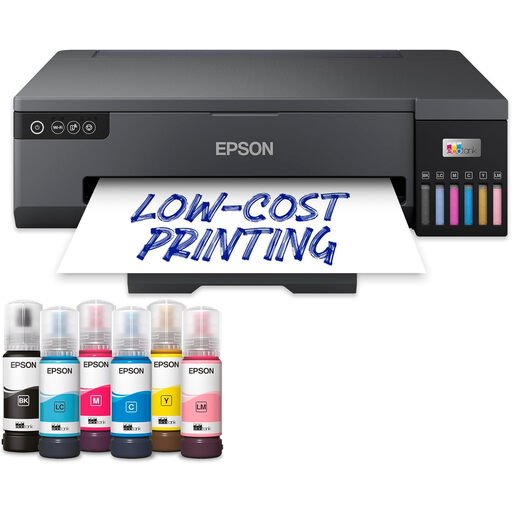
Epson EcoTank ET-18100 Printer
Consider this model if recurring group photographs are your priority. Confirm its supported photo sizes, paper handling, photo-batch timing and whether your group also needs copying or scanning.
View on Joybuy
 No image available
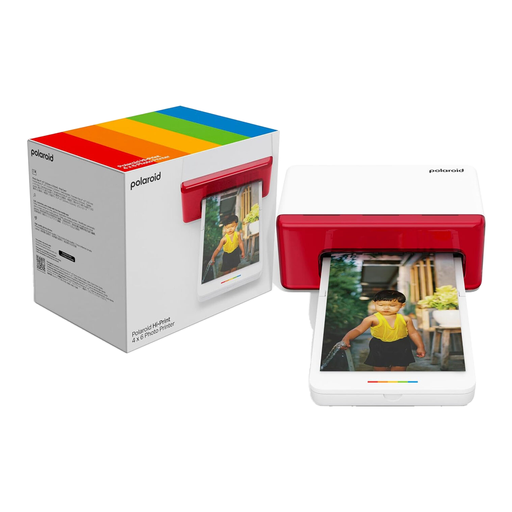
Polaroid Hi-Print Bluetooth 4x6 Photo Printer – White
Its named 4x6 format and Bluetooth connection make it worth considering for phone-based event keepsakes. Check the paper supplies and the timing for the number of hand-outs you plan to produce.
View on Joybuy
 No image available
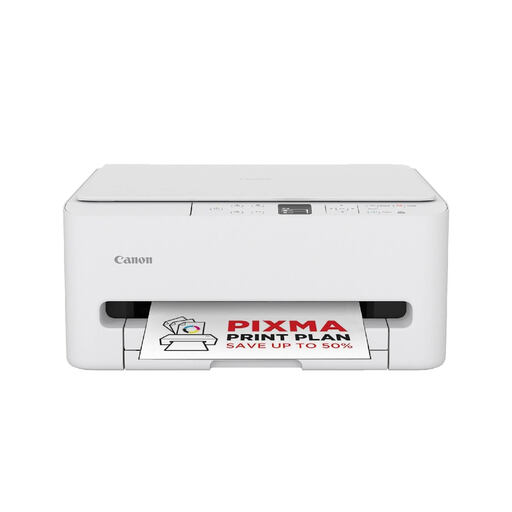
Canon PIXMA TS6550i
Consider this model for a shared group printer if photographs are only part of the workload. Check its supported photo paper, borderless sizes and copy/scan functions against the tasks you actually need.
View on Joybuy
 No image available
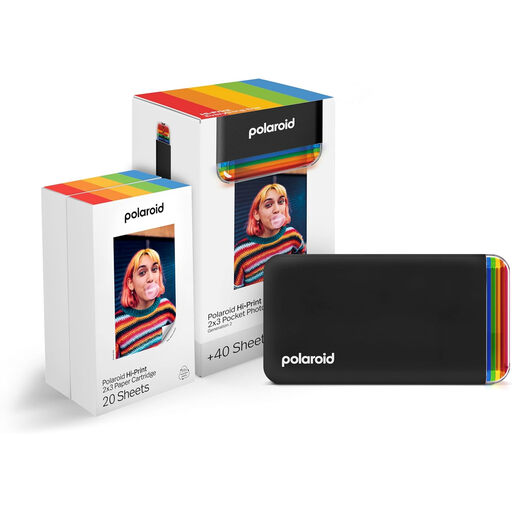
Polaroid Hi-Print Bluetooth 2x3 Photo Printer + Photo Paper Bundle, 40 Sheets
The named 2x3 format suits a small keepsake rather than a postcard-sized or enlarged display photograph. The bundle includes 40 sheets; check the compatible paper you would need for later events.
View on Joybuy
 No image available
Xiaomi Portable Photo Printer 1S
Consider this portable model for small event keepsakes rather than display prints. Check its finished photo size, compatible paper and charging needs against the number of photographs your group expects to hand out.
View on Joybuy
Common questions
Which print size should our dance group settle on first?
Choose the size needed for your main use: a compact postcard format for hand-outs, or a larger format if the photographs must fill displays or frames. Canon specifies 100 × 148 mm output for the SELPHY CP1500; Canon’s PIXMA PRO-200S and Epson’s ET-8550 are specified for borderless A3+ output.
Will a fast document printer produce dance photographs just as quickly?
A document-speed figure does not establish photo-print timing. Brother’s 30 images-per-minute rating for the MFC-J6959DW uses ISO/IEC 24734; ask about timing on your intended photo size and paper before planning event-day hand-outs.
What should we do before printing a full batch?
Print a small set of approved photographs on the intended paper and at the intended size, then check the crop and appearance under the lighting where they will be used. If you choose an Epson SC-P700, allow for initial setup: Epson says it uses supplied ink and leaves limited remaining ink and maintenance-box life.
Can we print photographs taken by a parent or volunteer?
Do not assume that having the files gives the group permission to reproduce them. The UK Intellectual Property Office says photographs are generally protected by copyright and copying will usually require the copyright owner’s permission; confirm who owns the rights and what the group is permitted to print and distribute.
What should we ask about an old printer when buying a replacement?
Ask the retailer how to use its electrical-equipment take-back arrangements. GOV.UK says sellers, including online sellers, must provide a way for customers to dispose of old household equipment when they sell a new version of the same item.


