What matters when choosing?
Decide on the finished print size first, then weigh the paper and image workflow against the space and other tasks the printer must handle. The concerns below apply to consumers choosing a hobby-room printer specifically for winter landscapes.
| Concern |
What to check |
Who this matters to |
| Display size and paper |
Check the maximum bordered and borderless sizes, and whether the intended paper uses the standard or a separate feed. |
If I want to frame the landscape, I need the chosen paper and finished size to work together. Roughly 36% of consumers would put display size and media flexibility first. |
| Shadows and cool tones |
Compare the exact models' ink systems and supported paper settings; make a small print on the paper you plan to use. |
Snow beside dark trees or blue shadows makes the appearance of those areas important to me. Around 29% of consumers would prioritise this print workflow. |
| Recurring supplies and other tasks |
Check the ink and paper needed for repeated prints, plus whether scanning or copying would be useful in the room. |
If I regularly try different crops, I want to plan for replacement supplies and may also need one device for scanning. Approximately 21% of consumers would make these practical needs their main concern. |
| Space and small prints |
Check the actual print dimensions, the printer's placement requirements and how you intend to send it photos. |
If I only want postcards or small keepsakes, fitting the printer into my workspace matters more than A3+ output. For about 14% of consumers, compact printing would come first. |
Joybuy product choices
These choices centre on compact landscape keepsakes, alongside a PIXMA model to consider for general home photo tasks. If the finished landscape needs to be A3+, check a printer specified for that larger format.
 No image available
Polaroid Hi-Print Bluetooth 4x6 Photo Printer, White
Consider this for a small landscape print rather than an A3+ display piece. Its named 4x6 format and Bluetooth connection make print size and compatible paper the key checks before choosing it.
View on Joybuy
 No image available
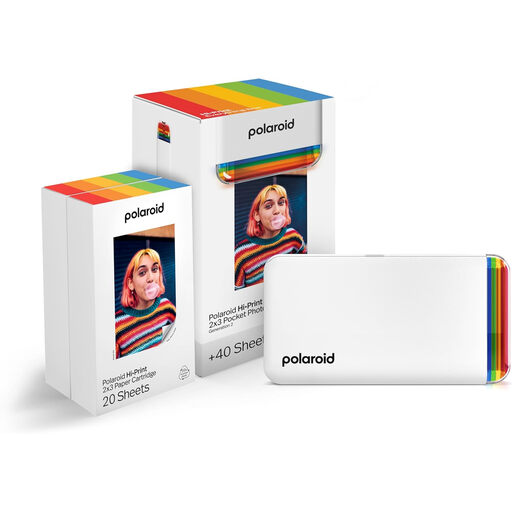
Polaroid Hi-Print 2x3 Gen 2 Bundle, White, with 40-Sheet Paper Cartridge
This is a small-keepsake choice, not a route to an A3+ framed landscape. The bundle names a 40-sheet paper cartridge; check the intended print dimensions and compatible replacement cartridges.
View on Joybuy
 No image available
Xiaomi Portable Photo Printer 1S
Consider this for portable, small landscape keepsakes rather than a display-sized print. Confirm its print dimensions and compatible paper before planning an album or frame.
View on Joybuy
 No image available
Canon PIXMA TS6550i
Consider this model if home photos sit alongside other hobby-room printing tasks. Before choosing it for a framed winter landscape, confirm its supported photo-paper sizes, borderless settings and ink configuration against the print you want to make.
View on Joybuy
Frequently asked questions
Can a compact photo printer make a framed winter landscape?
Yes, if you want a small frame, but check its maximum output before buying for a larger display. Canon lists postcard-sized 100 × 148 mm output for the SELPHY CP1500, compared with borderless A3+ output for the imagePROGRAF PRO-310.
What should I check for snow, dark trees and blue shadows?
Check the exact printer's ink system and paper workflow, then make a small print on your intended paper. Epson describes the SureColor SC-P700's system as designed for deeper blacks and expanded blue reproduction; Canon specifies separate black and grey inks in the imagePROGRAF PRO-310's 10-ink system. Neither specification guarantees how a particular landscape will look.
When does an A3+ all-in-one make sense?
An A3+ all-in-one makes sense when you want larger photos and will also use scanning or copying. Epson lists those functions, refillable tanks and A3+ photo printing for the EcoTank ET-8550; if you only need a dedicated display-print workflow, compare it with a print-focused model instead.
Do I need to account for ink used during printer setup?
Yes, for models where setup draws on the supplied ink. Epson says this happens with the SureColor SC-P700 and limits the remaining cartridge ink and maintenance-box life. Check the included supplies and replacement consumables alongside the paper you intend to use.


