One-off cloud-library archivists
If you are downloading a large existing collection once or occasionally, establish how the service delivers its files, then allow space for the download and a local copy you can open and inspect.


For a one-off export that will stay beside a computer, start with a computer-based download and an external hard drive sized for the actual archive and the copies you intend to keep. A portable SSD suits repeated transfers between compatible computers; network-attached storage is worth considering when you are prepared to maintain an ongoing, multi-device routine. Whichever route you choose, check the cloud service’s export method and the destination file system before buying, and keep a separate copy rather than relying on one permanently connected device.
If you are downloading a large existing collection once or occasionally, establish how the service delivers its files, then allow space for the download and a local copy you can open and inspect.
If you move exports between computers or make repeat copies, check the ports and file systems on every device you plan to use before choosing portable storage.
If photos arrive from several phones or computers over time, plan a repeatable backup and recovery routine. A single downloaded archive will not capture later additions by itself.
Establish what your cloud service will export and where you will download it before settling on a drive. Then weigh capacity, the way you will move files, and whether this is a one-off archive or a continuing routine.
| Concern | What to check | Who this matters to |
|---|---|---|
| Archive capacity | Estimate the downloaded archive size and allow space for extraction, future additions and any extra copy you intend to keep. | If my collection is already large, I need the whole export to fit without crowding out the next copy. About 36% of consumers put archive capacity first. |
| Transfers and portability | Check the ports on your computers, the drive connection and whether your intended USB storage has enough capacity. | When I move an archive between computers or copy it repeatedly, I want storage that is practical to carry and connect. Transfer and portability needs come first for about 29% of consumers. |
| Continuing backups | Check how new files will be backed up, which devices can participate and where a separate recovery copy will live. | If photos keep arriving from several devices, a one-time export will soon be out of date. About 21% of consumers primarily need an ongoing routine. |
| Format and export compatibility | Confirm the service’s export contents and the destination file system; check that every intended device can use the drive. | I need large videos and archive parts to copy successfully, and I want to inspect dates and organisation after export. Compatibility and library integrity are the main concern for about 14% of consumers. |
The downloaded archive and the space needed to handle it may not match a headline account figure. An export can also arrive in several parts.
Estimate or generate the export first where possible. Check free space on the download computer as well as room on the destination drive for the archive and intended later copies.
Microsoft documents a 4 GB maximum size for an individual FAT32 file. A larger video or archive part may therefore fail to copy even when the drive has free space.
Check the file system before copying. If the drive must work with Windows and Mac, assess ExFAT against your devices and backup tools; move any existing files elsewhere before formatting, which erases the drive.
Export methods differ by service. Amazon Customer Service says its browser workflow cannot download an entire album as an album, while Apple Support notes that some iCloud Photos data and formats may not be available when transferring a collection to another service.
Retain accompanying metadata files where supplied, keep an inventory and inspect representative photos, videos, dates and albums before relying on the local copy.
The National Cyber Security Centre warns that ransomware incidents have affected connected USB and network storage holding backups. A convenient local drive is not, by itself, an independent recovery plan.
Keep another copy in a separate location or disconnected when not in use, and check that you can open files from it.
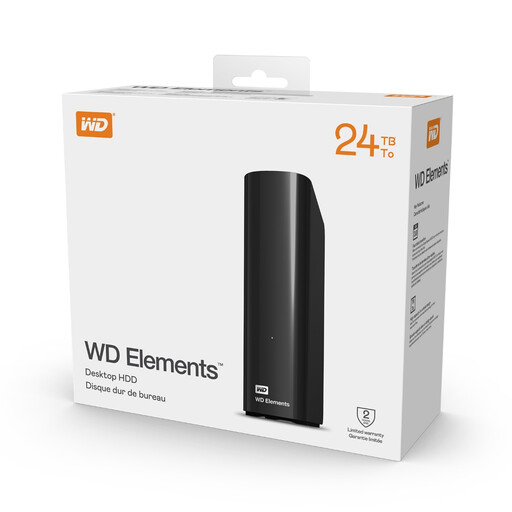
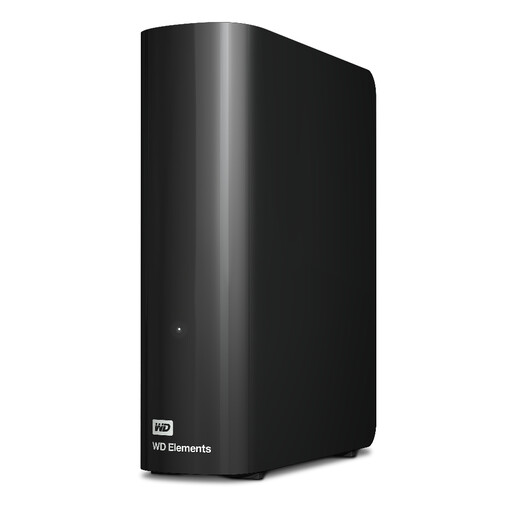
Its WD Elements Desktop range is relevant to an archive that will normally stay beside a computer.
The Portable SSD T7 range is relevant when an archive will be carried or copied repeatedly between compatible computers.
Its home-storage products are relevant to a maintained archive involving several devices, rather than just a one-time download.
These external hard drives and portable SSDs suit computer-based copies of a cloud-photo export. Choose among them by the size of your archive, whether the drive needs to travel and the computers that must read it; the drive alone does not perform the cloud export.
 No image available
A desktop external hard drive to consider when a large export will be stored in one place. Check the actual archive size and the drive’s supplied format and power requirements before choosing it.
 No image available
A stationary archive option if 12TB accommodates your downloaded files and intended extra copies. Its name specifies USB 3.2 Gen 1; confirm the supplied file system and compatibility with the computer you will use.
 No image available
A portable option for an archive you intend to move or copy repeatedly, provided 4TB fits your files and copying plan. Its name specifies USB Type-C and USB 3.2 Gen 2; check your computer’s port and the drive’s supplied format.
 No image available
A portable external hard drive to consider if you need to carry a sizeable archive between locations. Check that 5TB leaves enough space for your export and that its file system works with every computer and backup tool you intend to use.
 No image available
A portable SSD to consider for repeat transfers when the export and intended copies fit within 2TB. Its name specifies USB Type-C and USB 3.2 Gen 2; check the host connection and file-system compatibility rather than assuming a rated interface determines the whole transfer time.
Check your service’s current export instructions, the expected archive size and parts, free space on the download computer and the destination drive’s file system. Google Account Help advises selecting fewer product files or a smaller archive size if a download cannot be completed; Amazon Customer Service says its browser workflow requires selecting photos or videos rather than downloading an entire album as an album.
An external desktop hard drive is a route to consider when the archive is large and will stay in one place; a portable SSD makes more sense if you will carry it or make repeat transfers. Check capacity against the export in either case. Samsung notes that host configuration affects T7 performance, so a rated drive speed does not guarantee a particular copying time.
Check whether ExFAT works with both your intended computers and your backup software. Apple Support lists ExFAT as Windows-compatible and provides instructions for formatting a disk for Windows and Mac use. Microsoft documents a 4 GB individual-file limit for FAT32, which matters if a video or archive part is larger; formatting a drive erases its existing contents.
Do not rely on one connected drive as the only recovery copy. The National Cyber Security Centre describes a backup as a copy held in a separate safe location and warns that connected USB and network backup drives have been affected in ransomware incidents. Keep another separate or disconnected copy and test that you can open representative files from it.