Choose cloud storage when automatic phone-photo uploads and access across devices matter most; choose an external drive for a separate local copy, or consider a NAS if several devices need a managed local archive. For work files and family photos you cannot replace, keep a further copy away from the main device or location: synchronisation and time-limited deleted-file recovery are not substitutes for an independent backup.
Who needs which backup route?
Phone-and-laptop photo keepers
If photos start on a phone but need to be available on a computer too, check automatic upload, supported devices and available storage. Apple and Microsoft describe cross-device access, but a synced photo library still needs a separate copy if the pictures are irreplaceable.
Self-employed document protectors
Working files need a recovery route if the main computer fails. A regular copy on another device, followed by a small restore test, matters more than access to the same synced folder alone.
Large local archive households
An external drive or NAS may suit an expanding photo and video library or files gathered from several devices. Synology cautions that a NAS can also suffer disk or RAID failure, so the archive needs another backup destination.
What matters when choosing?
For work files and family photos, decide how you would recover a lost file before weighing automatic access, storage capacity and the effort of maintaining local equipment.
| Concern |
What to check |
Who this matters to |
| Independent recovery |
Locate copies on separate devices or away from home, and try restoring a small folder. Apple and Microsoft describe 30-day deleted-item recovery for the cited iCloud and personal OneDrive services. |
If a failed computer or accidental deletion would take irreplaceable work and photos with it, I need a copy I can restore independently. Around 33% of consumers put that recovery need first. |
| Automatic access |
Check phone and computer compatibility, camera-backup permissions and available cloud storage. |
When photos begin on my phone but I also use a computer, I want new pictures captured without manually transferring each batch. Roughly 25% of consumers prioritise that automatic, cross-device access. |
| Capacity and ongoing cost |
Measure the library, allow for growth and check which files share a cloud allowance and whether the plan renews. |
With photos, videos and documents accumulating, I need enough room without overlooking a continuing subscription or local-hardware upkeep. About 25% of consumers place capacity and ongoing cost first. |
| Local archive |
For a NAS, check usable capacity, backup destinations and the work involved in managing disks and versions. |
If several household devices feed one growing archive, I may prefer to manage it locally, provided I can maintain a second destination. Approximately 17% of consumers prioritise that local-control need. |
Backup mistakes to avoid
-
Treating a synced photo library as the only backup
Apple says deleting a photo from iCloud Photos also removes it from devices using iCloud Photos; recovery is available for 30 days before permanent deletion. Microsoft describes a 30-day recovery window for deleted files in personal OneDrive accounts.
Keep another copy on a separate device or at another destination, then test that you can restore a few files.
-
Assuming disks in a NAS replace a backup
Synology cautions that RAID crashes and hard-drive failures can still cause data loss, even when a NAS holds several disks.
Set up versioned backups to another destination rather than relying solely on the NAS.
Maintaining that arrangement can mean additional disks, electricity use and another backup destination.
-
Choosing cloud storage by its headline allowance
Google says its standard account allowance is shared across Drive, Gmail and Google Photos. Files from different services can therefore draw on the same space.
Check what already uses the account's storage and leave room for the photo and document collection to grow.
A growing collection may require an ongoing plan upgrade.
-
Assuming phone uploads still work after a change
Microsoft says direct Samsung Gallery syncing with OneDrive ended on 30 September 2026. New photos require OneDrive Camera backup with access to photos and videos enabled.
After changing a phone, app or permissions, take a new photo and check that it reaches the intended account.
Relevant brands for reference
Apple iCloud+
A cloud route for households using Apple devices for photos, files and device backups.
- Apple offers iCloud Photos and iCloud Drive access across supported devices, including web access.
- According to Apple Support, iCloud Photos deletions propagate to devices with the feature enabled, and deleted photos can be recovered for 30 days.
Microsoft OneDrive / Microsoft 365
A cloud route for documents and phone photos used across supported computers and mobile devices.
- Microsoft lists 100GB with Microsoft 365 Basic and 1TB with Microsoft 365 Personal.
- Microsoft Support gives personal accounts 30 days to restore deleted files. Samsung phone users affected by the Gallery sync change need to set up OneDrive Camera backup.
Google One / Google Photos / Google Drive
A cloud route for files and photos already associated with a personal Google Account.
- Google says its standard account includes up to 15GB shared across Drive, Gmail and Google Photos; Google One starts at 100GB.
- Because those services share storage, check their combined usage and the renewal terms before selecting an allowance.
Synology
A NAS route for people prepared to manage a local archive and additional backup destinations.
- Synology documents versioned local backups and options for backing up to external devices or cloud storage.
- Synology cautions that RAID crashes and disk failures can still result in data loss; a NAS needs a separate backup destination.
External drives for a local copy
These portable drives and SSDs are options for keeping a local copy of work files and family photos. Choose capacity against your current collection and expected growth, and arrange a separate destination for files you cannot replace.
 No image available
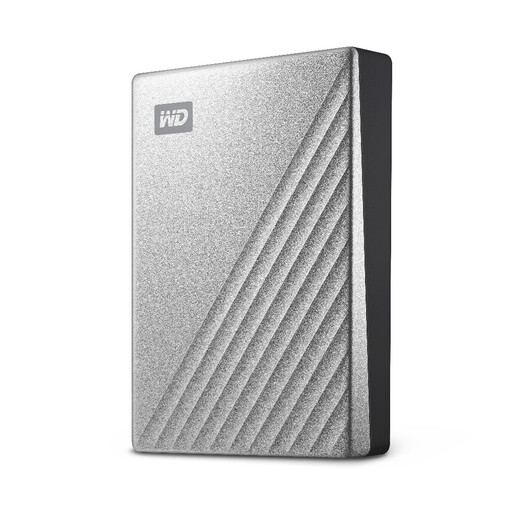
Western Digital My Passport Ultra 4TB portable hard drive, silver
Consider this for a local copy of a growing photo and work-file archive.
Capacity: 4TB. Check the setup required for your computer, particularly if you use a Mac, and keep a further copy at another destination.
View on Joybuy
 No image available
Western Digital My Passport Ultra 5TB portable hard drive, blue
Consider this when your local photo and document archive needs 5TB of stated capacity.
Check Mac formatting requirements before use and confirm the warranty terms before buying. This drive alone does not provide an off-site copy.
View on Joybuy
 No image available
Western Digital My Passport 2TB portable hard drive, black
Consider this for a 2TB local copy of selected documents and photos.
Check that the backup software and required computer setup suit your devices, and make a further copy of irreplaceable files.
View on Joybuy
 No image available
Samsung T7 Shield 1TB portable SSD, blue
Consider this for a portable local copy if 1TB accommodates the files you intend to keep.
The title specifies USB 3.2 Gen 2. Decide how you will copy files regularly, and retain another copy away from the drive.
View on Joybuy
 No image available
SanDisk Portable SSD 2TB
Consider this for a portable 2TB local copy of photos and other files.
Check how backups will run on your devices; keeping files on this SSD alone is not an off-site backup.
View on Joybuy
Common questions
Is cloud synchronisation an independent backup?
No, not on its own: synchronisation can carry a deletion across devices. Apple Support says deleting an iCloud Photos item also deletes it from devices using iCloud Photos, with 30 days to recover it; keep a separate recoverable copy of irreplaceable photos.
How much cloud storage do I need for photos and documents?
Start with the space your photos, videos and documents already use, then allow for growth and anything else sharing the account. Apple lists iCloud+ tiers from 50GB to 12TB, while Microsoft lists 100GB with Microsoft 365 Basic and 1TB with Microsoft 365 Personal; choose against your own library rather than a tier name alone.
How can I back up Samsung phone photos to OneDrive now?
Use OneDrive Camera backup rather than relying on direct Samsung Gallery sync, which Microsoft says ended on 30 September 2026. Give OneDrive access to photos and videos, check the intended Microsoft account and available storage, then confirm that a new photo uploads.


