What matters when choosing storage?
Decide where current jobs need to be worked on, where completed work will live, and how you would restore either copy. A working SSD, a local archive and an off-site backup can have different roles in the same photography workflow.
| Concern |
What to check |
Who this matters to |
| Current-job access |
Check the portable drive’s capacity and connection against your computer and cable. Treat quoted transfer speeds as maximums, not promised editing speeds. |
When a shoot must move between a location and an editing computer, I need a working copy I can carry and connect. Around 21% of consumers put access to current jobs first. |
| Local archive capacity |
Allow for library growth and check usable capacity, operating-system compatibility and the drive’s power requirements. |
As completed RAW files and deliverables accumulate, I need room to keep them locally accessible for later work. For around 29% of consumers, archive capacity is the primary concern. |
| Recovery away from the main location |
Check which devices and files a backup covers, how long versions remain available, and whether you can restore them. Consider access controls for identifiable client images. |
If a device or premises becomes unavailable, I need a separate copy of client work that I can actually recover. This is the leading need for around 36% of consumers. |
| Shared local management |
For network-attached storage, check whether drives are included, usable capacity after configuration, device access and the separate off-site backup plan. |
When several devices need access to one growing library, I want a manageable shared local store rather than files scattered between them. Around 14% of consumers prioritise this need. |
Joybuy storage choices
These products cover portable drives for current work or a movable local copy, a desktop drive for a fixed archive, and a diskless NAS for shared local storage. Whichever role you choose, plan a separate recovery copy for irreplaceable shoots.
 No image available
Samsung MU-PE1T0S 1TB portable SSD
Consider this for a portable working copy of current shoots. The listed variant has a USB Type-C, USB 3.2 Gen 2 connection; check your computer and cable before relying on quoted speeds, and keep another copy of client files.
View on Joybuy
 No image available
Lexar ES5 1TB portable SSD, USB 3.2 Gen 2x2
Consider this for a movable working copy when its connection suits your capture or editing device. The product name specifies USB 3.2 Gen 2x2 and an IP65 rating; confirm device and cable compatibility rather than assuming its quoted maximum speed will be reached.
View on Joybuy
 No image available
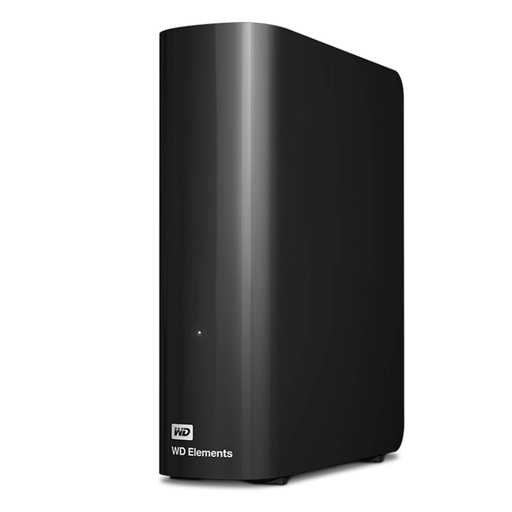
Western Digital Elements Desktop 10TB external hard drive
Consider this for keeping completed jobs in a fixed local archive. Its stated capacity is 10TB; check the file-system setup required by your computer and maintain a separate recovery copy.
View on Joybuy
 No image available
Western Digital Elements Port. 4TB USB 3.0 drive
Consider this when you need to carry a larger local copy of an image library. The product name specifies 4TB and USB 3.0; check your computer’s connection and file-system requirements before moving existing files, and do not treat a carried copy as off-site backup.
View on Joybuy
 No image available
Synology DS225+ two-bay diskless NAS
Consider this for a shared local library accessed from multiple devices. It is a two-bay diskless unit, so choose compatible drives and check usable capacity under your intended configuration; local NAS storage still needs an off-site recovery copy.
View on Joybuy
Frequently asked questions
Is one external drive enough for paid photography work?
No—not if it holds the only recoverable copy. The National Cyber Security Centre advises keeping a backup in a separate safe location, so distinguish the drive you work from or archive to from the copy you would restore after loss or failure.
When should I choose a portable SSD over a desktop archive drive?
Choose a portable SSD when current jobs regularly move between a shoot and an editing computer; choose a desktop drive when the main task is keeping completed work locally accessible at a fixed desk. Check the SSD’s connection against your devices, and back up either drive separately.
Will cloud backup cover a disconnected archive drive or NAS?
Not automatically. Backblaze says its Computer Backup service excludes NAS and network drives, and its default 30-day version history requires a disconnected external drive to be reconnected at least once every 30 days to remain retained. Check the rules for the service and retention option you intend to use.
What should I consider before storing identifiable client images in the cloud?
Consider security measures appropriate to the data and the risks, alongside the provider’s access and restoration arrangements. The Information Commissioner’s Office explains that the UK GDPR security principle requires appropriate technical and organisational measures when processing personal data; it does not prescribe one storage product for every photographer.
How can I tell whether my backup will restore a shoot?
Test a restore rather than relying only on a completed backup notification. Restore a representative folder to a separate location and check that its files open; the Information Commissioner’s Office highlights restoration and testing as parts of effective data-security measures.


