Choose a portable hard drive for a movable bulk copy, an SSD for frequent large transfers, a desktop drive for a fixed archive, or a NAS when several devices need shared network access. For irreplaceable photos, keep a separately recoverable copy too: a connected drive, NAS disk redundancy or a synchronised cloud library does not automatically provide one.
Who this guide is for
Keepers of irreplaceable family photos
If losing a device or deleting files by mistake would put important family photos at risk, think about how many separately recoverable copies you need. The UK National Cyber Security Centre advises keeping irreplaceable data in both cloud storage and on removable media.
Owners of a growing video archive
If your photo and video library keeps growing, compare the capacity you need with whether the drive will stay in one place or travel with you. Western Digital lists My Book desktop-drive variants from 4TB to 26TB.
Multi-device households
If several phones and computers need access to photos, consider whether a shared network library or cloud access fits your routine, and how you will keep a separate copy. Synology describes mobile-photo backup for its DS224+ NAS.
What to consider before buying
Portable external hard drive
Choose when: You want to carry a sizeable local copy between computers and can reconnect the drive regularly for backups.
Trade-off: A disconnected drive needs a deliberate reconnection routine; keeping it unplugged between backups can limit exposure to incidents affecting connected devices.
Portable external SSD
Choose when: You frequently move large photo or video files and your device and cable support the SSD’s interface.
Trade-off: Manufacturer speed ratings depend on the host and cable, and an SSD still needs a separate copy for files you cannot replace.
Desktop external drive
Choose when: Your library is backed up at one computer and you want a stationary local destination; check the exact capacity and power requirements.
Trade-off: A desktop drive stays in one place and may need an AC adapter. A connected backup can still be affected by incidents involving connected devices.
Network-attached storage
Choose when: Several household devices need a centrally accessible photo library and you are prepared to set up and maintain network storage.
Trade-off: NAS needs configuration and another backup destination; Synology warns that RAID and local copies do not remove data-loss risk.
Cloud storage alongside a local copy
Choose when: You want an off-site copy or access across devices and have suitable connectivity, account access and storage allowance.
Trade-off: Check how the service handles deletion and backup. Apple says iCloud Photos syncs deletions and its photos are not duplicated in iCloud device backups.
For irreplaceable photos, the UK National Cyber Security Centre advises keeping a cloud copy as well as removable media; Apple and Synology also describe limits that make a separate restore copy important.
| Concern |
What to check when buying |
Who this matters to |
| Recoverable copies |
Identify where each copy lives, whether earlier versions can be restored and how often backups run; test restoring a file. |
If losing a phone or deleting a photo by mistake would be serious, I would prioritise a copy I can recover separately. Around 29% of consumers put recoverability first. |
| Room to grow |
Measure the files and folders to include, allow for future additions and retained versions, and check the exact drive capacity or cloud allowance. |
If my video archive is expanding, I want enough room for the files I intend to protect rather than a capacity chosen for a different variant. Around 23% of consumers prioritise space for a growing library. |
| Portable transfers |
Check the exact host ports, cable, operating-system support and whether the drive needs mains power. Treat maximum speed ratings as conditional on the compatible host and cable. |
When I move large files between devices, I need a connection that works with the equipment I use. Around 18% of consumers put portable, workable transfers first. |
| Automatic backup and access |
Check supported phones and computers, selected folders, network or internet needs, and how to confirm a backup has completed. |
If several devices add photos, I want a routine that keeps them accessible without relying on memory alone. Around 18% of consumers prioritise repeatable backup or access across devices. |
| Privacy and control |
Check the exact model’s password or encryption features, where copies are stored, account protection and how access can be recovered if credentials are lost. |
If my priority is controlling access to personal family images, I would compare how each destination is protected and who manages access. Around 12% of consumers put privacy and control first. |
Buying pitfalls
-
Treating sync or NAS disk redundancy as the only backup
Apple says iCloud Photos syncs deletions across devices, while Synology recommends a different backup destination even when using local protection.
Map where each recoverable copy is kept, then test restoring a file before relying on the setup.
-
Choosing an SSD for its headline speed without checking the computer
Samsung’s T7 Shield speed rating depends on a USB 3.2 Gen 2 host and a suitable cable, so another connection may not meet that rated condition.
Compare the exact drive interface with your device ports and the cable you will use.
-
Reformatting a drive for Mac backups without preserving its files
Apple says Time Machine cannot back up to a Windows-formatted disk, and changing the format can permanently erase the drive’s existing data.
Copy existing files elsewhere and verify them before changing the format.
-
Assuming nominal capacity means every photo is backed up
A backup can miss folders, while Apple says new photos and videos stop uploading to iCloud Photos if iCloud storage runs out.
Check which folders are included, compare the library with available space and restore a recent example file.
Relevant brands to consider
These examples relate to specific product lines; check the exact model’s capacity, connections, power needs and backup arrangements.
Western Digital
My Book is a desktop-storage example, while My Passport is a portable HDD line.
- Western Digital’s My Book data sheet lists 4TB–26TB variants and backup software.
- Check the exact variant and its power requirements; the My Book specifications do not describe every Western Digital drive.
Seagate
The Expansion Portable is an example of a USB-powered HDD for carrying a local copy between computers.
- Seagate says the specified line draws power through its USB cable and needs no external power supply.
- Check the exact model and any service terms rather than assuming a data-recovery service is included.
Samsung
The T7 Shield is a portable SSD example for transferring large files where the host supports its interface.
- Samsung rates the 2TB MU-PE2T0S/EU at up to 1,050/1,000 MB/s read/write and IP65 under stated conditions.
- Actual speed depends on the host and cable. The cited warranty statements exclude liquid, dust and drop damage.
Synology
The DS224+ illustrates networked photo management and mobile-device backup rather than a plug-in portable drive.
- Synology describes central access and automatic mobile-photo backup for this model.
- Synology recommends another backup destination because local copies and RAID do not eliminate data-loss risk.
Apple
iCloud Photos is a cloud-connected option for an Apple photo library; Time Machine is a separate Mac backup route.
- Apple says Time Machine can use a compatible external disk or NAS.
- Apple says iCloud Photos syncs deletions and its photos are not duplicated in iCloud device backups. Check disk formatting and network protocol before setting up Time Machine.
Joybuy products for local backups
The products here provide local copies: portable SSDs and hard drives for carrying files, plus a desktop hard drive for a fixed archive.
 No image available
Samsung MU-PG4T0B 4TB USB Type-C USB 3.2 Gen 2x2 Black
A portable local destination for a growing photo and video library and frequent large-file transfers.
4TB; USB 3.2 Gen 2x2; speeds up to 2,000 MB/s; USB-C-to-C and USB-C-to-A cables included. The maximum speed requires a USB 3.2 Gen 2x2 port; the drive is not waterproof or dustproof.
Joybuy
 No image available
Samsung Portable SSD T7 1TB USB Type-C 3.2 Gen 2 Blue
A portable local copy for moving photo and video files between compatible devices.
1TB; USB 3.2 Gen 2; read/write speeds up to 1,050/1,000 MB/s; USB-C-to-C and USB-C-to-A cables included. Maximum performance depends on a USB 3.2 Gen 2 connection; the drive is not waterproof or dustproof.
Joybuy
 No image available
SanDisk Portable SSD 2TB
A portable local copy for a photo and video library that needs to travel between locations.
2TB; read speeds up to 800 MB/s; up to 2-metre drop protection.
Joybuy
 No image available
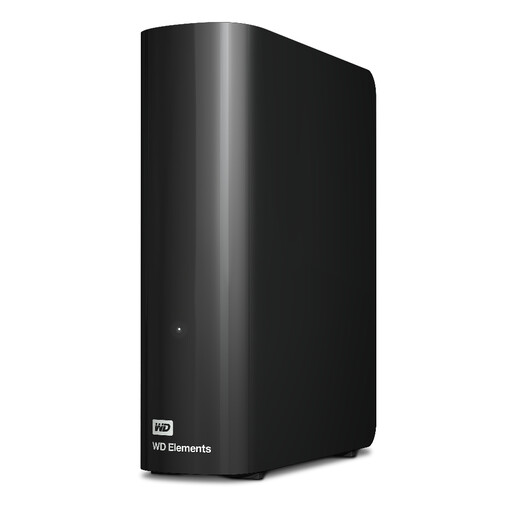
Western Digital WD Elements 12TB USB 3.2 Gen 1 External Desktop Hard Drive
A fixed local destination for a growing archive that is backed up at one computer.
12TB; USB 3.2 Gen 1; AC adapter included. macOS use requires reformatting, so preserve and verify existing files before setup.
Joybuy
 No image available
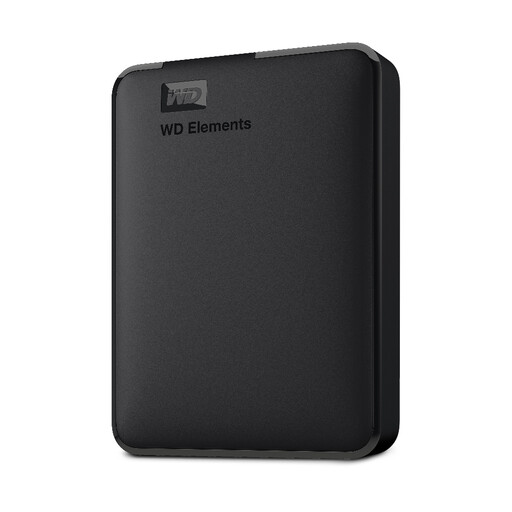
Bros Western Digital Elements Portable 5TB USB 3.0 External Hard Drive
A portable hard drive for keeping a local copy of a photo and video library that you can move between locations.
5TB; USB 3.0.
Joybuy
Frequently asked questions
Is a synchronised photo library the same as an independent backup?
Not necessarily. Apple says iCloud Photos syncs a deletion across devices using that library, and the photos are not duplicated in an iCloud device backup. Keep a separately recoverable copy of photos you want to retain.
Can I set up automatic backup to a drive or NAS?
Yes, with a compatible setup. Apple documents Time Machine destinations on external storage or supported NAS, while Microsoft documents File History on an external drive or network location. Check which folders are included and whether the destination is connected when backup is due.
Will a Windows-formatted drive work immediately as a Mac Time Machine destination?
No. Apple says Time Machine cannot back up to a Windows-formatted disk, and reformatting can permanently erase existing contents. Check the format and preserve any files already on the drive before setup.
Does a two-disk NAS remove the need for another copy?
No. Synology warns that RAID or drive failure can still cause data loss and recommends backing up to a different destination.


