Choose a removable drive for a local copy you can disconnect: a portable hard drive suits a large library, while an SSD suits frequent transfers or carrying the copy. Network-attached storage (NAS) can give several household devices a shared destination; cloud storage adds off-site access, and a USB flash drive is more suited to selected files. Whichever route you choose, check how to export the originals and keep an independent copy you can recover.
Who needs which setup?
Households bringing a large library together
If photos and videos are spread across phones and an online photo service, start by finding a workable export route. Google Photos Help describes downloading an archive; check that the resulting files give you the extra copy you intend to keep.
Families backing up several devices
A shared destination may be useful when several people need to upload and access photos. Synology describes mobile camera-roll backup for BeeStation Plus, while QNAP presents the TS-233 as a home NAS; either type of setup brings account and maintenance decisions.
People keeping a portable copy elsewhere
A removable drive can be carried away from the main computer and disconnected between backups. The National Cyber Security Centre advises keeping a backup offline so an incident cannot affect every copy at once.
What matters when choosing storage?
For a household photo and video library, decide where a recoverable extra copy will live, then choose how files will reach it and who needs access.
Portable hard drive
Choose it when: You want a substantial local copy that can be put away after a backup.
Allow for: Manual copying and the possibility of loss or drive failure; keep another copy elsewhere.
Portable SSD
Choose it when: You regularly transfer large files or carry your local copy between places.
Allow for: Transfer speed depending on the computer, port and cable; portability does not make one drive a complete backup.
Network-attached storage
Choose it when: Several household devices need a shared photo destination.
Allow for: Setup and ongoing administration. Synology states that RAID is not a backup, so retain a separate copy.
USB flash drive
Choose it when: You need a compact transfer copy or an archive of selected files.
Allow for: Its capacity and small size when deciding whether it can serve a large library without being misplaced.
Cloud storage
Choose it when: Automatic uploads and access to a copy away from home matter most.
Allow for: Internet and account access, storage limits and the need to export an independent copy.
| Concern |
What to check |
Who this matters to |
| Independent recovery |
Make an additional copy rather than only moving or synchronising files; decide where it will be kept. |
If my phone or synchronised library is lost or changed, I need files I can recover separately. Around 37% of consumers would put independent recovery first. |
| Multi-device backup |
Check supported phone uploads, user access and who will maintain the shared destination. |
With photos spread across family devices, I want routine uploads without relying on everyone to copy files by hand. For around 27% of consumers, that shared backup routine is the main concern. |
| Portable transfers |
Match the connector, cable and format to your devices; assess capacity and any speed conditions. |
When I carry large videos between locations, I need storage that connects to the devices I use. Portability and transfer handling would come first for around 18% of consumers. |
| Off-site access |
Review the account allowance, export options, recovery settings and sharing permissions. |
I want to reach my photos away from home without losing track of who can access them. Around 18% of consumers would prioritise cloud access and account control. |
Backup mistakes to avoid
-
Treating a connected drive or RAID as the only backup
The National Cyber Security Centre warns that ransomware can affect connected USB and network backup drives. Synology also states that RAID is not a backup: drive redundancy does not create an independent copy.
Keep more than one copy, with at least one separate from the live system, and disconnect removable backup storage when it is not in use.
-
Buying storage before testing the export
The drive is only useful if you can get your existing photos and videos onto it. Google Photos Help notes that an export may omit changes made between requesting an archive and its creation; the destination must also work with your computer or phone.
Try a small representative export, inspect the files, then check the connector, cable or adapter, power needs and file format before transferring the whole library.
-
Expecting an SSD’s stated speed on every device
Samsung UK says the T7 Shield’s maximum stated read and write speeds require a compatible USB 3.2 Gen 2 host and cable, with UASP enabled. Those conditions may not match every device used for backup.
Check the port and cable on the devices you will actually use rather than choosing from the drive’s headline speed alone.
-
Overlooking cloud account access and capacity
Access to a cloud copy depends on the account and its settings. Google Help says storage is shared across Gmail, Drive and Photos, and reaching the limit prevents further Google Photos backups.
Use a unique strong password and two-step verification, review sharing and recovery settings, and check available storage as the library grows.
Relevant brands to consider
Samsung
The T7 Shield is a portable SSD option for a local copy that is transferred or carried regularly.
- Samsung UK specifies T7 Shield sequential speeds of up to 1,050 MB/s read and 1,000 MB/s write with a compatible USB 3.2 Gen 2 host and cable and UASP enabled.
- Its IP65 and 3 m drop claims reflect manufacturer test conditions; water, dust and drop damage are excluded from its warranty. Keep another backup copy.
SanDisk
The Extreme PRO USB-A flash drive represents a compact option for transfers or selected files.
- SanDisk presents the Extreme PRO as a high-speed USB-A flash drive.
- Check for a compatible USB-A connection and enough capacity before using a flash drive for a household archive; its small size also makes secure storage important.
Synology
BeeStation Plus offers a personal-cloud route for a shared local photo destination.
- Synology describes mobile camera-roll backup and transfers from cloud albums for BeeStation Plus.
- Setup requires an Ethernet connection to the router. Check usable capacity and the current requirements of any third-party cloud transfer before relying on it.
QNAP
The TS-233 is a home NAS option for people willing to set up and manage shared storage.
- QNAP presents the TS-233 as a central destination for home media and shared access.
- Plan for drive selection, installation and configuration, as well as a separate backup outside the NAS.
Google Photos
Google Photos provides cloud photo storage and an export route alongside a separate local copy.
- Google Photos Help explains how to download an archive of account data, including photos.
- Google says an export may omit changes made while the archive is being prepared. Storage is shared with Gmail and Drive; check that exports finish and that another copy remains accessible.
Joybuy products for local backup
These portable SSDs, a hard drive, a USB flash drive and a diskless NAS offer different ways to make or manage a local copy. Choose by library size, device compatibility and whether you can maintain a separate backup; they do not replace the off-site cloud route discussed above.
 No image available
Samsung Portable SSD T7 2 TB, Grey
Consider this removable SSD for a local copy you expect to transfer regularly; keep another copy separately.
2 TB; USB Type-C 3.2 Gen 2 (3.1 Gen 2). Check your device’s connection and whether this capacity covers the library as it grows.
Joybuy
 No image available
Western Digital My Passport Ultra 5 TB, Blue
This portable external hard drive is a local-copy option for a sizeable library that you can disconnect between backups.
5 TB. Compare that capacity with your current files and expected growth, and confirm the connection and format needed by your devices.
Joybuy
 No image available
Samsung T7 Shield Portable SSD 1 TB, Blue
Consider this portable SSD if you carry a local copy, while retaining another copy in a separate location.
1 TB; USB 3.2 Gen 2. Check that the capacity fits the library and that the intended device and cable support the connection.
Joybuy
 No image available
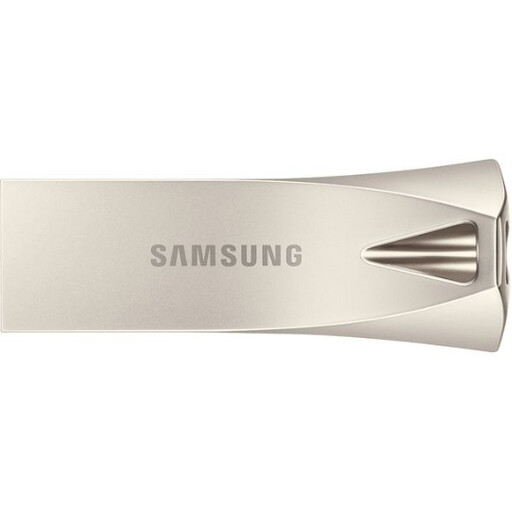
Samsung MUF-512BE3 USB Flash Drive 512 GB, Silver
This compact drive is worth considering for selected photos and videos or an occasional transfer copy, rather than assuming it will hold the full library.
512 GB; USB Type-A 3.2 Gen 1 (3.1 Gen 1). Check the receiving device’s connector and keep another copy of important files.
Joybuy
 No image available
Synology DS225+ 2-Bay Diskless NAS
Consider a shared network destination if several household devices need access and someone can manage the setup.
Two bays; diskless. Select compatible drives and check the configured usable capacity before treating it as a backup destination. Keep an independent copy outside the NAS.
Joybuy
Frequently asked questions
Is cloud photo storage enough on its own?
Do not rely on cloud access alone if you need an independently recoverable photo library. Cloud storage can keep files outside the home, as the Information Commissioner's Office explains, but access also depends on your account and the service; test an export and retain another copy.
Which drive format works with both Mac and Windows?
ExFAT is one format to consider for a drive shared between Mac and Windows; Apple Support lists it as Windows-compatible. Confirm that your particular devices can use it, and copy existing files elsewhere before reformatting a drive.
Can I use external storage with an iPhone?
Yes, with a compatible connection and app: Apple Support says an iPhone can access connected external storage through Files and supported apps. Check your phone’s connector, any adapter and the drive’s power needs, then try the intended photo-export workflow before depending on it.
Does RAID make a NAS a complete backup?
No. Synology states that RAID is not a backup solution: protection against some drive failures does not provide a separate copy if files are deleted or the NAS is lost. Keep another copy apart from the NAS, with an off-site copy where practical.


