What matters when choosing storage?
Decide how you would recover files after losing the original device, then choose local capacity and a drive type around your library and transfer routine. Check the devices and photo-library software involved before committing to a file format.
| Concern | What to check | Who this matters to |
|---|
| Recoverable copies |
Identify the original, local and off-site locations; test a restore of representative files. |
If losing a computer or drive could take my family photos with it, I need a copy I can actually restore from. Around 36% of consumers put recovery resilience first. |
| Capacity |
Measure the current library and allow room for growth; decide where the additional recovery copy will live. |
As my video collection grows, I want enough space for future copies without making transfer speed my main priority. Capacity comes first for around 29% of consumers. |
| Device compatibility |
Check which devices must read and write files, and whether the drive will hold shared files or a Mac Photos library. |
I move photos between Windows and Mac, so the drive must fit the way I manage those files. Around 21% of consumers place compatibility and workflow first. |
| Portable transfers |
Check the computer port and cable needed for an SSD, and whether you will regularly carry the drive. |
When I repeatedly move large video batches or take a copy elsewhere, transfer time and portability matter most. Around 14% of consumers prioritise that combination. |
Local storage options on Joybuy
These portable SSDs, portable HDDs and a desktop drive can hold local photo and video copies. Choose according to the collection’s size and how often you move files, then arrange a separate off-site recovery copy.
 No image available
Samsung Portable SSD T7 4 TB, Grey
A portable SSD option if you regularly move photo and video copies. Its stated capacity is 4 TB, with USB Type-C 3.2 Gen 2 connectivity.
Check your intended file format before using it for an external Mac Photos library, and keep another recovery copy.
View on Joybuy
 No image available
Samsung MU-PG4T0B 4 TB, Black
A portable SSD option for a large local copy and repeated file transfers. Its stated capacity is 4 TB, with USB Type-C and USB 3.2 Gen 2x2 connectivity.
Check that your computer has the connection you intend to use and that the file format suits your photo workflow; maintain another recovery copy.
View on Joybuy
 No image available
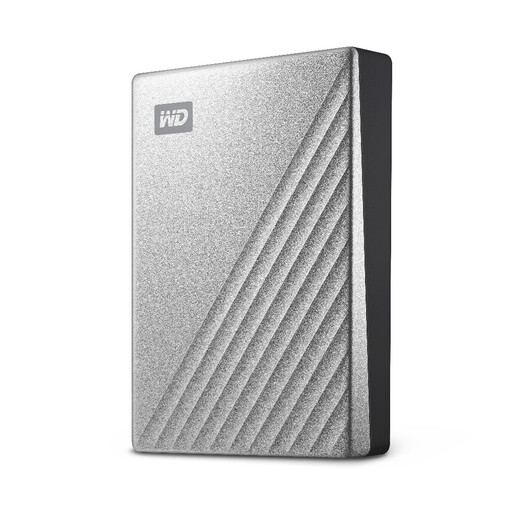
Western Digital My Passport Ultra 4 TB, Silver
A portable HDD option for a growing home photo and video collection when frequent fast transfers are not the priority. Its stated capacity is 4 TB.
Check the setup required for your computer before copying files, and keep an off-site recovery copy.
View on Joybuy
 No image available
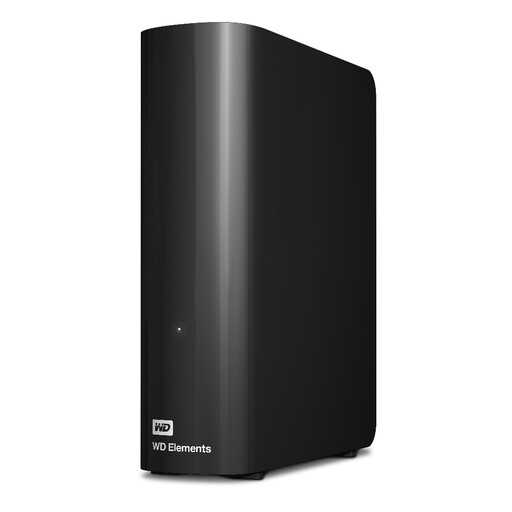
Western Digital Elements Desktop 18 TB, USB 3.0
A desktop HDD option for a large archive that normally stays in one place. Its stated capacity is 18 TB, with USB 3.0 connectivity.
Plan where a separate off-site copy will live and check the required setup before using it with a Mac.
View on Joybuy
 No image available
Western Digital Elements Port. 4 TB, Black
A portable HDD option for keeping a local copy of a substantial photo and video collection. Its stated capacity is 4 TB, with USB 3.0 connectivity.
Confirm the format needed for your devices before use, and maintain another copy elsewhere.
View on Joybuy
Photo and video backup questions
Is one external drive enough to back up photos and videos?
One external drive provides a useful separate copy, but it should not be your only recovery route. The National Cyber Security Centre recommends keeping important backup data in a separate safe location and disconnecting removable backup media when it is not in use; test that you can restore files from your copies.
Should I choose an HDD or SSD for home backups?
Choose an HDD if storing a substantial, mostly home-based collection matters more than frequent fast transfers; consider an SSD if you regularly move large video files or carry the drive. Which? describes HDDs as suited to long-term file backup and SSDs as usually faster. Neither drive type replaces a separate off-site copy.
Can I use one external drive with Windows and Mac?
One drive can hold ordinary files shared between Windows and Mac when it uses a suitable format: Apple lists ExFAT for Windows-compatible volumes over 32 GB. An external Mac Photos library has different format requirements, and a drive supplied in NTFS format may need reformatting for macOS. Secure another copy before changing a drive’s format.
Can a Mac Photos library share a drive with Time Machine backups?
Apple says not to store an external Photos library on a storage device used for Time Machine backups. Plan separate storage for those roles, and use APFS or Mac OS Extended (Journaled) for the external Photos library.
What if a new external drive is faulty?
For faulty goods in the UK, the Consumer Rights Act 2015 includes a right to insist on repair or replacement, with the trader bearing the relevant repair or replacement costs, as explained by legislation.gov.uk. Keep your order record and model details when contacting the seller; a manufacturer warranty is separate from statutory rights.


