What matters when choosing?
Start with the size of the subject you need to fill the frame: a whole model and a tiny folded detail place different demands on the lens. Then check how you will position the camera and whether stills, editing or tutorial video shape your choice of body.
| Concern | What to check | Who this matters to |
|---|
| Close-up detail |
Check the exact lens’s minimum focus distance and maximum magnification; a camera body alone does not establish either. |
I want a small crease or layered paper edge to fill more of the photograph, so the lens must focus closely enough for that detail. Around 36% of consumers put close-up detail first. |
| Tabletop framing |
Check the screen’s movement and whether your intended support leaves it visible when the camera is above the model. |
When I photograph a flat lay or folding step from above, I need to see the composition without looking through a viewfinder at an awkward angle. For around 29% of consumers, flexible framing is the primary concern. |
| Editing flexibility |
Check RAW recording and the exposure controls on the exact camera; plan the lighting as well as the file workflow. |
I expect to adjust the appearance of paper colour, texture and highlights after the shoot, while still getting the exposure right in camera. Editing flexibility comes first for around 21% of consumers. |
| First setup |
Confirm the bundle’s exact lens and what it can frame at your desk before deciding whether another lens is needed. |
I mainly need photographs of complete models and want to learn the camera before adding specialist close-up equipment. Around 14% of consumers prioritise that straightforward starting point. |
Joybuy camera options
These camera-and-zoom options relate chiefly to photographs of complete origami models, desk scenes and mixed stills or video. They include APS-C and full-frame bodies; for small fold details, check the exact supplied lens’s close-focus distance and magnification before choosing a bundle.
 No image available
Sony Alpha 7 III full-frame camera with 28–70 mm zoom
Consider this zoom-lens setup for whole-model photographs and desk scenes. It has a full-frame body and a listed 28–70 mm lens; check that lens’s magnification before relying on it for tight fold crops.
View on Joybuy
 No image available
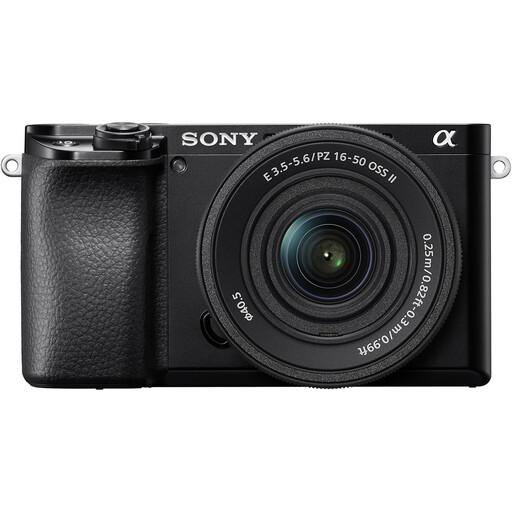
Sony A6400 APS-C with 16–50 mm power zoom
This camera-and-zoom option is relevant to framing complete models on a desk. The title specifies an APS-C body and 16–50 mm power zoom; check the lens’s minimum focus distance and magnification if small folds are your main subject.
View on Joybuy
 No image available
Sony A6100 APS-C with listed 16–55 mm zoom
This interchangeable-lens option is relevant to whole-model and work-in-progress photographs. Confirm the exact bundled lens model as well as its minimum focus distance and magnification before choosing it for close detail.
View on Joybuy
 No image available
Sony A6700 APS-C with listed 16–50 mm lens
Consider the A6700 body if RAW-based editing is part of your origami workflow: Sony UK specifies 14-bit RAW for this model. Confirm whether the 16–50 mm lens is included in this bundle, then check its close-focus distance and magnification.
View on Joybuy
 No image available
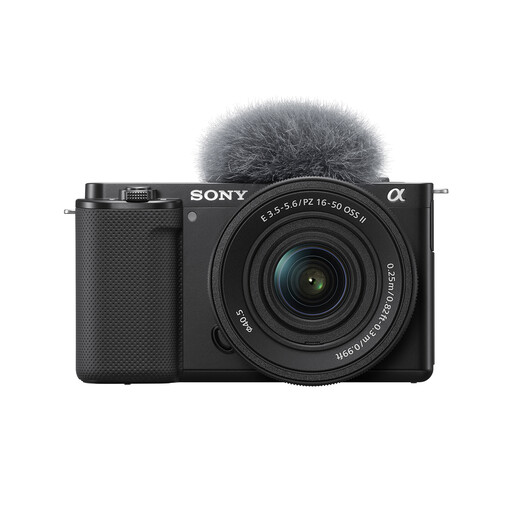
Sony ZV-E10K with 16–50 mm power zoom
This interchangeable-lens camera-and-zoom option is relevant to whole-model photographs and folding-process scenes. If detailed crops matter, confirm the supplied 16–50 mm lens’s minimum focus distance and maximum magnification.
View on Joybuy
Common questions
Is a standard kit lens enough for photographing origami?
A kit lens can be enough for whole models and desk scenes if it frames them at your working distance. For small fold details, check the exact lens’s minimum focus distance and magnification; Canon’s close-up guidance says dedicated macro lenses typically offer 0.5× to 1.0× magnification at minimum focus distance.
How can I keep more of a close-up origami photograph sharp?
Try a narrower aperture and steady camera support, then inspect whether the folds you care about are in focus. Nikon explains that wider apertures produce a narrower plane of focus; adequate lighting and careful positioning also help when photographing a static model.
Do I need a vari-angle screen for overhead photographs?
No, but a vari-angle screen can make the composition easier to see when the camera is above or beside your work surface. Nikon describes one on the Z50II, while Canon describes the EOS R50 screen as usable from high and low positions; check the mechanism on the exact body you choose and how it works with your support.
What should I check if a camera arrives faulty or differs from its description?
Keep the order details and listing, and contact the seller about the fault or mismatch. For England, Citizens Advice says buyers have legal rights where goods are broken, unusable or not as advertised; consult the guidance applicable in your part of the UK rather than treating warranty terms or a change-of-mind policy as the only route.


