Check your course’s current equipment list and loan arrangements before buying a personal camera. If you need your own kit, choose a camera and compatible lens around the required file format, then plan how you will transfer files and keep a separate backup copy. A drive holding your only copy is storage, not a backup.
Who needs which equipment?
The useful starting point is what you must own for assessed work, rather than a standard kit list for every photography course.
Students assembling a first personal camera kit
Ravensbourne University London says students on its digital photography course benefit from a DSLR or mirrorless camera that saves RAW files and accepts interchangeable lenses. If your course has similar expectations, check the camera and first lens together before choosing further equipment.
Students with access to course equipment
The University of Portsmouth describes bookable equipment for eligible students, while University of the Arts London and the University of Sussex list photography equipment in their facilities. Ask your own course what you can borrow, for how long and whether access covers work away from campus.
Students managing large image projects
Ravensbourne University London recommends external storage for large files. If you are keeping RAW files, edits and submissions, plan both a place to work on them and a separate copy of important coursework. The National Cyber Security Centre describes a backup as a copy kept in a separate safe location.
What matters when choosing your kit?
Confirm what the course supplies and requires, then choose a capture system, a separate backup destination and a way to move files between devices.
| Concern |
What to check |
Who this matters to |
| RAW files and lenses |
Check RAW recording for the exact camera model and confirm that the first lens fits both its mount and your assignments. |
If I need my own camera for RAW-based assignments, I want to know that I can use a suitable first lens and add others when needed. Around 36% of consumers put this capture-system decision first. |
| Course equipment access |
Ask which cameras and lenses you can borrow, and confirm booking periods and use away from campus. |
Before committing to a personal kit, I need to know whether course equipment will be available when my work is due. For around 29% of consumers, access to borrowed equipment is the primary concern. |
| Storage and backup |
Choose storage for your files and decide where a separate backup copy will be kept. |
With large image projects to manage, I want a way to recover important work if my working device is lost or fails. Keeping a separate copy comes first for around 21% of consumers. |
| File-transfer workflow |
Match the camera’s card format, reader and drive connections to the computer you will use. |
If my camera, computer and storage do not connect as expected, importing work becomes a problem before I can edit or submit it. Around 14% of consumers prioritise this transfer workflow. |
Purchases to check before committing
-
Buying a camera before checking course loans
Course arrangements differ. Ravensbourne University London identifies a RAW-capable interchangeable-lens camera as beneficial for its digital photography course, while other universities describe access to bookable cameras or photography facilities.
Get the current equipment guidance from your course team. Ask who can borrow equipment, how bookings work and whether it can be used for assignments away from campus before settling on a personal camera system.
-
Keeping assessed photographs in just one place
An external drive containing the only copy of a project does not provide a separate backup. The National Cyber Security Centre advises keeping a copy of important data in a separate safe location.
Keep a working copy and a separate backup, and make copying files part of your routine after a shoot.
Recreating lost coursework can take time, and some photographs may not be recoverable.
-
Choosing a camera body without checking the lens system
A body choice also determines which lenses you can use. Canon UK notes that some APS-C lenses used on full-frame EOS R cameras have additional limitations, so a shared brand name alone does not settle compatibility.
Identify the lens supplied with the exact bundle, then check the mount and any adapter requirements for lenses you already own or intend to use.
-
Leaving a backup drive connected continuously
The National Cyber Security Centre advises against keeping devices that contain backups permanently connected to a network because connected backups can be affected by malware or ransomware.
Once a backup has completed, disconnect the external drive when practical and keep another separate copy of important assessed work.
Relevant camera brands
These brands illustrate systems and equipment named in course facilities or model specifications; their inclusion does not establish what your course requires you to own.
Canon
University of the Arts London lists Canon full-frame DSLRs and mirrorless cameras among its photography equipment. Canon UK describes the EOS R50 as an APS-C mirrorless model.
- Course access to Canon equipment could let you become familiar with a system before selecting a personal body.
- Check the required RAW workflow, the exact lens mount and the lens supplied with any bundle; course access is specific to the institution.
Nikon
The University of Sussex describes Nikon DSLR and mirrorless cameras with lenses in its photography facilities. Nikon UK specifies interchangeable lenses and NEF RAW recording for the Z5II.
- A student using a course’s Nikon equipment can check how that system fits their assignments before choosing a personal kit.
- The cited Z5II is a full-frame model, not a default purchase for every student; confirm the body and lens requirements of your course.
Sony
University of the Arts London lists Sony mirrorless cameras among its facilities. Sony UK specifies E-mount lens compatibility and RAW recording for the α6100 kit it describes.
- The cited model provides a concrete starting point for checking E-mount lenses and a RAW-file workflow.
- Confirm the exact model, included lens and course support rather than extending that specification to every Sony camera or bundle.
Fujifilm
University of the Arts London lists Fuji medium-format systems among equipment available through its photography facilities.
- Course access may be relevant when an assignment calls for medium-format work.
- Institutional access does not mean a student needs to buy a medium-format system; check the module brief and loan terms.
Hasselblad
University of the Arts London also lists Hasselblad medium-format systems among its course-access equipment.
- Access to a specialist system may support work specified by a relevant module.
- Confirm the assignment and borrowing arrangements before treating medium format as part of a personal starter kit.
Joybuy cameras, storage and transfer accessories
These products cover personal cameras, local storage and an SD-card transfer accessory for photography coursework. Check your course requirements and existing equipment before deciding which parts of that workflow you need to buy.
 No image available
Samsung Portable SSD T7, 2 TB, grey
Consider this portable drive if you need local space for photography project files alongside a separate backup copy.
- 2 TB SSD with USB 3.2 Gen 2 stated in the product name.
- Check your computer’s connection before choosing a drive for transfers.
Joybuy
 No image available
Sony Alpha 7 III full-frame mirrorless camera, body-only listing
Consider a personal camera only after checking whether course loans cover your assignments and which lenses you will need.
- Full-frame mirrorless camera.
- Confirm the bundle contents before ordering: the listing title says body only, while its technical details mention a 28–70 mm lens.
- Check RAW recording and lens compatibility against the exact camera and course requirements.
Joybuy
 No image available
Western Digital My Passport Ultra portable hard drive, 5 TB, blue
This drive is a local storage option for a growing image archive, provided you keep important work in another separate location too.
- 5 TB portable external hard drive.
- Check the connection and file format against your computer before use.
Joybuy
 No image available
Sony A6400 APS-C mirrorless camera with 16–50 mm power zoom lens
A camera-and-lens bundle may suit students who need their own capture kit, subject to the course’s file-format requirements.
- APS-C mirrorless camera with a 16–50 mm power zoom lens.
- Confirm RAW recording for the exact model before choosing it for RAW-based coursework.
Joybuy
 No image available
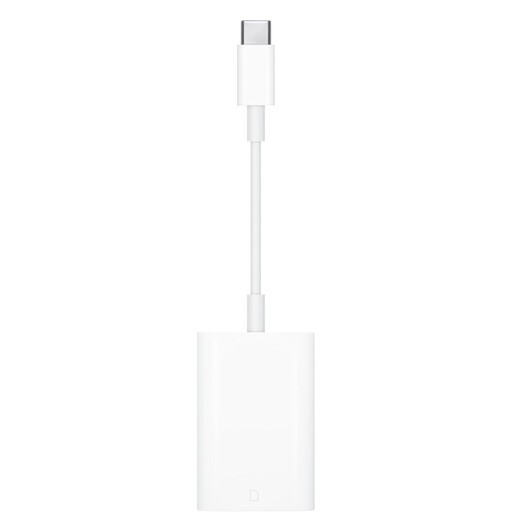
Apple USB-C to SD Card Reader
Consider a reader when your camera uses an SD card and you need a way to import photographs to a compatible USB-C device.
- USB-C connection and SD-card format are identified in the product name.
- Confirm that your camera’s card and intended computer or tablet work with this reader.
Joybuy
Common questions
Do I need to own a DSLR or mirrorless camera for my photography degree?
Check your own course requirements before deciding. Ravensbourne University London says students on its digital photography course benefit from a RAW-capable DSLR or mirrorless camera with interchangeable lenses, while the University of Portsmouth, University of the Arts London and the University of Sussex describe access to course equipment or facilities. Ask whether loans cover your assessed and independent work.
Can an external hard drive be my backup?
Yes, if it holds a copy separate from your working files and is kept in a separate safe location. The National Cyber Security Centre defines a backup as a separate copy of important data; moving the only copy of your photographs onto a drive does not create one.
Should I leave my backup drive connected?
Disconnect it after a completed backup when practical. The National Cyber Security Centre advises against leaving devices containing backups permanently connected to a network, as connected copies can be exposed during malware or ransomware incidents.


