What matters when choosing?
Start with the software and file complexity, then check whether the complete desktop-and-monitor arrangement will remain readable beside the window.
| Concern |
What to check |
Who this matters to |
| Daylight and screen legibility |
Check screen position relative to the window, available shading, and whether the chosen monitor has an anti-glare surface and adjustable stand. |
When fine lines and annotations must stay readable through changing daylight, I would address reflections before upgrading the tower; roughly 42% of consumers would put daylight legibility first. |
| CAD and high-resolution work |
Match RAM, graphics capability and display connections to the exact CAD version and intended monitor layout. Autodesk recommends 32 GB RAM and a dedicated 8 GB DirectX 12 GPU for AutoCAD 2027 on Windows. |
If I frequently navigate drawings across a high-resolution screen or several windows, I need the configured PC and connections to suit that work; about 33% of consumers would make CAD responsiveness their primary concern. |
| Large-model and 3D capacity |
Check the application’s requirements for large datasets, point clouds or 3D models against the fitted GPU, its VRAM and the tower’s expansion options. |
Where my work extends beyond reading plans into large models or point clouds, I would prioritise capacity for those files; around 25% of consumers would place this specialist need first. |
Joybuy desktop choices
These towers are relevant to comparing configurations for frequent CAD review. Check each one against your software and intended displays, and plan a suitable monitor and daylight control separately.
 No image available
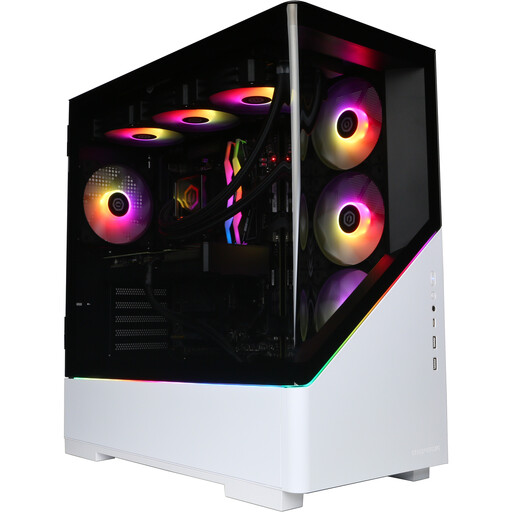
CyberPowerPC JOYB1013, Ryzen 7 9800X3D, RTX 5080 16GB
Consider this configuration if your CAD review calls for a desktop with dedicated graphics; confirm application and driver compatibility before choosing it.
- 32GB DDR5 RAM and 2TB NVMe SSD.
- NVIDIA GeForce RTX 5080 16GB; Windows 11 Home.
- Plan the monitor and its position beside the window separately.
Joybuy
 No image available
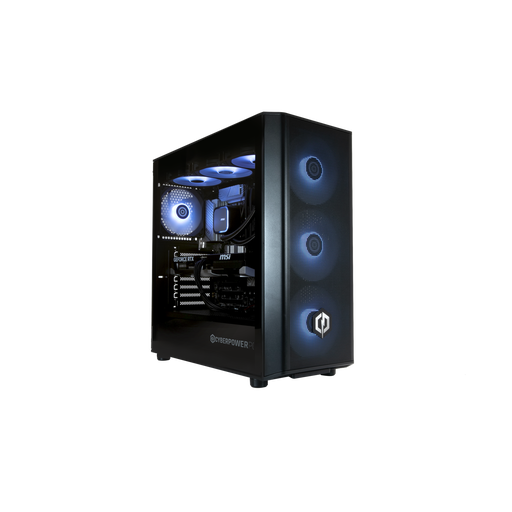
CyberPowerPC JOYB1010, Core Ultra 7 265KF, RTX 5070 12GB
This is another dedicated-graphics configuration to compare with the requirements of the CAD application you use.
- 32GB DDR5 RAM and 1TB NVMe SSD.
- NVIDIA GeForce RTX 5070 12GB; Windows 11 Home.
- Check driver suitability and the connections needed for your chosen monitors.
Joybuy
 No image available
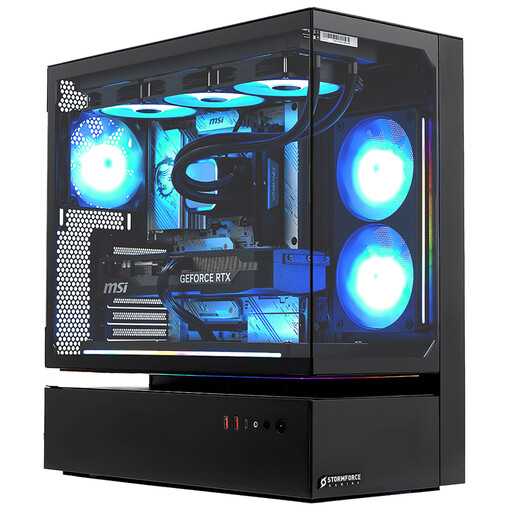
Stormforce Cyclone Core i7, RTX5080, 32GB RAM
Compare this tower with your CAD requirements if you need dedicated graphics for regular drawing review.
- 2TB SSD and Windows 11.
- Confirm graphics-driver suitability and the exact display outputs for your monitor layout.
- Arrange a separate monitor and account for daylight at the desk.
Joybuy
 No image available
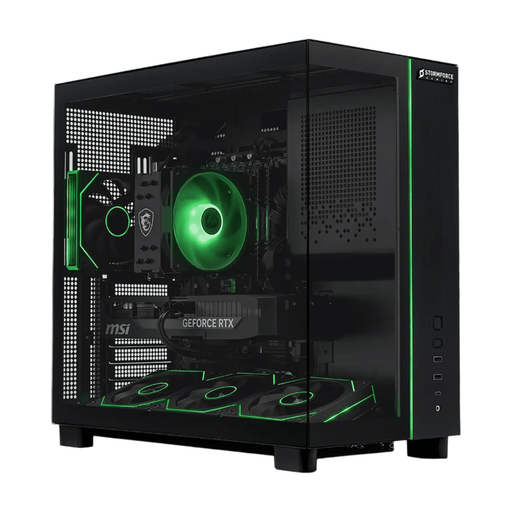
Stormforce Defiance Ryzen 7 5700X, RTX5070, 32GB RAM
If your priority is memory and storage for plan-review work, assess this configuration against the graphics requirements of your exact application.
- 2TB SSD and Windows 11.
- Confirm GPU memory, driver suitability and display connections before planning a CAD or multi-screen setup.
- Check monitor inclusion and choose a screen position that avoids window reflections.
Joybuy
Frequently asked questions
Will a more powerful desktop solve glare from a bright window?
No: processing power will not remove reflections from the monitor. The Health and Safety Executive advises arranging the desk and screen to avoid glare or bright reflections, so consider screen placement and curtains or blinds alongside the monitor choice.
What specification should I compare for AutoCAD plan review?
Use the requirements for your exact AutoCAD version and workload. For AutoCAD 2027 on Windows, Autodesk lists 16 GB RAM and a 2 GB DirectX 11 GPU as basic requirements, versus 32 GB RAM and a dedicated 8 GB DirectX 12 GPU at its recommended level; the intended resolution and other software requirements also matter.
Does every plan-review task need workstation-class graphics?
No: opening PDF plans or reviewing light 2D drawings should not automatically be treated as a large-model or 3D workload. Autodesk identifies workstation-class graphics with at least 12 GB VRAM among its additional AutoCAD requirements for large datasets, point clouds and 3D modelling; check what your own application and files require.
What should an employer consider for a regularly used workstation?
Where display-screen equipment rules apply, the employer should assess the workstation and reduce identified risks, including those associated with its screen and lighting arrangement. The Health and Safety Executive says these rules apply when workers use display-screen equipment daily for continuous periods of an hour or more; employers must also provide information and training, and eye and eyesight tests on request where applicable.


