Daytime glare-sensitive players
If windows or lights face your screen, readable gameplay matters more than a headline refresh rate alone. RTINGS identifies room lighting, reflections and screen brightness as separate factors in visibility.


For platform games in a bright room, check reflection handling and SDR brightness before relying on an HDR peak-brightness claim: a bright screen can still show distracting reflections. Then match resolution and refresh rate to your gaming device. If you want 4K at 120 Hz from a console, check the complete HDMI signal path; if you favour a high-refresh OLED, assess its coating and daytime visibility model by model.
If windows or lights face your screen, readable gameplay matters more than a headline refresh rate alone. RTINGS identifies room lighting, reflections and screen brightness as separate factors in visibility.
If you use a PS5 or Xbox Series X, check that the monitor accepts the resolution, refresh rate and variable refresh rate (VRR) mode you want through the relevant input. PlayStation and Xbox Support describe display-dependent conditions for those output modes.
If fast camera movement is your priority, compare high-refresh displays with the frame rates and input modes your device can deliver. Manufacturer specifications for models such as the LG UltraGear 27GX790A-B and ASUS ROG Strix XG27AQ illustrate different high-refresh options.
For daytime platform games, establish whether you can keep direct light off the screen, then decide which display modes your gaming device needs.
| Concern | What to check | Who this matters to |
|---|---|---|
| Daytime visibility | Check the exact panel's reflection handling and SDR brightness; consider where windows and lamps will sit. | When light faces my screen, I need to follow the action without reflections obscuring it. Around 36% of consumers put glare control first. |
| Console compatibility | Check the supported resolution, 120 Hz and VRR modes on the HDMI input you will use; for Xbox Series X at 4K and 120 Hz, check the cable too. | I want my console to output the mode I plan to use, rather than discovering that the monitor's headline refresh rate applies only to another input. Console signal compatibility comes first for around 29% of consumers. |
| Motion clarity | Match refresh rate and resolution to your device's output, and compare response-time claims on a like-for-like basis. | Fast-moving platform sequences make smooth motion my main consideration, provided the screen remains usable in daylight. Around 21% of consumers prioritise motion clarity. |
| Contrast and HDR | Assess HDR claims separately from normal SDR brightness, and check the coating on the exact model. | I value contrast in darker scenes but still need to manage reflections when playing during the day. Contrast and HDR are the primary concern for around 14% of consumers. |
HDR peak brightness and ordinary SDR brightness describe different conditions. RTINGS also notes that direct reflections can interfere with visibility.
For a bright room, assess reflections and SDR brightness separately before considering HDR specifications.
A monitor's advertised maximum does not establish that your console can send the resolution and refresh-rate combination you want. Xbox Support specifies an HDMI 2.1 display and an Ultra High Speed HDMI cable for 4K gaming at 120 Hz on Xbox Series X.
Check the supported modes on the intended HDMI input, then review the console's display information after connecting it.
If your existing cable cannot carry the intended mode, you may need a suitable Ultra High Speed HDMI cable.
Panel type does not tell you how an individual monitor handles a window reflection or which signal modes its inputs accept.
Compare the exact models' coatings, SDR brightness, supported inputs and stand adjustment against your room and gaming device.
Its specified models include QHD high-refresh and 4K console-oriented options.
The EX3210U is a 32-inch 4K IPS option to assess for console connectivity.
The 27GX790A-B represents a QHD OLED high-refresh option.
The AW2726DM is a 27-inch QD-OLED option for comparing QHD high-refresh displays.
These monitors offer different screen sizes, resolutions and refresh rates for platform-game setups. Check each model's daylight visibility and the display modes your device can use; the choices below do not represent every monitor route discussed above.
 No image available
Consider this QHD OLED model if high refresh rate is a priority for platform games. Its name specifies a 27-inch screen, 240 Hz and 0.03 ms response time; check which modes your device can send and how the screen handles reflections and SDR use in your room.
 No image available
Consider this larger OLED if its 4K resolution and selectable refresh modes suit your device. The product name states a maximum of 330 Hz, not that every resolution runs at that rate; confirm the modes, reflection handling and SDR brightness relevant to your setup.
 No image available
This WQHD OLED model is worth assessing if you want a 34-inch screen and 240 Hz refresh rate for platform play. Check your desk space, your game's support for the desired display mode, and the screen's reflection handling and SDR brightness.
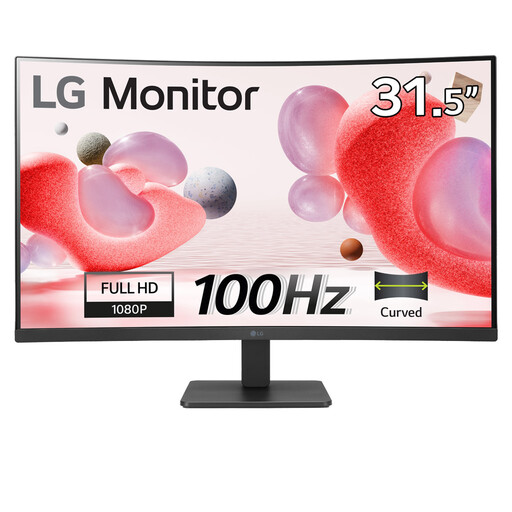 No image available
Consider this model if a 32-inch Full HD screen meets your viewing needs. Its name specifies a VA panel, 100 Hz, AMD FreeSync and an anti-glare finish; assess whether Full HD provides enough detail at your seating distance and check daytime SDR visibility.
 No image available
Consider this 31.5-inch IPS model if its display modes suit your device and you are weighing motion needs against other screen characteristics. Its name specifies Adaptive Sync and built-in speakers; check the exact resolution and refresh modes, coating and SDR brightness before choosing it for a bright room.
Not necessarily: HDR peak brightness does not describe reflections or ordinary SDR brightness. RTINGS treats screen brightness and reflection handling as distinct factors, so check both for the lighting around your desk.
HDMI 2.1 matters if your aim is a compatible 4K-at-120-Hz signal path, but 120 Hz at a lower resolution may be possible on a suitable display. PlayStation describes PS5 tests for 1440p at 120 Hz and VRR, while Xbox Support specifies an HDMI 2.1 display and an Ultra High Speed HDMI cable for 4K gaming at 120 Hz on Xbox Series X. Check the exact monitor input and the mode your game supports.
Where practical, position it so a window or lamp does not reflect directly towards you from the panel. RTINGS notes that direct reflections can affect visibility, so moving the screen or light source can matter even when the monitor can get bright.
Check your local authority's electrical-waste collection options and any retailer take-back information. GOV.UK describes the UK waste electrical and electronic equipment framework as supporting recovery, reuse and recycling of electrical equipment.