Switch and Switch 2 platform-game players
If you mainly play platform games on Nintendo hardware, check the controller's exact Switch-generation compatibility before weighing its layout or motion controls.


Start with a controller that supports the system on which you play most: a Switch-compatible model for Nintendo hardware, DualSense for PS5, or an Xbox-compatible controller for Xbox or Windows PC. For platform games, compare D-pad layout as well as console-generation compatibility; then check the connection method and whether any game-specific features you want will work in your setup.
If you mainly play platform games on Nintendo hardware, check the controller's exact Switch-generation compatibility before weighing its layout or motion controls.
If most of your games are on PS5 or Xbox, start with support for that console, then decide whether its controller layout and connection options suit the way you play.
If you play controller-supported platform games on Windows, you may care more about D-pad layout, a wired option or button mapping than console-specific features. Check support for each game you intend to play.
Choose for your main console or PC setup before comparing controls: Nintendo distinguishes the two Switch Pro Controller generations, while other connection and game-support conditions can change which features you can use.
| Concern | What to check | Who this matters to |
|---|---|---|
| Platform and generation | Match the exact console generation; for the 8BitDo Ultimate 2C Bluetooth Controller on Switch 2, check the firmware-update requirement. | If my controller needs to work with the Nintendo console I own, generation compatibility comes before extra features. Roughly 33% of consumers put platform and generation fit first. |
| D-pad layout | Compare the stated D-pad design and button layout; consider whether you can assess their feel before purchase. | When repeated directional inputs are central to the games I play, I want a layout that feels manageable to me. Around 27% of consumers prioritise directional control. |
| Connections and PC use | Check support for each device and connection method, plus any game-specific feature requirements. | If I move between a console and PC, I need to know which connections work on both and which features change. About 20% of consumers place cross-device use first. |
| Extra controls | Check whether additional buttons can be mapped on your intended system; distinguish a stated stick design from a promise about longevity. | If I want to assign frequently used actions to extra buttons, those controls matter more to me than broader device support. Roughly 20% of consumers put customisation or component design first. |
Nintendo says the Switch 2 Pro Controller is for Switch 2 only. The older Switch Pro Controller can also pair wirelessly with Switch 2, but it does not acquire the newer model's C Button, GL/GR buttons or headset jack.
Identify your console generation before choosing between the controllers, especially if you intend to use one across both generations.
According to PlayStation, DualSense haptic feedback on PC requires both a USB connection and a supporting game. Adaptive triggers also depend on game support.
Check the platform game's controller features and your planned connection before buying for advanced feedback.
PlayStation says its standard DualSense package does not include a USB cable, so check the exact bundle if you need one.
Hall Effect sticks and additional buttons may suit particular control preferences, but they do not make a controller compatible with another console generation or give it missing console-specific functions.
Confirm platform support first, then decide whether the stated stick design or mappable buttons address something you want from your platform games.
GOV.UK advises that electrical products and batteries should not go in household rubbish.
Use an appropriate electrical recycling collection point or ask about like-for-like retailer take-back when replacing the controller.
Nintendo offers separate Pro Controller generations for Switch and Switch 2; the console you own determines which route to consider.
The Ultimate 2C Bluetooth Controller is a third-party option for players considering a Switch-layout controller with additional controls.
Microsoft's Xbox Wireless Controller is a route for Xbox and Windows PC players who prefer its layout.
DualSense is a PS5 controller that PlayStation also lists for supported PC, Mac and mobile use.
These controllers cover different Xbox, PC, PS5 and Nintendo Switch setups. Choose for your main system first, then compare the named variant and any connection or accessory conditions relevant to your games.
 No image available
Consider this wireless model for Xbox or PC platform games if the named systems match your setup. Confirm compatibility with your exact device and assess the D-pad options against your directional-control preference.
 No image available
This wireless variant is a choice to examine for the Xbox and Windows systems named in its title. If changing the control layout matters to you, check the exact bundle and whether its D-pad arrangement suits your platform games.
 No image available
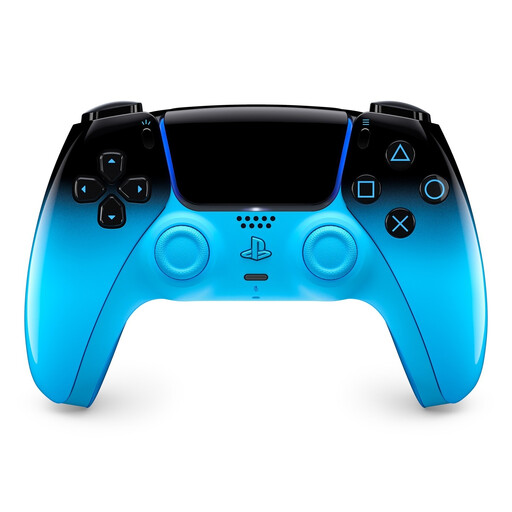
For PS5 platform games, this is a DualSense variant; the named PC, Mac and mobile uses should be checked against your games and devices. PlayStation says PC haptic feedback requires USB and game support, so check whether this bundle includes a suitable cable if you need one.
 No image available
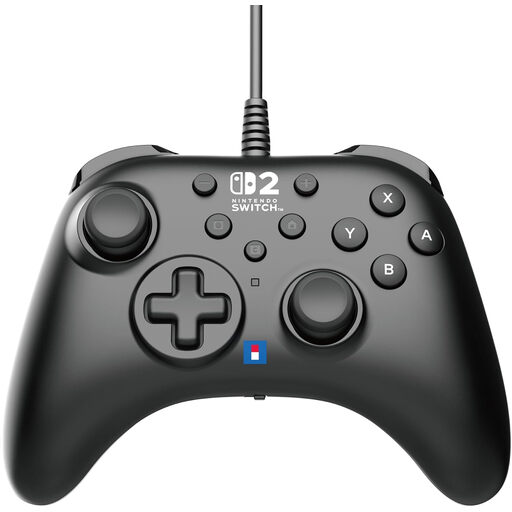
Consider this wired Nintendo Switch controller if a cabled setup suits where you play. Check support for your exact Switch generation and whether the cable arrangement and available controls meet your needs.
 No image available
This wireless Nintendo Switch variant may suit players who prefer not to use a cable while playing. Before choosing it for Switch 2 or for games needing particular controls, confirm the exact generation compatibility and available functions.
Yes. Nintendo says the original Switch Pro Controller pairs wirelessly with Switch 2, but it does not gain the Switch 2 Pro Controller's C Button, GL/GR buttons or headset jack.
No. Nintendo states that the Switch 2 Pro Controller is only for use with Switch 2, so choose a controller compatible with the original Switch if that is the console you own.
No. PlayStation says DualSense haptic feedback on PC needs a USB connection and a supporting game; adaptive triggers also depend on game support. Check the features listed for the particular game.
PlayStation says a cable is not included with its standard DualSense package. Check the contents of the exact colour variant or bundle you are ordering if you need a cable for charging or PC haptic feedback.
Take it to an appropriate electrical recycling collection point rather than putting it in household rubbish. GOV.UK says retailers must accept an old like-for-like electrical item free when you buy a new one; check the retailer's arrangements for handing it over.