
24/7 Customer Support

Free returns

Same-day & Next-day Delivery

Quality Guaranteed

Unlock Your Welcome Offers: FREE Delivery | Up to 80% OFF | Free 30-day JoyPlus trial
Download the APP
Driving an older, cherished car doesn't mean you have to miss out on modern conveniences like satellite navigation, hands-free calls or the safety net of a dash cam. A portable CarPlay screen with dash cam offers a brilliant, non-permanent solution. However, the market is flooded with options and it's easy to end up with a device that causes more frustration than it solves.
As the Joybuy Product Recommendation Officer, my role is to help you navigate the choices and identify the features that truly matter. Before you buy, be aware of these common pitfalls that catch out many UK drivers.
wireless android auto screen or CarPlay connection. Cheaper models often use outdated Bluetooth and single-band Wi-Fi, leading to constant connection drops. There's nothing more distracting than your navigation map disappearing mid-junction because the wireless link failed.To ensure you get a reliable universal car infotainment upgrade, focus on these non-negotiable specifications.
Don't just look at the size. A large but low-resolution screen is pointless. For a 10 inch car display, look for a resolution of at least 1600 x 600 pixels. This ensures maps and text are sharp and easy to read at a glance. An IPS (In-Plane Switching) panel offers better viewing angles and colour accuracy, which is important in a car's bright and varied lighting conditions.
For a seamless plug and play carplay experience, the wireless hardware is critical. A device with dual-band Wi-Fi (2.4GHz/5GHz) and Bluetooth 5.0 or higher will provide a much more stable and faster connection to your smartphone. This reduces lag and prevents the frustrating dropouts common with lesser models.
If the device includes a dash cam, its specifications are paramount.
car dash cam front and rear provides comprehensive coverage.We've matched some popular options to different types of UK drivers to help you find the right fit.
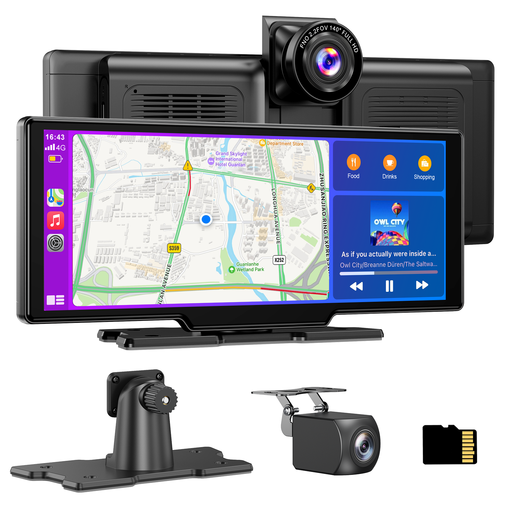
Why This Fits Their Persona: This is for the driver who wants a complete, out-of-the-box solution. It provides a large screen, modern infotainment and a full front-and-rear camera system without needing to piece together separate components.
It features a 4K front camera and 1080p rear camera, avoiding the poor video quality trap. Dual-band Wi-Fi ensures a stable connection and the 1600x600 HD screen is responsive and clear.
A complete 2-in-1 system. It includes a 64GB TF card, so it's ready to record immediately. The split-screen function allows you to view navigation and camera feeds simultaneously.
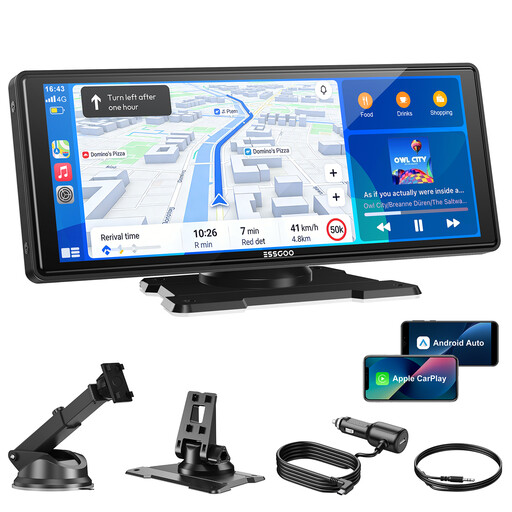
Why This Fits Their Persona: Ideal for the driver who prioritises a large, high-quality screen for navigation and media. They may not need a dash cam or prefer to add a separate one later, making this a more focused, cost-effective choice.
This unit focuses on getting the fundamentals right. It has the same high-resolution 10.26-inch HD screen and dual-band Wi-Fi as the premium model, ensuring it avoids the laggy screen and unstable connection traps.
Excellent screen and connectivity performance for the price. It offers the flexibility to add a reversing camera later and features four different audio output options (Built-in, Bluetooth, FM and AUX).
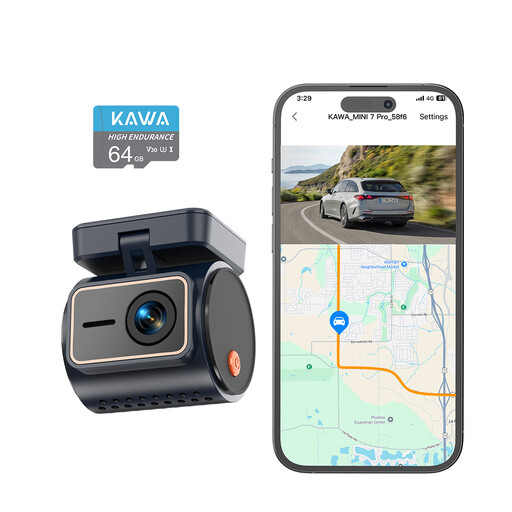
Why This Fits Their Persona: For the driver whose sole priority is a high-quality, reliable recording of the road ahead. They want a discreet device that does one job exceptionally well, without the clutter of a large infotainment screen.
This product directly counters the "useless camera" flaw by focusing all its technology on video quality. It offers true 4K resolution, advanced night vision and a reliable G-sensor with buffered parking mode.
Its stealthy, compact design is less obtrusive on the windscreen. Features like voice control and built-in Wi-Fi 6 for fast file transfers to your phone make it convenient and modern.
We have compiled a complete, real-time list of products that fully satisfy these strict selection criteria and UK safety regulations.
They are designed for a simple plug and play carplay installation. Most units plug directly into your car's 12V accessory socket (the cigarette lighter) using an included power adapter. This means there is no need for complicated wiring or professional installation for the main unit to function.
This depends on your vehicle's dashboard layout and where you position the device. They typically come with adjustable suction cup or adhesive dashboard mounts. It is a legal requirement in the UK that any device must not obstruct your view of the road. The slim profile of modern screens helps, but you must take care to place it responsibly, either low on the dashboard or in a corner of the windscreen where it doesn't impede your line of sight.
While the main screen is plug-and-play, installing the rear camera of a car dash cam front and rear system can be more involved. It requires routing a cable from the front of the car to the rear. Many people are comfortable doing this themselves by tucking the wire under trim panels. However, for the neatest installation and to connect the camera to your reversing light (for automatic activation when you select reverse gear), you may wish to consult a professional auto electrician.