
24/7 Customer Support

Free returns

Same-day & Next-day Delivery

Quality Guaranteed

Unlock Your Welcome Offers: FREE Delivery | Up to 80% OFF | Free 30-day JoyPlus trial
Download the APP
A portable CarPlay screen can add smartphone navigation, hands-free calls and music to an older car without replacing the factory stereo. It can also suit lorries, SUVs, motorhomes and motorcycles. However, product listings often make similar devices look interchangeable when the installation, audio connection and smartphone compatibility can differ considerably.
Before buying, watch for three common pitfalls:
For iPhone users, look for the required iOS version and wireless CarPlay support. Android users should check the minimum Android version and whether wireless Android Auto is supported. The ESSGOO displays listed here specify compatibility with iOS 12 or later and Android 11 or later.
Also check the vehicle’s power supply. Several portable units use a 12V-24V input, making them suitable for many cars, SUVs, lorries, motorhomes and minibuses. A motorcycle CarPlay screen may instead require a more specialised wiring arrangement, mounting kit or waterproof construction.
A separate compatibility issue applies to a CarPlay AI box. The OTTOCAST P3 requires an active, factory-wired CarPlay connection through the vehicle’s original USB or USB-C data port. It is not a replacement screen and is not listed as compatible with BMW or Tesla models, or aftermarket head units.
A portable car display needs a way to send sound through the vehicle. Common options include:
Before choosing a wireless CarPlay screen, identify which audio method your car supports. “Plug-and-play” generally means mounting the unit, supplying power and pairing the phone; it does not necessarily mean every audio function works without configuration.
A 10-inch CarPlay display can make maps and route information easier to read, while a 7-inch unit may be less intrusive in a compact cabin or on a motorcycle. Resolution is also worth checking: the ESSGOO 10.26-inch model uses 1600 × 600 pixels, while the OTTOCAST ScreenFlow has an 11.4-inch, 1920 × 720 display.
Manual brightness adjustment and day/night modes are useful for changing UK light conditions. If you want a reversing camera screen, confirm whether the camera is included. Some ESSGOO products support a separately purchased camera, while the OTTOCAST ScreenFlow listing includes a 1080p hardwired rear camera.
Any screen should be positioned so it does not obstruct the driver’s view. Set navigation before moving off and follow UK rules on mobile phone use and attention while driving.
The following options focus on different requirements rather than treating one specification as suitable for everyone.
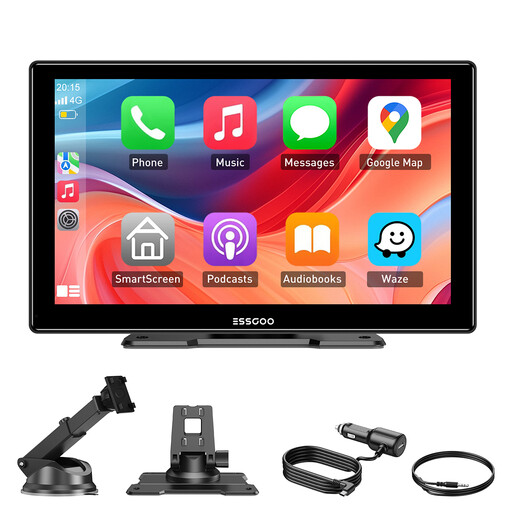
Why This Fits Their Persona: A straightforward choice for drivers of older cars who want navigation, calls and music without changing the factory stereo. The 9-inch format offers a sizeable display without the footprint of a larger unit.
The listing states its screen size, 1024 × 600 resolution, 12V-24V power range and four audio options, helping buyers check practical fit before ordering.
Wireless CarPlay and Android Auto, AUX, Bluetooth, FM transmission and a 3.5-metre power cable.
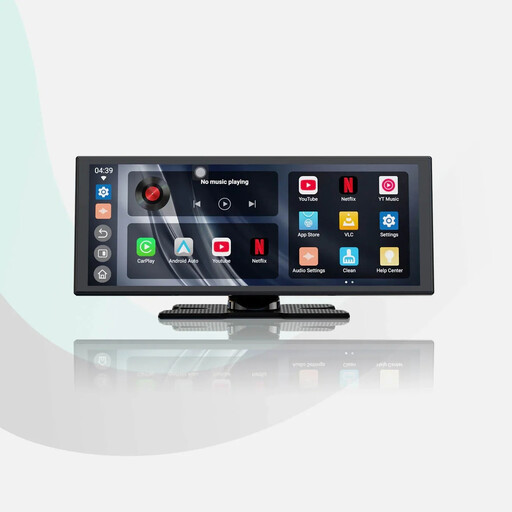
Why This Fits Their Persona: Suitable for drivers who value a larger viewing area, integrated entertainment apps and a supplied reversing-camera setup for compatible installations.
The listing identifies the 11.4-inch, 1920 × 720 screen, included 1080p rear camera and first-time setup time, rather than presenting size alone as the deciding factor.
Built-in apps, dual Wi-Fi and Bluetooth, audio mixing, Android 13 and backup-camera support.
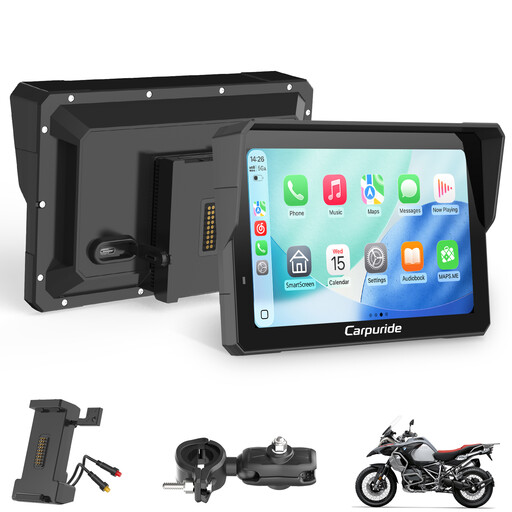
Why This Fits Their Persona: Designed around motorcycle use, where compact mounting, weather resistance, intercom support and control access are more relevant than a large in-car display.
Its product specification identifies a waterproof touchscreen and motorcycle-focused design, so it is not being treated as a standard dashboard display.
7-inch waterproof touchscreen, wireless CarPlay and Android Auto, dual Bluetooth and intercom support.
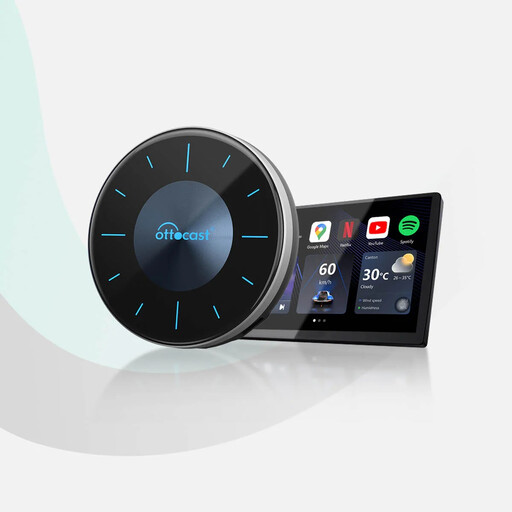
Why This Fits Their Persona: Intended for vehicles that already have factory-wired CarPlay and drivers seeking Android apps, expanded storage or rear-screen entertainment without fitting a separate portable display.
The compatibility limitation is explicit: it needs factory-wired CarPlay and does not suit aftermarket head units. Checking this first helps avoid buying an incompatible adapter.
Android 12, 8GB RAM, 128GB storage, HDMI output and support for a 4G SIM or mobile hotspot.
We have compiled a complete, real-time list of products that fully satisfy these strict selection criteria and UK safety regulations.
Most plug-and-play car screens only require mounting, power and smartphone pairing. Audio may need an additional AUX, Bluetooth or FM setup. A reversing camera can require hardwiring, so check the installation instructions before purchase.
Many models specify a 12V-24V power range, which can suit lorries and larger vehicles. Measure the mounting area, check cable length and confirm how audio will reach the vehicle’s stereo. A motorcycle unit requires separate consideration of waterproofing, mounting and power connection.
CarPlay and Android Auto normally use the connected smartphone for navigation, streaming and online services, so mobile data charges may apply according to your phone plan. An AI box may also use a mobile hotspot or 4G SIM, depending on its setup. Check your data allowance before using video or music services regularly.