
24/7 Customer Support

Free returns

Same-day & Next-day Delivery

Quality Guaranteed

Unlock Your Welcome Offers: FREE Delivery | Up to 80% OFF | Free 30-day JoyPlus trial
Download the APP
Driving a car you love shouldn't mean you're stuck with outdated technology. If your vehicle was made before factory-fitted infotainment screens became standard, you likely miss the convenience of modern navigation, hands-free calling and seamless music streaming. While the idea of upgrading is appealing, the market is filled with options that can lead to disappointment and wasted money.
As a Joybuy Product Recommendation Officer, my role is to help you navigate these choices. We'll look past the marketing hype and focus on the practical details that determine whether a device is a valuable upgrade or a frustrating gadget. Let's break down the common pitfalls and identify the key features that truly matter for UK drivers.
Many drivers looking to add carplay to older car fall into a few common traps. Being aware of them is the first step to making a smart purchase.
To ensure you get a reliable and useful device, focus on these non-negotiable specifications.
This is the technical backbone of your experience. For a stable connection, look for a unit that specifies dual-band Wi-Fi (2.4GHz/5GHz). The 5GHz band is faster and less congested, which is crucial for a smooth wireless android auto screen experience.
For audio, having multiple options provides flexibility and ensures the best possible sound quality in your specific vehicle:
The display is your primary interface. A screen size of at least 9 inches with a resolution of 1024x600 or higher ensures maps and text are clear and legible. For an even better experience, larger 10.26-inch screens with a 1600x600 resolution offer superior detail.
The mounting system must be robust. A plug and play carplay device should come with a strong suction cup mount that can be attached to either the dashboard or windscreen. Look for mounts with adjustable arms and a locking mechanism to ensure the screen stays securely in place.
Modern portable screens can do more than just navigation. Many now come as an all-in-one carplay dash cam, recording the road ahead. This is an excellent way to add a layer of security without cluttering your windscreen with multiple devices. Some models also support a car reversing camera screen, allowing you to connect a rear camera for easier and safer parking manoeuvres.
Based on these criteria, we've matched a few standout options to different driver profiles.
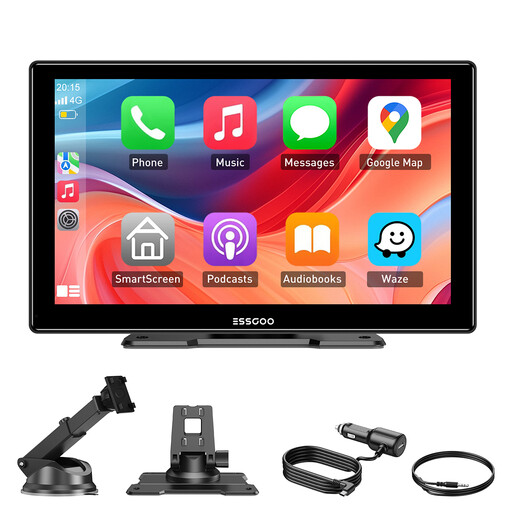
Why This Fits Their Persona: Ideal for drivers who want a straightforward, cost-effective way to get core CarPlay and Android Auto features. It's a no-fuss solution for navigation, music and hands-free calls without paying for extras you won't use.
It is a complete screen unit, not an adapter. It provides four audio output options (AUX, Bluetooth, FM and built-in speaker), giving you the flexibility to find the most stable connection for your car.
True plug-and-play installation takes just a few minutes. The universal 12-24V power supply makes it suitable for cars, lorries and motorhomes.
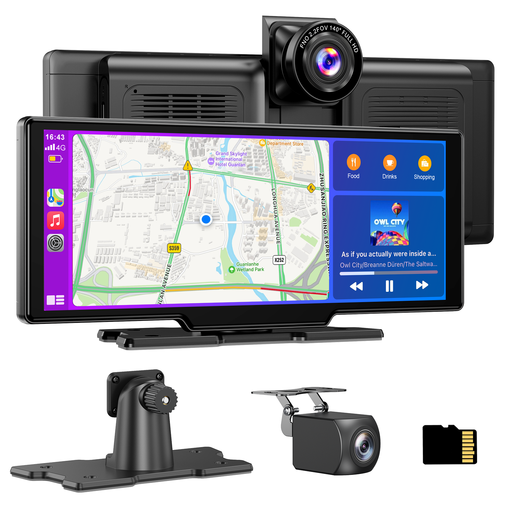
Why This Fits Their Persona: For the driver who wants to modernise their car and enhance its safety in one go. This unit combines a large infotainment screen with a high-quality front and rear camera system, offering peace of mind on the road and when parking.
The large 10.26-inch screen with a 1600x600 resolution provides excellent clarity, avoiding the visibility issues of cheaper models. The integrated system ensures the dash cam and CarPlay functions work together seamlessly.
A complete 2-in-1 solution. It includes a front 4K dash cam, a 1080P waterproof rear camera and a 64GB TF card, so it's ready to use straight out of the box.
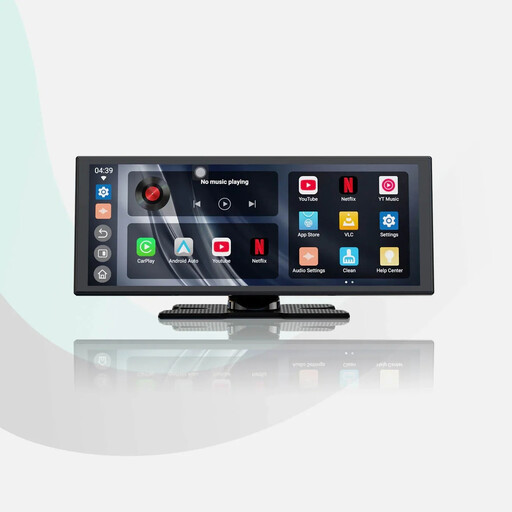
Why This Fits Their Persona: Perfect for those who spend time waiting in their car, such as parents on the school run or professionals on a lunch break. The built-in Android system with native streaming apps turns the car into a mobile entertainment hub when parked.
It tackles connectivity issues head-on with dual Wi-Fi and dual Bluetooth. One Bluetooth channel connects to your phone for CarPlay, while the other connects to your car stereo for audio, reducing interference and dropouts.
It comes preloaded with apps like YouTube and Netflix. The huge 11.4-inch HD (1920x720) screen provides a cinema-like viewing experience for passengers or during breaks.
We have compiled a complete, real-time list of products that fully satisfy these strict selection criteria and UK safety regulations.
1. Is it legal to use a portable CarPlay screen in the UK? Yes, it is legal, provided it is mounted in a way that does not obstruct the driver's essential field of vision. The law is clear that drivers must not be distracted, so you should only use the screen for navigation or hands-free functions while the vehicle is in motion. Watching video content while driving is illegal and dangerous.
2. Will a portable CarPlay screen drain my car's battery? Generally, no. These devices are powered by the 12V cigarette lighter socket, which in most cars is only active when the ignition is on. Therefore, the screen powers down when you turn the car off. If you use a model with a dash cam that has a 24-hour parking monitor feature, it will require a separate hardwire kit. These kits are designed with low-voltage protection to automatically shut off before they can drain your battery.
3. How long can I expect a portable screen to last? The lifespan depends on the build quality. Look for units with a specified wide operating temperature range (e.g., -30°C to +65°C), as this indicates they are built to withstand the temperature extremes inside a car. A well-made device from a reputable brand, used correctly, should provide reliable service for many years.