
24/7 Customer Support

Free returns

Same-day & Next-day Delivery

Quality Guaranteed

Unlock Your Welcome Offers: FREE Delivery | Up to 80% OFF | Free 30-day JoyPlus trial
Download the APP
As our digital lives expand, from family photos and university assignments to complex video projects, the storage on our computers can quickly run out. A portable external hard drive is a straightforward solution, offering a convenient way to back up important files, free up space and take your data with you.
However, the market is filled with options, and technical terms can be confusing. This guide is designed to help you understand the key features to look for, so you can choose a reliable storage companion that fits your needs and budget. We will look at the differences between drive types, capacity and security to help you make an informed decision.
Before diving into specific models, let's cover a few essential factors to consider during your search.
The first major choice is between a traditional Hard Disk Drive (HDD) and a Solid State Drive (SSD).
Storage capacity is measured in gigabytes (GB) and terabytes (TB), where 1TB equals 1,000GB. A 2TB external hard drive is a popular choice and offers ample space for most users, capable of holding hundreds of thousands of photos or hundreds of hours of HD video. If you are a content creator, videographer or simply want to back up multiple computers, you may want to consider a higher capacity drive of 4TB or more.
Most modern drives now feature USB-C external storage ports, which offer faster speeds and a reversible connector. Many also include a USB-A adapter for compatibility with older devices. For sensitive information, look for an encrypted hard drive with 256-bit AES hardware encryption, which provides a strong layer of password protection.
Finally, consider compatibility. Most drives are pre-formatted for Windows. If you need an external drive for Mac and PC, you can easily reformat it to the exFAT file system, which allows you to read and write files on both operating systems.
Here are a few standout options that cater to different needs, from mass storage to high-speed performance.
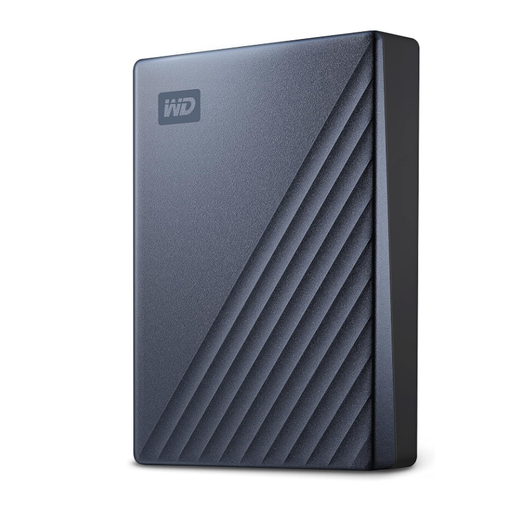
Why It Stands Out: The Western Digital My Passport line is well-regarded for reliability and this Ultra model combines a huge 5TB capacity with strong security features. It’s an excellent choice for users who need to back up vast amounts of data without breaking the bank. The anodised metal casing adds a touch of durability and style, while the native USB-C port ensures it's ready for modern laptops.
Pros:
Who is it for: Individuals who prioritise storage space above all else. It's ideal for photographers with large RAW file libraries, families archiving years of digital memories or anyone needing to perform full system backups.
View Product Details on Joybuy
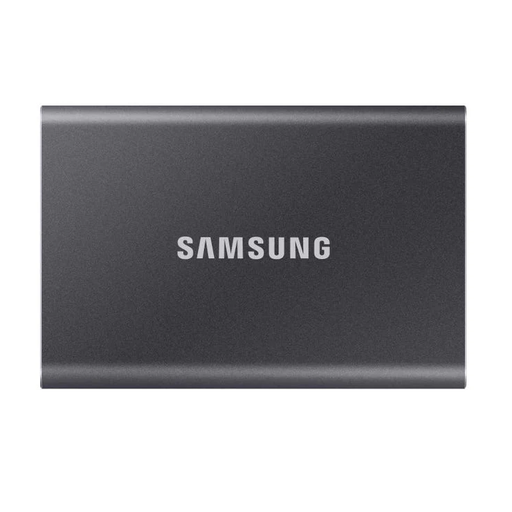
Why It Stands Out: The Samsung Portable SSD T7 is a fantastic all-rounder that delivers speed, portability and durability. Roughly the size of a credit card, it’s incredibly easy to carry around. With read/write speeds up to 1,050 MB/s, it makes transferring large files like 4K videos or game installations a quick and painless process. Its solid aluminium body also provides drop resistance for peace of mind on the move.
Pros:
Who is it for: Mobile professionals, students and everyday users who need a fast and reliable drive for active use. Its balance of speed and portability makes it a versatile choice for work, study and travel.
View Product Details on Joybuy
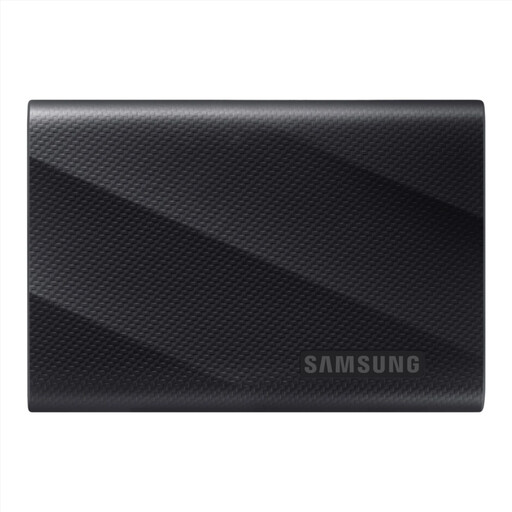
Why It Stands Out: For those who demand maximum performance, the Samsung T9 is a top-tier option. It utilises a USB 3.2 Gen 2x2 interface to achieve staggering transfer speeds of up to 2,000 MB/s, effectively halving the wait time compared to many other SSDs. This makes it a powerhouse for creative professionals. It also features a robust design with drop protection up to 3 metres, ensuring your data stays safe in demanding environments.
Pros:
Who is it for: Video editors, 3D artists, software developers and other power users who work with extremely large files and cannot afford to be slowed down by transfer times. This is a professional-grade tool for high-stakes workflows.
View Product Details on Joybuy
If these recommendations don't quite fit what you're looking for or if you're interested in network-attached storage solutions, there are many other options available. Feel free to browse our broader collection of storage devices to find the perfect match for your setup.
Explore our full range of LAN Storage Device options.
The primary difference is the technology inside. A portable HDD uses spinning mechanical parts, making it cheaper for high-capacity storage but slower and more fragile. A portable SSD uses flash memory, which is much faster, more durable and quieter, but typically comes at a higher cost per gigabyte.
Most external drives come pre-formatted for Windows (NTFS file system). macOS can read files from an NTFS drive but cannot write to it without third-party software. For seamless use on both platforms, you can format the drive to the exFAT file system. This can be done using the Disk Utility app on a Mac or the Disk Management tool on Windows.
For the majority of users, a 2TB external hard drive provides plenty of space. It can store approximately 500,000 photos, 500 hours of HD video or millions of documents. However, if you are a professional photographer shooting in RAW, a videographer working with 4K footage or a serious data hoarder, you might benefit from a larger capacity like a 5TB portable drive.