
24/7 Customer Support

Free returns

Same-day & Next-day Delivery

Quality Guaranteed

Unlock Your Welcome Offers: FREE Delivery | Up to 80% OFF | Free 30-day JoyPlus trial
Download the APP
Running out of digital space is a familiar frustration. Your laptop slows to a crawl, your game console forces you to delete titles to make room for new ones and your precious photos and documents are scattered across devices with no secure backup. A portable external hard drive is a straightforward and effective solution, offering the extra capacity you need in a compact form.
Whether you are a gamer needing more room for your library, a creative professional handling large media files or simply someone looking for a reliable backup hard drive, the market is filled with options. This guide is designed to help you understand the key features to look for and highlight a few standout models to simplify your decision.
Before diving into specific products, let's cover a few key considerations that will help you narrow down your search.
The first major choice is between a traditional Hard Disk Drive (HDD) and a Solid-State Drive (SSD).
Storage capacity is measured in gigabytes (GB) and terabytes (TB), where 1TB equals 1,000GB. With modern game files often exceeding 100GB and 4K video becoming standard, a 4TB external hard drive or even a 5TB portable storage drive is a sensible investment for future-proofing. For general document backups and photos, 1TB or 2TB might suffice, but for larger collections or gaming, aiming for 4TB or more is wise.
Most modern drives use a USB-C hard drive interface, which offers fast speeds and a convenient, reversible connector. Many also include adapters for older USB-A ports. If you plan to use the drive with a gaming console, check its compatibility for PS5 external storage or as an Xbox Series X external hard drive. While you can store next-gen games on them, you can typically only play PS4 and Xbox One games directly from the external drive. For use across both Windows and macOS, you may need to format the drive to a file system like exFAT.
Here are a few recommendations that cater to different needs, from gaming to professional use.
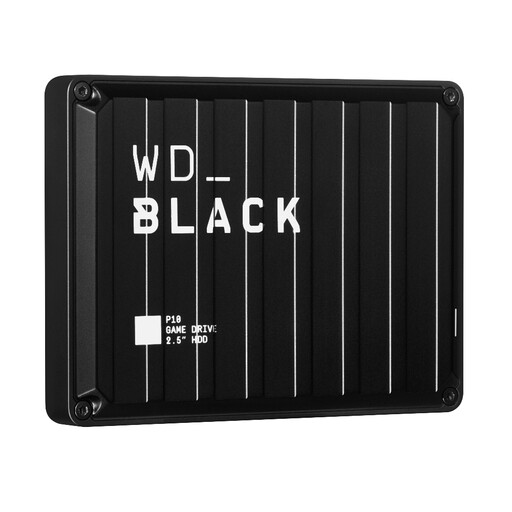
Why It Stands Out: The WD_BLACK P10 is built from the ground up for gamers. Its durable, travel-ready design and massive 4TB capacity mean you can carry an enormous game library with you. It’s a purpose-built external hard drive for gaming that balances performance and capacity.
Pros:
Who is it for? This drive is the perfect companion for console and PC gamers who are constantly juggling their game library and need a reliable, high-capacity expansion to keep all their favourite titles ready to play.
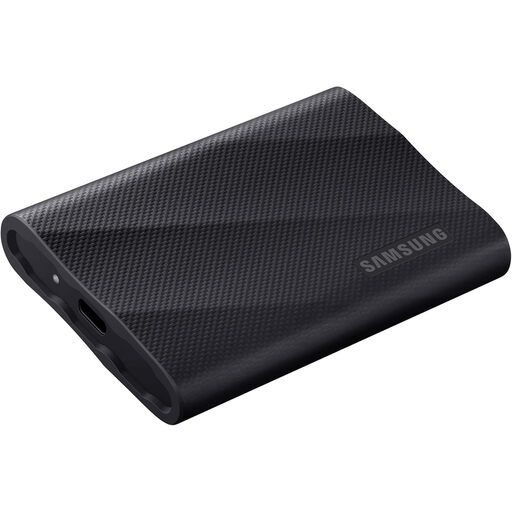
Why It Stands Out: For those who demand maximum speed, the Samsung T9 SSD is a performance powerhouse. Leveraging a USB 3.2 Gen 2x2 interface, it delivers transfer speeds that can dramatically cut down waiting times, all within a compact and tough enclosure.
Pros:
Who is it for? Creative professionals, video editors and tech enthusiasts who need to transfer huge files in seconds. Its speed and security make it an excellent choice for demanding workflows and as a high-performance encrypted hard drive.

Why It Stands Out: The My Passport Ultra combines a colossal 5TB portable storage capacity with a stylish, modern design and robust security features. It’s an all-rounder that excels at providing secure, high-capacity backups in a travel-friendly format.
Pros:
Who is it for? Users who prioritise maximum storage capacity and security for their data. It’s ideal for business professionals, students and anyone needing a reliable drive for comprehensive system backups and archiving.
If these specific models do not quite match what you are looking for, there is a wide world of storage solutions available. From different capacities to various form factors, you can explore a broader selection to find the perfect fit for your needs.
Discover more choices in our full range of USB 3.0 hard drive products.
Functionally, they are very similar. "Game drives" are often marketed with aesthetics that appeal to gamers and may have firmware slightly optimised for console use. However, any high-performance portable external hard drive with sufficient speed and capacity, like the ones listed above, can be used effectively for gaming.
Yes, you can. To ensure compatibility, you need to format the drive with a file system that both operating systems can read and write to, such as exFAT. Most drives come pre-formatted for Windows (NTFS) or Mac (APFS/HFS+), so this is a simple one-time step you will need to perform using your computer's disk management utility.
It depends entirely on your needs. If you require fast access for tasks like video editing, running software or playing games directly from the drive, the speed of an SSD is a significant advantage and well worth the investment. If your primary goal is to archive files or create large backups where transfer speed is less critical, an HDD provides far more storage for your money.