
24/7 Customer Support

Free returns

Same-day & Next-day Delivery

Quality Guaranteed

Unlock Your Welcome Offers: FREE Delivery | Up to 80% OFF | Free 30-day JoyPlus trial
Download the APP
Running out of laptop space, moving large video files or protecting important work? Portable external hard drives and SSDs can solve these problems, but the wrong choice may create slower transfers, compatibility issues or an unreliable backup routine.
The storage market is full of impressive-looking speed figures and capacity claims. Before buying, UK shoppers should look beyond the headline specification and check how the drive will fit their devices, working habits and backup needs.
A drive may advertise USB 3.2, 20Gbps or speeds above 2,000MB/s. These figures describe the interface or a manufacturer’s stated maximum, not necessarily the speed delivered by every computer.
For example, a USB 3.2 Gen 2x2 external SSD needs a compatible host port and suitable cable to approach its quoted performance. Connected to an older USB 3.0 port, it will operate at the slower connection rate. Check both the drive and your computer before paying extra for high-speed external storage.
USB-C describes the connector shape, not the complete performance standard. A USB-C external drive can use different USB generations, and some USB-C cables support charging but not the required data speed.
A practical purchase should include the right cable or adapter for your PC, Mac, tablet or phone. Also check whether the drive is formatted for your operating system. A Windows-ready NTFS drive may need reformatting or additional software for full read/write access on macOS.
A 1TB external hard drive or 4TB portable storage drive is useful for storing files, but it is not automatically a backup system. If the only copy of your photographs or business documents is on one external drive, damage, loss or drive failure could still remove access to them.
Use a second copy, cloud storage or another separate drive for irreplaceable data. Scheduled backup software can help, but it should complement—not replace—good file management.
A portable SSD stores data on flash memory and has no moving platters. It is generally more resistant to everyday movement and can offer faster transfers, which suits photographers, videographers, remote workers and people moving large project files.
An external hard drive uses spinning magnetic disks. It is often a practical way to obtain more capacity for the money, particularly for media libraries, archived documents and less frequently accessed backups. However, it should be handled carefully while operating because mechanical components can be affected by drops and shocks.
Choose capacity according to the files you actually handle:
Advertised capacity is measured using decimal units, so the usable space shown by Windows or macOS will be lower than the number on the box. Leave room for future files rather than buying a drive that will be nearly full immediately.
For everyday transfers, USB 3.0 hard drives offer a widely supported connection. USB 3.2 Gen 2 SSDs can provide higher performance, while USB 3.2 Gen 2x2 models are designed for compatible 20Gbps systems.
If you need an external drive for PC and Mac, check formatting requirements before use. Drives may need exFAT for convenient cross-platform file transfers, although this can involve trade-offs compared with native file systems.
For sensitive work files, look for AES 256-bit hardware encryption and optional password protection. Encryption helps protect stored data if the drive is lost, but it does not replace secure passwords or a separate backup.
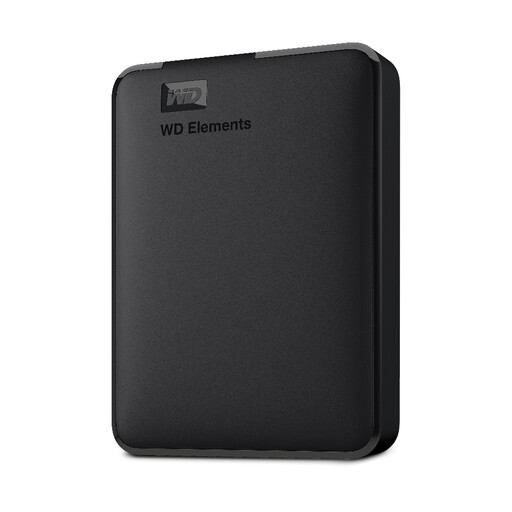
Why This Fits Their Persona: A straightforward option for students, household users and anyone needing extra space for documents, photos and general file storage without a high-performance SSD requirement.
Its USB 3.2 Gen 1 interface and plug-and-play design make the connection requirement clear, while the compact HDD format avoids paying for SSD speeds that may not be needed.
1TB capacity, USB 3.0 compatibility and bus-powered portability in a small enclosure.

Why This Fits Their Persona: A sensible match for commuters, photographers and remote workers who carry data between home, office and outdoor locations.
Its stated IP65 dust and water resistance, 3-metre drop resistance and included USB Type-C connection address common portability concerns. It is still not intended for prolonged submersion.
Up to 1,050MB/s read and 1,000MB/s write speeds, plus a rubberised enclosure and USB 3.2 Gen 2 interface.
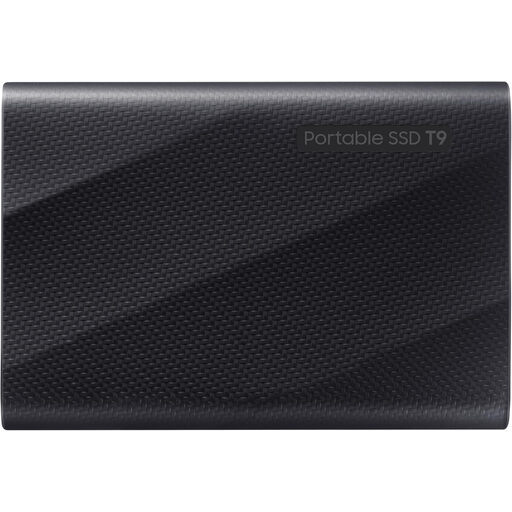
Why This Fits Their Persona: Designed for content creators, professionals and gamers handling large libraries, high-resolution media or frequent file transfers.
The 4TB capacity reduces the need to carry multiple drives, while the included USB-C to C and USB-C to A cables help with device compatibility. Maximum speed still requires a USB 3.2 Gen 2x2 host port.
Up to 2,000MB/s sequential read and write speeds, AES 256-bit hardware encryption and drop resistance up to 3 metres.
We have compiled a complete, real-time list of products that fully satisfy these strict selection criteria and UK safety regulations.
It can be worthwhile if you regularly transfer large files, edit media directly from the drive or carry storage between locations. For occasional archiving where capacity matters more than speed, an external hard drive may be more practical.
Usually, yes, but the file system matters. A drive formatted as exFAT is commonly used for cross-platform access. Always check compatibility and back up files before reformatting, as formatting erases existing data.
Lifespan depends on usage, storage conditions, handling and the drive type. SSDs avoid moving parts, while HDDs require more careful handling. Regularly check the drive, replace ageing storage proactively and maintain a separate backup rather than relying on one device.