
24/7 Customer Support

Free returns

Same-day & Next-day Delivery

Quality Guaranteed

Unlock Your Welcome Offers: FREE Delivery | Up to 80% OFF | Free 30-day JoyPlus trial
Download the APP
Is your laptop's "Storage Almost Full" warning a constant source of stress? Or perhaps you're looking for a reliable way to safeguard precious family photos and critical work documents. A portable hard drive is a straightforward and cost-effective solution. However, with so many options available, navigating technical specifications can be confusing.
This guide is designed to cut through the marketing clutter. As the Joybuy Product Recommendation Officer, my role is to provide clear, practical advice to help you find the right storage companion for your needs, whether you're a student, a creative professional or simply need a dependable backup.
Choosing the right external hard drive comes down to more than just price. Here are a few key factors to consider to ensure you get a device that serves you well for years to come.
The most fundamental choice is storage capacity, measured in terabytes (TB). A larger capacity isn't always better if you end up paying for space you'll never use.
The connection type determines transfer speed and compatibility. Most new laptops and MacBooks feature USB-C ports, while many older PCs still rely on the traditional USB-A.
If you plan to store sensitive information—such as financial records, business contracts or personal journals—a password protected hard drive is essential. Look for models that offer 256-bit AES hardware encryption. This is a powerful security standard that encrypts the data directly on the drive, making it virtually unreadable without the correct password.
After analysing the market for devices that offer a strong balance of capacity, reliability and features, here are our recommendations.

Why It Stands Out: The WD My Passport has long been a go-to choice for reliable personal storage, and this 4TB model is a perfect all-rounder. It combines a generous capacity with powerful security features. The inclusion of software for scheduling automatic backups makes it a complete 'set-it-and-forget-it' backup hard drive solution. According to Western Digital, the drive's enclosure is also made with over 50% post-consumer recycled plastic, making it a more conscious choice.
Pros:
Who is it for? This drive is ideal for home and business users who prioritise data security and want a simple, automated way to back up their important files.
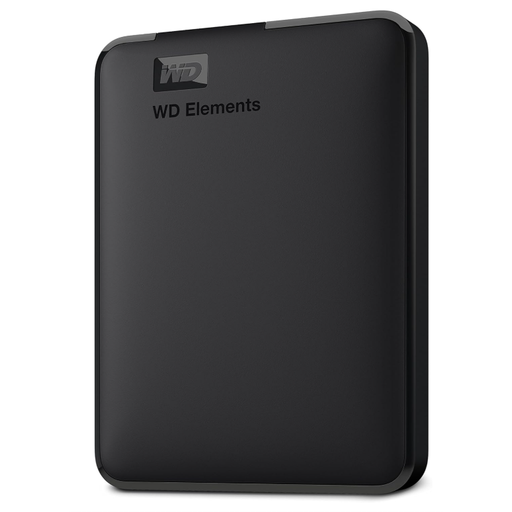
Why It Stands Out: The WD Elements line is all about delivering maximum storage for your money. This 6TB model offers an enormous amount of space in a simple, no-frills package. It's pre-formatted for Windows, so you can plug it in and start dragging and dropping files immediately. While it lacks the advanced encryption of the My Passport series, its sheer capacity and plug-and-play simplicity make it an outstanding value proposition for pure storage expansion.
Pros:
Who is it for? Perfect for media enthusiasts, digital archivists or anyone who needs to offload huge files like video libraries and game installations without needing advanced security features.

Why It Stands Out: The My Passport Ultra combines the security and software features of the standard My Passport with a premium design and modern connectivity. Its sleek metal-look finish and native USB-C port make it a perfect companion for modern ultrabooks and MacBooks. It also includes a USB-A adapter, ensuring it works with a wide range of computers. With 256-bit AES hardware encryption and automatic backup software, it delivers both style and substance.
Pros:
Who is it for? Creative professionals, MacBook users and anyone who values a premium aesthetic and future-proof USB-C connectivity alongside top-tier security.
If these recommendations aren't quite what you're looking for, or if you're interested in exploring other capacities or even faster Solid State Drives (SSDs), we have a wider selection available.
? Explore our full range of Memory & Storage Devices
The terms are often used interchangeably, but there's a subtle distinction. A portable hard drive typically refers to a compact, 2.5-inch drive that is powered directly through its USB connection. An external hard drive is a broader category that also includes larger, 3.5-inch "desktop" drives, which are faster and offer higher capacities but require their own separate power adapter. All the products recommended in this article are portable hard drives.
The average lifespan of a portable hard drive is typically between three to five years, but this can vary based on usage, handling and environmental factors. Because all hard drives can eventually fail, it's crucial to not rely on a single drive for irreplaceable data. A good practice is the 3-2-1 backup rule: keep three copies of your data, on two different types of media, with one copy stored off-site.
For basic file storage—copying, pasting and moving files—no software is required. Most drives are plug-and-play. However, to use advanced features like a password protected hard drive with encryption or to set up an automatic backup hard drive schedule, you will need to install the manufacturer's included software utilities.