What should you check before choosing?
Start with the work address and permitted connection method, then choose hardware and a data plan that fit the laptop and length of the assignment.
| Priority |
What to check |
Your needs |
| Indoor coverage |
Use Ofcom’s Map Your Mobile checker to compare networks’ predicted indoor 4G and 5G coverage at each postcode. Test reception in the room where you will work when possible; a prediction is not a guarantee. |
I need a connection where my laptop will actually be used, not just a mobile signal outside the property. |
| Data and plan terms |
Check the allowance, plan duration, network compatibility and whether a SIM is needed for the chosen device. For phone tethering, check the carrier’s hotspot terms; Google Android Help notes that some carriers limit it or charge separately. |
My assignments may be intermittent, so the plan should cover my laptop tasks without committing me to unsuitable terms. |
| Connection method |
For a separate hotspot, check charging, SIM compatibility and how many devices it can connect. For a dongle, confirm the exact laptop port and operating-system support; a data SIM in a laptop requires compatible cellular capability. |
Sometimes I only need one laptop online; at other times I may need to connect another device without depending on my phone. |
| Work-device rules |
Ask your employer which personal connections and devices are permitted, and whether a VPN or managed laptop is required. The Information Commissioner’s Office advises organisations to assess remote-working systems. |
Before I use mobile internet for work data, I need to know that the connection method meets my employer’s requirements. |
| Travel abroad |
Check the destination, roaming allowance, charges and hotspot restrictions for the exact plan. Ofcom warns that roaming can bring charges or usage limits; UK allowances need not apply unchanged overseas. |
If an assignment takes me outside the UK, I need to know whether I can use the connection there and under what limits. |
Joybuy hotspot and dongle options
These portable hotspots and USB adapters are options for getting a laptop online during temporary stays without fixed Wi-Fi. Compare them against the network, laptop and work-policy checks above; the list does not cover phone tethering or every way to use a data SIM.
 No image available
D-Link DWR-932W 4G LTE AX300 Wi-Fi 6 Mobile Hotspot
Consider this separate hotspot if you want a laptop Wi-Fi connection without using your phone for tethering. Check network and SIM compatibility, data-plan terms, indoor coverage and charging arrangements for your work locations.
View on Joybuy
 No image available
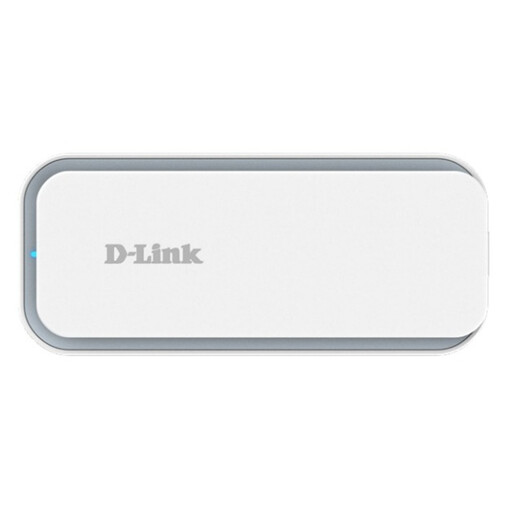
D-Link F530 5G NR AX3000 Wi-Fi 6 Mobile Hotspot
This is a separate hotspot option if you want to connect a laptop over Wi-Fi rather than tether it to your phone. Check predicted indoor 5G or 4G coverage, network and SIM compatibility, plan terms and charging needs before choosing it.
View on Joybuy
 No image available
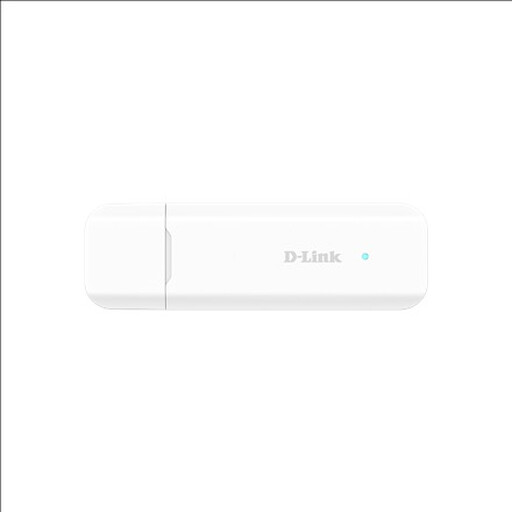
D-Link 5G NR USB Adapter
A USB adapter is worth considering when the laptop is the main device needing mobile internet. Confirm this model’s connector, operating-system and network compatibility against your work laptop, as well as the SIM, plan and indoor coverage.
View on Joybuy
 No image available
D-Link DWM-222W/R 4G LTE AX300 Wi-Fi 6 USB Adapter
This 4G USB-adapter option keeps the connection centred on a compatible laptop. Check the exact DWM-222W/R revision’s connector and operating-system support, then confirm the network, SIM and data plan for your work address.
View on Joybuy
Common questions
How can I check mobile coverage inside a temporary property?
Use Ofcom’s Map Your Mobile checker for the property’s postcode and compare networks’ predicted indoor 4G and 5G coverage. The prediction is a starting point: local conditions can change reception, so test in the room where you will work if possible.
Should I choose a network before buying a hotspot?
Yes: check predicted indoor coverage at your work locations first, then confirm that the hotspot accepts a SIM for the network you intend to use. A different hotspot cannot by itself fix poor mobile reception inside a property.
Can I use my phone as a laptop hotspot?
Yes. Google Android Help describes Wi-Fi, Bluetooth and USB tethering, while Apple Support describes iPhone Personal Hotspot connections. Check your carrier’s tethering terms and data allowance, and plan how you will keep the phone charged during longer sessions.
Will a UK unlimited-data plan also be unlimited abroad?
Not necessarily. Ofcom advises checking roaming charges and usage limits before travelling; Three’s unlimited-data support information illustrates how an overseas data allowance and hotspot restrictions can differ from UK use. Check the destination and exact tariff rather than relying on “unlimited” in the plan name.
Can I use a personal SIM, dongle or hotspot for employer work?
Confirm it with your employer before using personal mobile connectivity for work data. The Information Commissioner’s Office advises organisations to assess remote-working systems; ask which connection methods are permitted and whether a VPN or managed device is required.


