What matters when choosing
Start with the devices you actually use between visits, then decide how much bag space you can give the keyboard and whether your sessions involve quick notes or longer transcription.
Separate Bluetooth keyboard
Consider it when: you move between a laptop, tablet and phone; Logitech lists Windows, macOS, iPadOS, iOS and Android support for the Pebble Keys 2 K380s.
Trade-off: a separate keyboard does not by itself provide a tablet viewing angle or trackpad.
iPad keyboard case
Consider it when: a compatible iPad is your main research device and you want integrated typing and navigation; Apple describes a trackpad and adjustable viewing angles for its iPad Magic Keyboard format.
Trade-off: the case must match the intended iPad model and size, rather than serving as a keyboard for your other devices.
| Concern |
What to check |
Who this matters to |
| Packing and setup |
Check packed dimensions, weight and whether a protective cover is included. |
If I have only a short gap between visits, I want a keyboard I can take out and put away without disrupting the rest of my bag. Around 42% of consumers put easy packing and setup first. |
| Device compatibility |
Match the stated operating systems and Bluetooth requirements to your devices; check how many can remain paired. |
Moving research notes between my laptop, tablet and phone makes dependable device switching more important than a single-device setup. For around 33% of consumers, cross-device use is the primary concern. |
| Longer typing and navigation |
Consider key arrangement and whether your setup needs a trackpad or separate pointing device. |
When a record calls for more than a quick note, I need to enter and edit text without struggling to navigate the screen. Typing comfort and navigation come first for around 25% of consumers. |
Joybuy products for different setups
These choices cover a keyboard case for a compatible iPad and separate wireless keyboards for other typing setups. Compare each model with your devices, preferred layout and available bag space.
 No image available
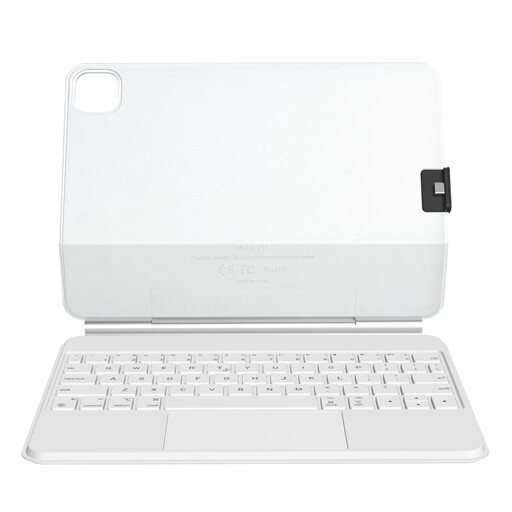
Rexsun P11-2 keyboard case for iPad Pro 11-inch and iPad Air 10.9/11-inch, white
Consider this case if you research mainly on an iPad and want a keyboard with a trackpad. The name specifies a detachable protective cover and magnetic floating design. Match your exact iPad model and generation to the case before ordering.
View on Joybuy
 No image available
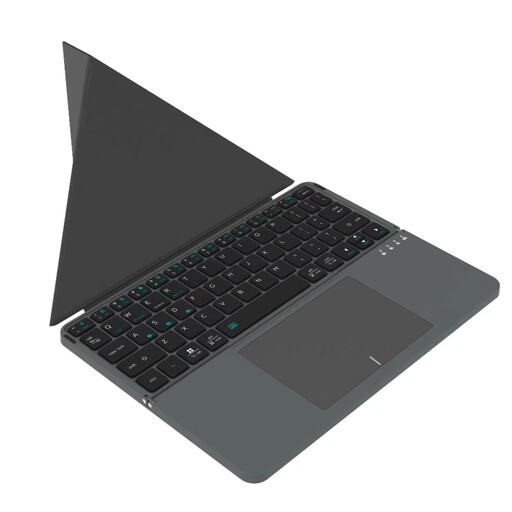
VoxorAI BOX1 Bluetooth keyboard, black
This separate Bluetooth keyboard is worth considering if you type on more than one kind of device between visits. Its name lists computers, laptops, iPads and smartphones; confirm compatibility with the particular devices you use.
View on Joybuy
 No image available
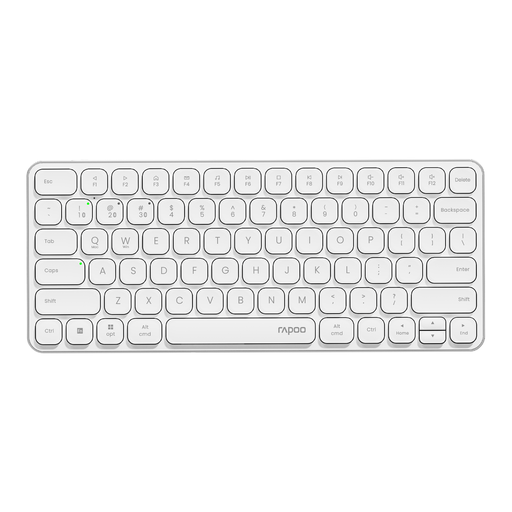
Rapoo E9050L 75% wireless keyboard, US layout, white
Consider this compact keyboard if switching among supported computers matters to your research workflow. Its name specifies 78 keys, Bluetooth 5.0/4.0 and 2.4 GHz connections, support for four devices, and Windows, Mac, Linux and Chrome compatibility. Check whether its stated US layout suits your typing.
View on Joybuy
 No image available
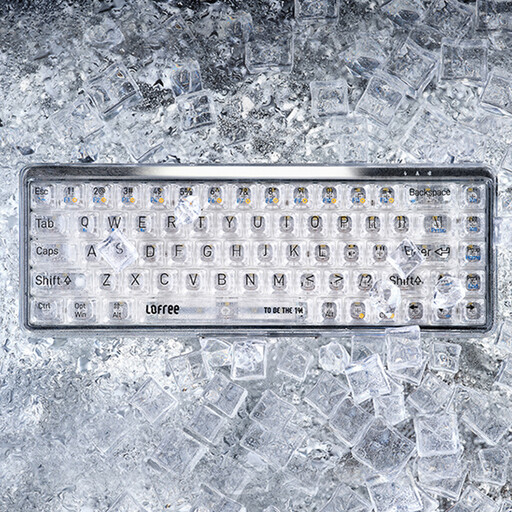
Lofree OE907 65% mechanical keyboard, US layout, with mouse
This 68-key keyboard is an option if you want Bluetooth typing with a wired alternative at your research desk. Its name specifies Bluetooth 5.1, wired mode and Mac, Windows and Android use. Check the US layout, device compatibility and mouse bundle contents before ordering.
View on Joybuy
 No image available
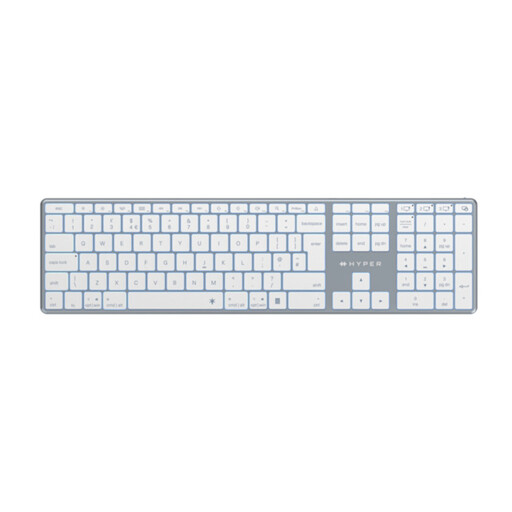
Hyper HyperSpace Next Bluetooth keyboard, UK layout, white
Consider this Bluetooth keyboard if a stated UK layout matters more to you than choosing the smallest possible setup. Check its dimensions against the space in your bag and confirm compatibility with each device you plan to use.
View on Joybuy
Common questions
How can I check whether a keyboard will work with my research devices?
Compare each device's operating system and Bluetooth capability with the requirements for the exact keyboard model. Logitech lists Windows, macOS, iPadOS, iOS and Android for the Pebble Keys 2 K380s, while Microsoft specifies Windows 10 or Windows 11 with Bluetooth 4.0 or later for setting up the Designer Compact Keyboard; check your preferred key layout as well.
Should I buy a separate keyboard or an iPad keyboard case?
Choose a separate Bluetooth keyboard if you need to type across several compatible devices; consider an iPad keyboard case if a compatible iPad is your main device and you want integrated navigation and a viewing angle. Verify the case against the exact iPad model and size before ordering.
How long do I have to cancel an eligible online keyboard purchase in the UK?
Under regulation 30 of the UK Consumer Contracts Regulations 2013, the normal cancellation period for an eligible distance sales contract ends 14 days after you, or a person you nominate other than the carrier, take physical possession of the goods. Applicable exceptions matter, and cancellation for a change of mind is distinct from remedies for faulty, damaged or misdescribed goods.
What can I do with an old electrical keyboard when buying a replacement?
Ask the retailer about take-back when you buy a replacement keyboard. GOV.UK guidance says electrical retailers must offer take-back of waste equipment of the same type, subject to the applicable scheme rules; the retailer can explain how to use its service.


