Tablet and phone writers
If you draft or edit reviews on a mobile device, a small keyboard with protected keys may be easier to carry between writing sessions. You will still need a way to position the screen.


Choose a portable keyboard around the device you use to draft your book review, then check its layout and permitted connection method. A covered keyboard can make tablet or phone writing easier to pack; if familiar UK punctuation or a non-Bluetooth connection matters more, check an explicitly labelled UK-layout model with the connections you need. For a shared café, weigh key noise and the space taken up by both keyboard and screen.
If you draft or edit reviews on a mobile device, a small keyboard with protected keys may be easier to carry between writing sessions. You will still need a way to position the screen.
If you move between a laptop, tablet and phone, consider how easily the keyboard switches devices and whether its key sound suits a shared space.
If familiar punctuation placement matters, look for an explicitly labelled UK variant. Bluetooth, a USB receiver and a cable are different options to check against your device and any workplace rules.
Start with the device and layout you need, then consider how the keyboard will feel, sound and fit alongside your screen in a café.
| Concern | What to check | Who this matters to |
|---|---|---|
| Typing comfort and noise | Check the stated key type and quiet-key claims; try the punctuation and shortcuts you use for editing. | If I draft for a while near other customers, I want keys that feel comfortable without distracting clatter. Around 42% of consumers put sustained, low-distraction typing first. |
| Bag space and protection | Check the carrying size and whether the keys have a cover; plan how your phone or tablet will stand. | When I carry my writing kit between cafés, I want it to fit in my bag without leaving the keys exposed. Roughly 33% of consumers prioritise portability and protection. |
| Layout and connection | Confirm the exact UK variant if needed, device compatibility and whether Bluetooth, a receiver or wired use is permitted. | If I rely on UK punctuation or use a managed device, the keyboard must match my layout and connection requirements. About 25% of consumers make that fit their primary concern. |
ISO variants can differ in their key legends and punctuation positions, which matters when editing quotations and using shortcuts.
Select the exact variant labelled UK-ISO or British English, and inspect the variant selector before checkout.
A standalone keyboard does not necessarily hold a phone or tablet at a usable viewing angle.
Check whether your device case already provides a stable position or whether you need a separate stand.
A separate stand or more protective device case may add another item to carry.
A keyboard can offer several connection methods while a managed laptop restricts Bluetooth or USB peripherals. The National Cyber Security Centre advises organisations to manage the security risks of peripheral connections.
Check your device policy before choosing a connection method; consider a wired or receiver option only if it is permitted.
Direct water exposure can damage keyboard electronics.
Switch off or unplug the keyboard first. Logitech advises using a lightly damp cloth rather than washing the keyboard or pouring water onto it.
Its compact Bluetooth models offer different approaches to tablet and multi-device writing.
The B1 Pro range is relevant when a slim keyboard needs a UK-ISO layout and connection alternatives.
Magic Keyboard for iPad Air is an integrated keyboard-case option for a compatible iPad, rather than a universal standalone Bluetooth keyboard.
These keyboards offer different ways to take a writing setup to a café, from wireless models to compact layouts. Check the stated keyboard layout, connection and carrying size against your own device; a gaming-keyboard label does not establish quiet typing.
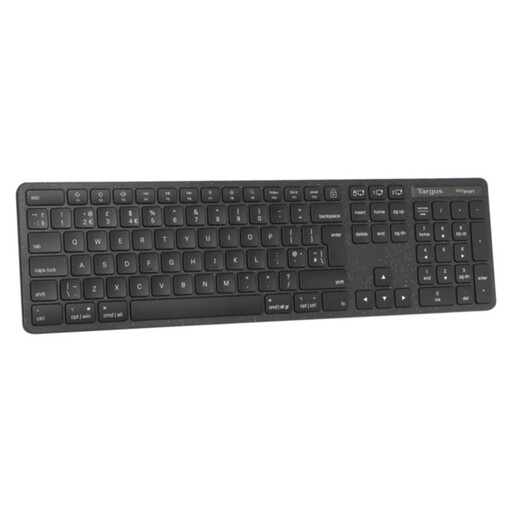 No image available
Consider this if a UK full-size layout matters more to you than keeping the keyboard small in your bag. The product name identifies a wireless keyboard and UK variant; check its connection requirements, carrying size and key sound for your setup.
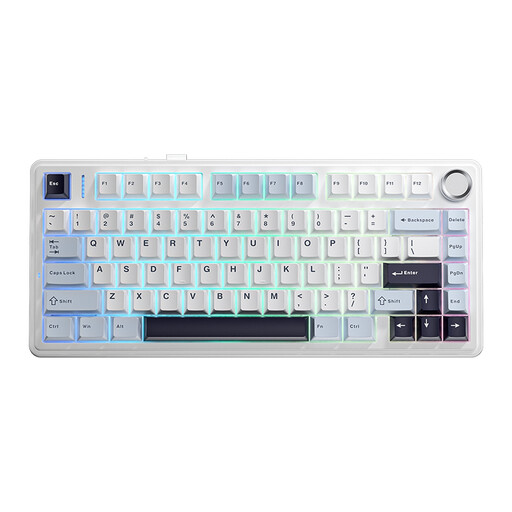 No image available
Consider the 75% layout if you want fewer keys across your café table than a full-size keyboard. Its title specifies wired, Bluetooth and 2.4 GHz modes and a US layout; check device compatibility and punctuation placement before choosing it for UK-layout writing.
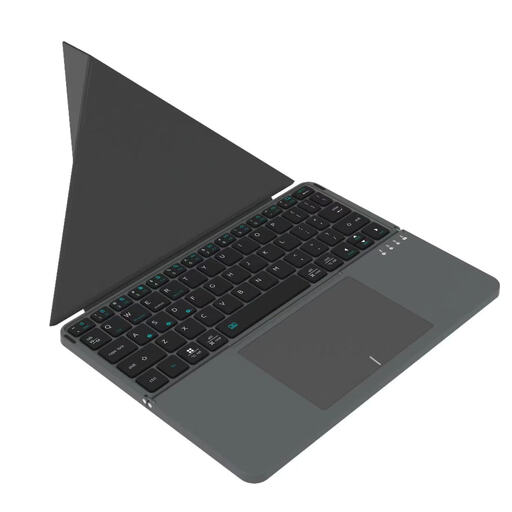 No image available
This is a Bluetooth option to consider for writing on a computer, iPad or smartphone, as described in its product name. Check the exact device requirements, key layout and typing sound if you need familiar punctuation or quieter café use.
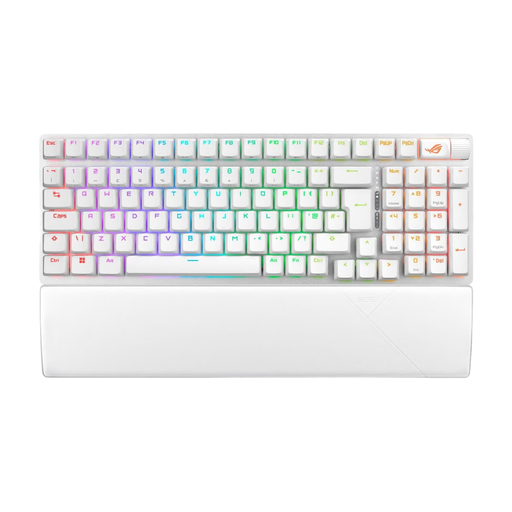 No image available
Consider this model if its explicitly stated UK layout suits your writing habits. Before taking a gaming keyboard to a shared café, check the selected switch variant and its sound, as well as the keyboard’s weight and table footprint.
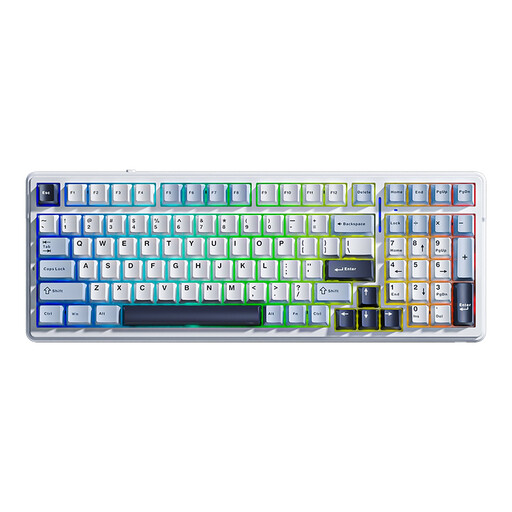 No image available
Consider this model if you want the wired, Bluetooth and 2.4 GHz modes stated in its title. It is labelled US layout, so inspect the punctuation keys if you normally use a UK keyboard; also check its carrying size, device compatibility and typing sound.
You need a stable way to position the screen, but the stand need not be part of the keyboard. Logitech’s Keys-To-Go 2 has a built-in cover for its keys; arrange a separate stand if your tablet or phone case does not support the screen.
No. Keychron’s B1 Pro collection includes several ISO variants, so select one explicitly labelled UK or British English if familiar UK legends and punctuation positions matter to you.
Check your organisation’s device policy before buying one for that laptop. The National Cyber Security Centre notes that peripheral connections can create security risks, so a keyboard’s Bluetooth capability does not establish that its use is permitted at work.
Switch it off or unplug it before cleaning. Logitech advises wiping with a lightly damp, lint-free cloth rather than pouring water directly onto the keyboard.