Choose a slim, protected keyboard if you mainly review results on a tablet or phone and need to pack it away quickly. A compact keyboard with quieter keys suits note-taking across several devices, while a multi-mode model makes more sense if your work device needs a receiver or wired connection. Whichever route you take, check the exact key layout and whether the keyboard fits your train-table space.
Who needs which keyboard?
Tablet-first train reviewers
If you read and annotate survey results on a tablet or phone, a keyboard that packs easily and has protection for travel may matter more than a desk-sized layout. Logitech describes its Keys-To-Go 2 as slim and fitted with a built-in cover.
Multi-device survey analysts
If your dashboard, spreadsheet and messages sit on different devices, look at how the keyboard switches between them. Logitech, CHERRY and Keychron each describe multi-device connection options on the product lines discussed below.
Shared-carriage note-takers
If you expect to type corrections near other passengers, key action is worth considering alongside size. Logitech describes the Pebble Keys 2 K380s as having quiet, low-profile keys; that description is not a measured noise rating.
What matters when choosing?
Slim keyboard with a cover
Choose it when: Your survey review happens mainly on a tablet or phone and packing the keyboard between journeys is the priority. Logitech describes Keys-To-Go 2 as slim, with a built-in cover.
Trade-off: A small format still needs to feel workable for the amount of annotation or data entry you plan to do.
Quiet compact Bluetooth keyboard
Choose it when: You switch between devices and expect to type notes in a shared carriage. Logitech says the Pebble Keys 2 K380s switches among three devices and has quiet, low-profile keys.
Trade-off: A Bluetooth-only route will not meet a requirement for a USB receiver or wired connection.
Multi-mode keyboard
Choose it when: Your work and personal devices call for different connection methods. CHERRY lists Bluetooth, 2.4 GHz and wired channels for the KW 9200 MINI; Keychron lists those modes for the B1 Pro.
Trade-off: The extra connection routes bring more setup decisions, including receiver, port and cable compatibility.
For consumers choosing a keyboard specifically to review survey results on a train, these priorities reflect the need that matters most to each person.
| Concern |
What to check |
Who this matters to |
| Carrying and protection |
Check packed dimensions, weight and whether a cover or case is included. |
If I review results on a tablet and pack my keyboard between stops, I need it to fit my bag without leaving the keys exposed. Around 44% of consumers would put carrying and protection first. |
| Typing and device switching |
Check the switching controls, supported devices and key feel for the amount you expect to type. |
When I move between a dashboard and my notes in a shared carriage, I want to switch devices without interrupting my work or making more typing noise than necessary. For around 33% of consumers, that would be the primary concern. |
| Connection and UK layout |
Confirm the exact layout variant and a connection method permitted by your work device, including any required port. |
If my work laptop restricts Bluetooth or I rely on UK key placement for symbols, I need those details settled before buying. Connection and layout would come first for around 23% of consumers. |
Mistakes to avoid
-
Assuming every compact keyboard has a UK layout
A different key arrangement can interrupt work with punctuation, symbols and spreadsheet shortcuts. Keychron lists a UK-ISO option for the B1 Pro, but the product family name alone does not identify the variant you are ordering.
Check the selected layout on the individual product listing before purchase.
-
Choosing Bluetooth without checking your work device
A managed device may restrict connection methods, and a 2.4 GHz receiver also needs a suitable port. CHERRY and Keychron list keyboards with receiver and wired routes as well as Bluetooth.
Check your organisation’s device policy and available ports, then choose a connection method you can use.
-
Equating a small footprint with comfortable long-session typing
A keyboard that is easy to carry will not necessarily have the spacing or key feel you want for sustained spreadsheet work.
Compare the exact layout and typing arrangement with the length of your usual review sessions, rather than choosing by packed size alone.
-
Letting the setup take over shared space
Survey work on a train still needs a practical place for both the screen and keyboard. GOV.UK’s Railway Byelaws address conduct on railway assets; conditions for a particular journey should be checked with the operator.
Keep the setup within the space available to you and check the operator’s current conditions if you need a service-specific answer.
Relevant brands to consider
Logitech
Logitech presents the Pebble Keys 2 K380s as a compact Bluetooth keyboard and Keys-To-Go 2 as a slim keyboard with a built-in cover for tablet, phone and laptop use.
- Logitech says both models can connect to up to three devices; it describes the Pebble Keys 2 K380s as having quiet, low-profile keys.
- Confirm the exact layout and whether a Bluetooth connection suits the devices you take on the train.
CHERRY
CHERRY positions the rechargeable KW 9200 MINI as a compact keyboard for mobile work.
- CHERRY lists two Bluetooth channels, one 2.4 GHz channel and one wired channel, as well as a carrying case.
- Check receiver compatibility, available ports and the selected key layout for your work setup.
Keychron
Keychron lists a UK-ISO version of the slim B1 Pro with Bluetooth, 2.4 GHz and wired modes.
- The Keychron UK listing identifies a UK layout option and multiple connection methods.
- Select the specific UK-ISO variant if that key placement matters to you; do not assume every B1 Pro configuration is identical.
Joybuy keyboards for train-based review
These Joybuy choices include compact and full-size keyboards that may serve different parts of a train-based survey workflow. Compare their layout, connection method and space requirements rather than treating them as interchangeable portable options.
 No image available
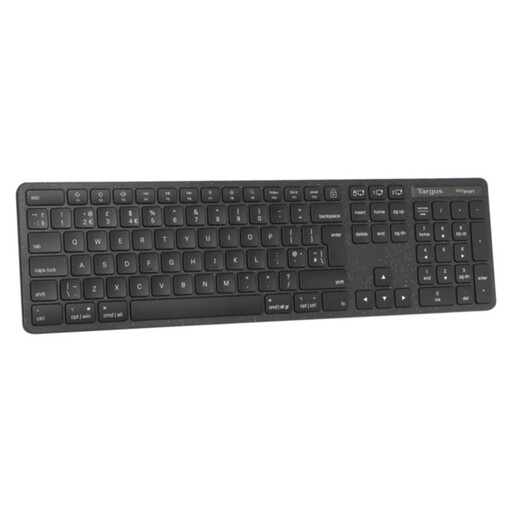
Targus EcoSmart Full Size Wireless Keyboard (UK)
Consider this UK-labelled full-size keyboard if a familiar-sized typing area matters more to you than packing a small keyboard. Check that your bag and train table have room, and confirm the connection method your device can use.
View on Joybuy
 No image available
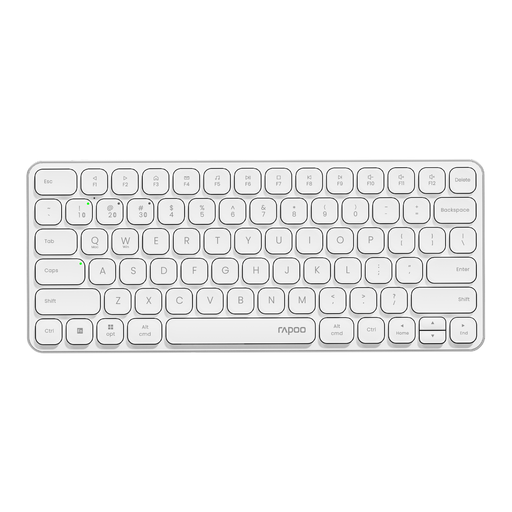
Rapoo E9050L 75% Wireless Keyboard, QWERTY US, White
This 78-key option is worth considering if you want a smaller keyboard and switch between devices during review. Its title specifies QWERTY US, support for four devices, Bluetooth 5.0/4.0 and 2.4 GHz; check whether that layout and the listed system compatibility suit your work.
View on Joybuy
 No image available
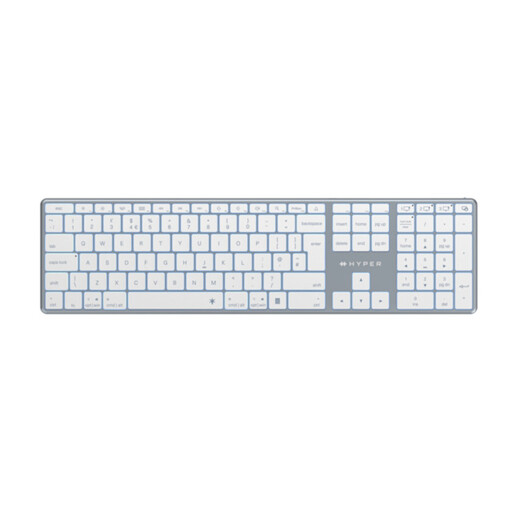
Hyper HyperSpace Next Bluetooth Wireless Keyboard (UK), White
Consider this UK-labelled Bluetooth model if you want to work across paired devices without using a receiver. Confirm the exact key layout, the space it needs on a train table and whether its typing sound suits a shared carriage.
View on Joybuy
 No image available
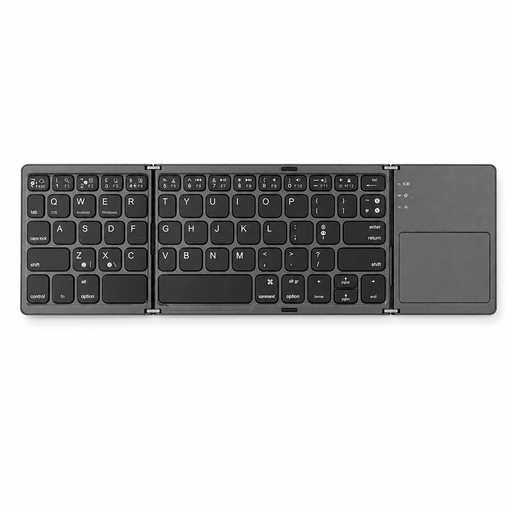
VoxorAI B033 Black Bluetooth Keyboard
For survey review on a phone or tablet, this Bluetooth keyboard is an option to compare: its title lists compatibility with computers, laptops, iPads and smartphones. Check the key layout and typing arrangement if you rely on UK symbols or expect to enter lengthy comments.
View on Joybuy
 No image available
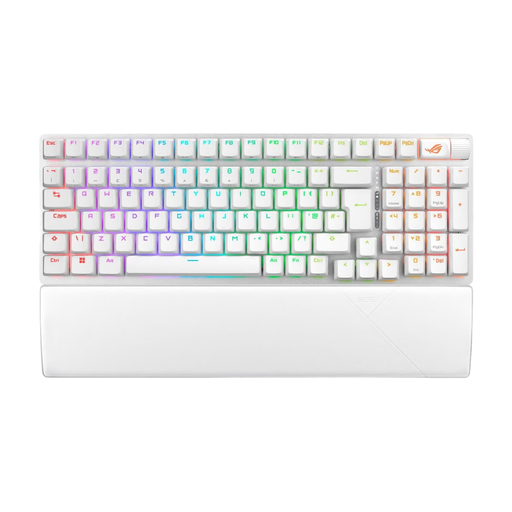
ASUS ROG Strix Scope II 96 Wireless Gaming Keyboard, White, UK Layout
This UK-layout 96% keyboard is a choice to assess if its typing arrangement matters more to you than carrying the smallest possible setup. Check its size and weight for your journey, and confirm the fitted switch option if typing sound matters in a shared carriage.
View on Joybuy
Frequently asked questions
Should I choose Bluetooth-only or a keyboard with receiver and wired options?
Choose Bluetooth-only if it works with every device you use on the journey; consider a multi-mode keyboard if you need a receiver or cable connection. CHERRY lists Bluetooth, 2.4 GHz and wired channels for the KW 9200 MINI, while Keychron lists those connection types for the B1 Pro. Check your device ports and workplace rules before choosing a mode.
Do I need to check the key layout for survey work?
Yes, check the exact variant if you rely on UK key placement for symbols or spreadsheet work. Keychron lists a UK-ISO B1 Pro option, but a product family name alone does not establish the layout of every variant.
Is a quiet keyboard worth considering on a train?
It is worth considering if you expect to type near other passengers. Logitech describes the Pebble Keys 2 K380s as having quiet, low-profile keys, but that description does not provide a measured noise comparison; check the key action for the specific keyboard you plan to use.


