What matters when choosing?
Start with the device and editing session you need the keyboard for, then check its layout and controls. An iPad keyboard case is a different choice from a separate keyboard that can travel between devices.
| Concern |
What to check |
Who this matters to |
| Packability and protection |
Check the exact dimensions and weight, and whether the keys have a cover for travel. |
If I make quick corrections while moving between locations, I want the keyboard to fit beside my device without leaving its keys exposed in my bag. Around 36% of consumers put packability and protection first. |
| Long-session typing |
Check the physical layout and key design; consider illumination if you edit in changing light. |
When I spend longer drafting and proofreading, I care more about a layout I can use confidently than the smallest possible keyboard. For around 29% of consumers, sustained typing is the primary concern. |
| Moving between devices |
Confirm the supported operating systems, paired-device limit and switching control. |
I write on a laptop but also check the newsletter on a tablet or phone, so moving my typing between them matters. That is the leading need for around 21% of consumers. |
| Integrated iPad controls |
Match the case to the exact iPad model; check for the trackpad and protection you want. |
If I edit chiefly on my iPad, I may prefer cursor control and a keyboard in one case over switching among unrelated devices. Around 14% of consumers prioritise that integrated setup. |
Joybuy product choices
These keyboards cover compact separate models, larger keyboards for moving between workspaces and a case for compatible iPads. Compare each listing against your device, preferred key layout and the amount of space you can spare when travelling.
 No image available
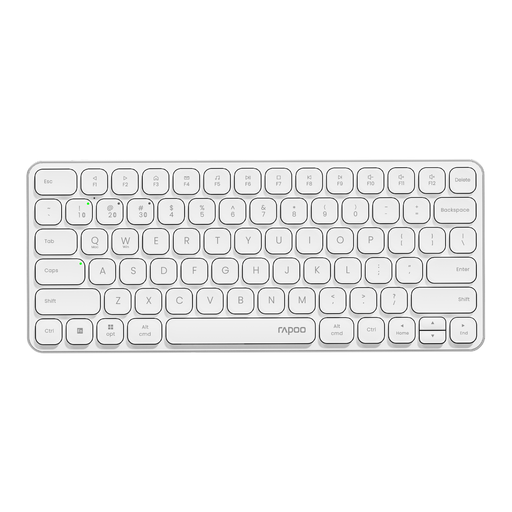
Rapoo E9050L 75% Wireless Keyboard, US layout, White
Consider this smaller separate keyboard if bag space matters and you want to check its multi-device controls for your editing setup.
The title specifies 78 keys, a QWERTY US layout, 2.4 GHz and Bluetooth 5.0/4.0 connectivity, with support for four devices.
Check whether its US key positions suit you and confirm compatibility with your intended tablet or phone.
Joybuy
 No image available
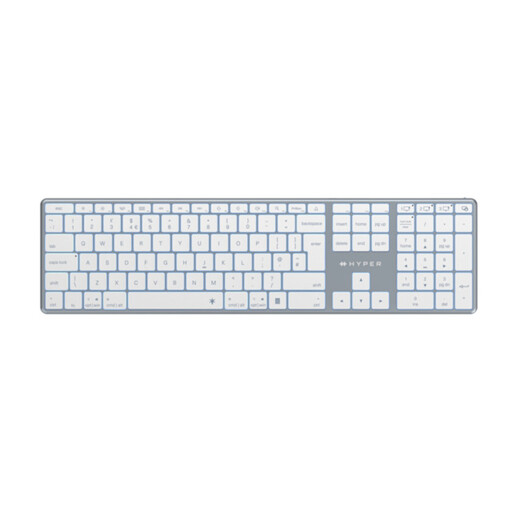
Hyper® HyperSpace Next Bluetooth Keyboard (UK), White
Consider this separate Bluetooth keyboard if you edit in more than one workspace and prefer a larger typing surface to a minimal travel layout.
Check the physical key arrangement and legends if UK key placement is important to your editing shortcuts.
Joybuy
 No image available
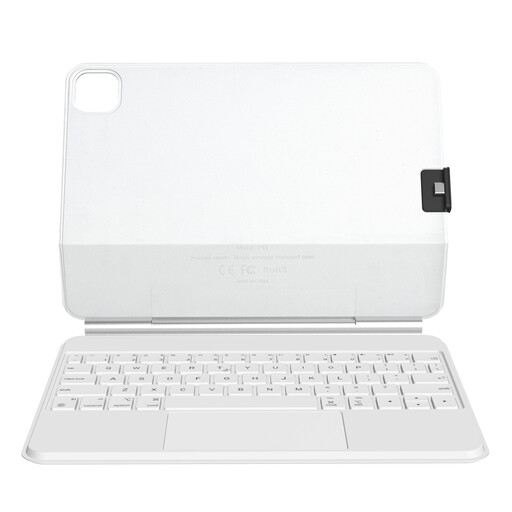
Rexsun P11-2 iPad Keyboard Case with Trackpad, White
Consider an integrated keyboard and trackpad if your newsletter work stays on a compatible iPad.
This P11-2 variant is described as a magnetic floating case with a detachable protective cover for specified iPad Pro 11-inch and iPad Air 10.9-inch or 11-inch models.
Match the exact iPad generation to the compatibility details before buying; it is not a separate keyboard for unrelated devices.
Joybuy
 No image available
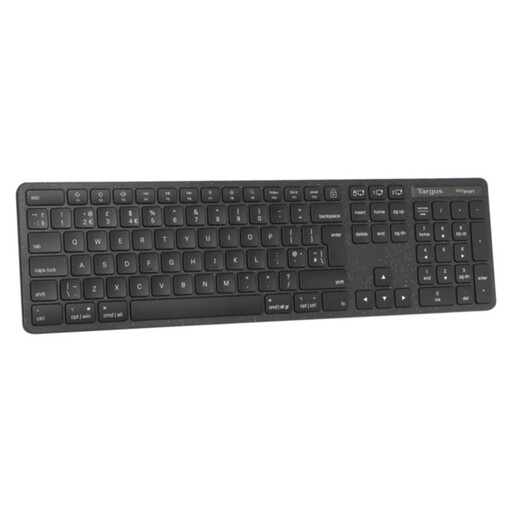
Targus EcoSmart™ Full-Size Wireless Keyboard (UK)
Consider this full-size model if you move between workspaces but do not need the smallest keyboard in your bag.
Check that its larger layout fits where you travel and confirm the physical key positions and legends you want.
Joybuy
 No image available
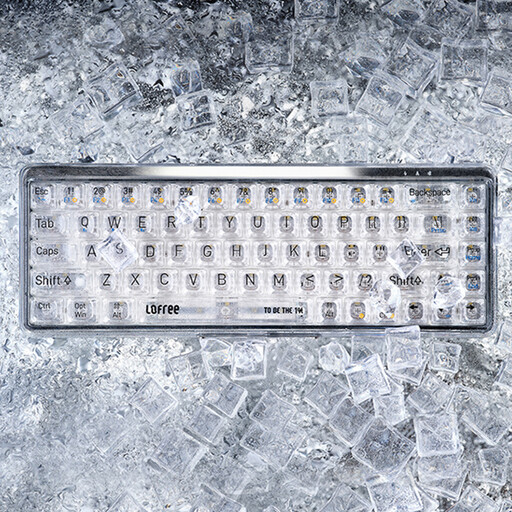
Lofree OE907 65% Mechanical Keyboard with Mouse, US Layout
Consider this compact mechanical keyboard if a small separate layout and switch feel matter to you.
The title specifies 68 keys, Jellyfish switches, a QWERTY US layout, Bluetooth 5.1 and wired connectivity, and white backlighting.
Check whether its US layout suits your shortcuts and how device pairing and switching work for your setup.
Joybuy
Common questions
Do I need a British-English keyboard to edit a newsletter in the UK?
No, but choose the physical layout deliberately. Key positions and legends for punctuation and symbols can differ: Keychron lists a UK-ISO K3 Max variant, and Apple lists a British-English standalone Magic Keyboard. Check the selected variant rather than relying on the retailer's location.
Can one portable keyboard work with my laptop, tablet and phone?
Yes, if the particular keyboard supports those operating systems and the way you want to switch devices. Logitech says Keys-To-Go 2 can connect to up to three devices and lists Android, ChromeOS, Windows, iPadOS, iOS and macOS support. Check compatibility and shortcut behaviour for your own devices and newsletter editor.
When should I choose an iPad keyboard case instead of a separate keyboard?
Choose an iPad keyboard case when you want typing and pointer control together on a compatible iPad; choose a separate keyboard if you need to use it with other devices or position the screen independently. Apple's iPad keyboard cases are model-specific, so match the exact iPad before buying.
What should I do with an old keyboard in the UK?
Check the seller's same-type electrical take-back arrangements or a local electrical-waste collection route. GOV.UK describes take-back obligations for retailers supplying electrical equipment; ask the seller how its collection arrangement works for your replacement.


