Travelling document multitaskers
If you regularly work in different places, a movable second screen can keep documents or reference material alongside your main work without relying on a permanent monitor.


Choose a portable monitor if you need a second document or reference window at each location; choose a travel dock when reconnecting several compatible peripherals is the main problem. If desk space or carrying bulk matters more than extra screen area, a stand with separate compact input devices may suit your setup better. Before buying, check your exact laptop’s video output, external-display limit and charging requirements against the monitor or dock, cable and charger.
If you regularly work in different places, a movable second screen can keep documents or reference material alongside your main work without relying on a permanent monitor.
If you use several peripherals, a travel dock may reduce repeated connections between desks. Check that its video and charging functions match your exact laptop.
If you need to clear your desk after work, consider how a stand and separate input devices will fit together. The UK Health and Safety Executive advises using a separate keyboard and mouse when raising a laptop screen for prolonged use.
Choose it when: You regularly need a second document or reference window and can make room beside your laptop.
Trade-off: It adds another item to carry, and host video and power compatibility need checking.
Choose it when: Several existing peripherals need to reconnect as you move between desks.
Trade-off: A dock does not create a second screen; its video method and power delivery must suit your laptop.
Choose it when: Screen position matters more than adding display area, particularly at a desk that needs to be cleared afterwards.
Trade-off: A stand alone does not separate the built-in keyboard from the raised screen, so separate input devices add items to carry.
| Concern | What to check when buying | Who this matters to |
|---|---|---|
| Screen space and carrying bulk | Compare the display dimensions and weight with your bag and the temporary desk space available. | When I move between desks and need documents beside my main work, I want useful screen space without carrying more than I need. Consumers who put second-screen space first make up around 36%. |
| Video, operating-system and charging compatibility | Check the laptop’s video output and display limit, the monitor or dock’s connection method, and the power available to the laptop. | If a screen or dock will not work with my exact laptop, it will not solve the problem, so I would check its ports, operating system and power needs before choosing. Consumers whose first priority is compatibility make up around 29%. |
| Screen and keyboard positioning | Check the stand’s footprint and usable position, and whether there is room for a separate keyboard and mouse. | At a temporary desk, I want to raise the screen without making typing awkward or crowding the work area. Consumers who prioritise a workable position for longer sessions make up around 21%. |
| Peripheral connections | List the devices you need at each desk, then compare their port types with the dock or direct wireless connections. | If I already use several peripherals, I would rather carry only the connections I need than add a dock by default. Consumers who put peripheral organisation first make up around 14%. |
A USB-C socket’s shape does not establish that the laptop supports the video output or charging arrangement you need. Dell specifies DisplayPort Alt Mode for the P1425’s USB-C ports, while other setups may use a different connection method.
Check the exact laptop, display or dock, cable and charger specifications together before buying.
The laptop and operating system must support the dock’s video method. StarTech.com states that its DKM31C3HVCPD needs host MST support for its multi-monitor configuration; DisplayLink-based arrangements have their own software requirements.
Confirm the laptop’s supported external-display count and the dock’s stated video method for your operating system.
Raising the screen does not separate it from the built-in keyboard. The UK Health and Safety Executive’s guidance pairs an elevated laptop with a separate keyboard and mouse for prolonged use.
Plan the stand, typing position and desk footprint as one arrangement.
A separate keyboard and mouse may also need to be carried or stored at the desk.
The Dell Pro 14 Plus Portable Monitor P1425 is a portable-display example for document work.
The ThinkVision M14t Gen 2 is a portable-display example for people considering touch input as well as a second screen.
The ZenScreen MB16ACE is an example for buyers comparing USB-C with a documented driver-assisted USB-A video route.
The DKT30ICHPD is a travel-adapter example for a laptop user who needs display output and several connections rather than another screen.
The Pebble Keys 2 K380s is a compact-keyboard example for a movable setup with fewer wired peripherals.
These Joybuy options cover portable second screens, a foldable laptop stand, a USB-C dock and a compact keyboard. They address different parts of a movable workspace, so check what your laptop and existing desk setup require before combining them.
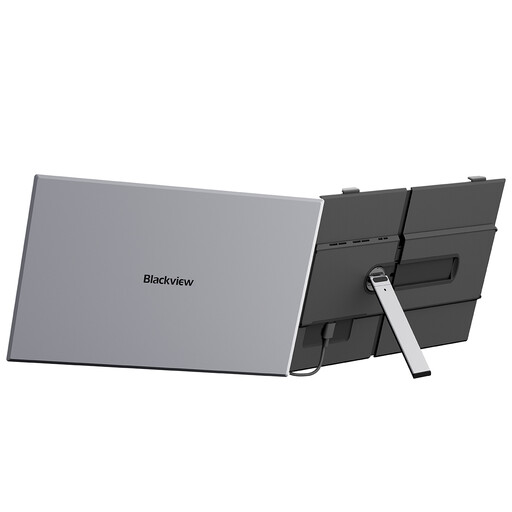 Image unavailable
A movable second screen for laptop work; check that your laptop supports the video connection and charging arrangement you intend to use.
The product information specifies 800 g, 15.9 mm thickness, three USB-C ports and 100 W reverse charging.
Windows, Mac and Linux support is listed; confirm compatibility with your exact laptop.
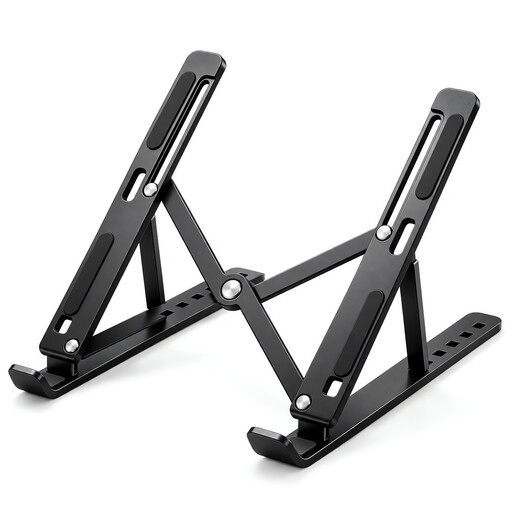 Image unavailable
A portable stand for positioning a laptop at temporary desks; for prolonged use, the UK Health and Safety Executive advises a separate keyboard and mouse when the screen is elevated.
The product information specifies seven height levels from 15 to 45 degrees and a fit for 10–17-inch laptops.
It has a ventilated panel and anti-slip silicone pads, and folds flat for carrying or storage.
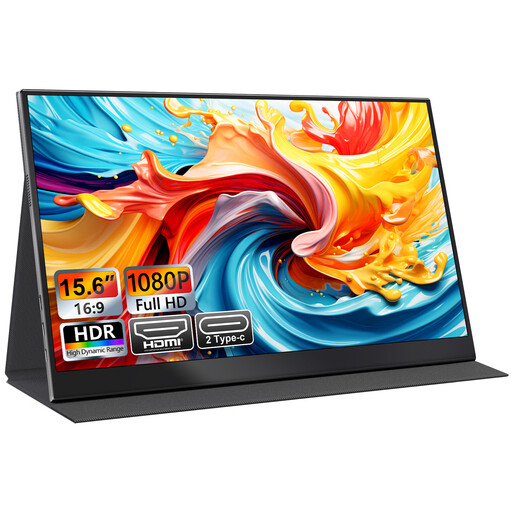 Image unavailable
A portable second screen for laptop work while travelling; check the exact laptop’s video output and the monitor’s required connection.
The product name specifies USB-C and HDMI inputs, a smart-cover stand and VESA mounting.
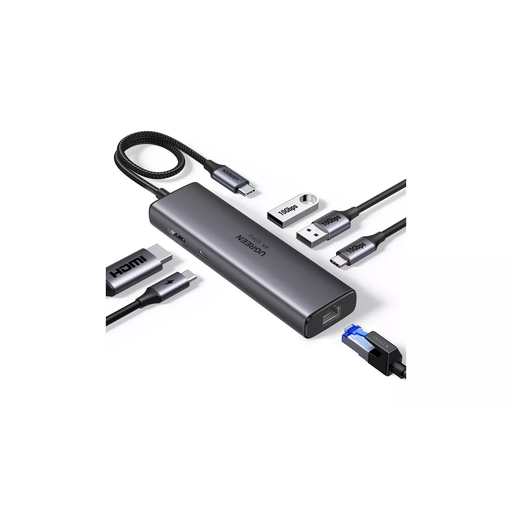 Image unavailable
For reconnecting a display and several peripherals at changing desks; check that your laptop supports the dock’s video method and required connections.
The product information lists HDMI, two USB-A 3.2 ports, USB-C 3.2, RJ45 and PD.
It specifies HDMI output up to 4K at 60 Hz, Gigabit Ethernet and up to 100 W pass-through. Check the power available to your laptop against its requirements.
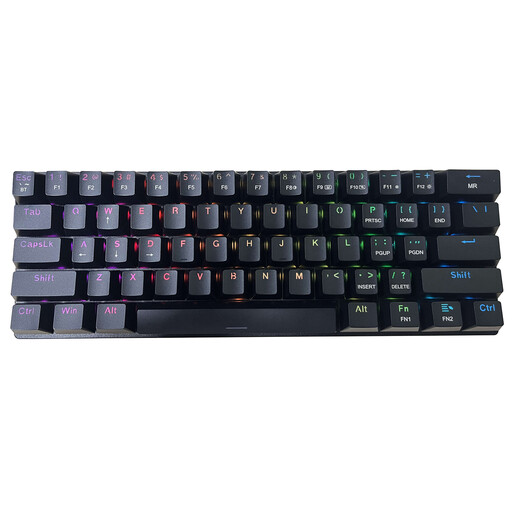 Image unavailable
A compact typing option for a movable setup without a dock; check the layout and connection method suit your laptop and workplace policy.
The product name specifies a 61-key US QWERTY layout and tri-mode connectivity. The product information lists Bluetooth, 2.4 GHz wireless and wired USB connections.
The product information also specifies RGB backlighting, blue switches and a rechargeable design.
No; the connector shape alone does not establish video support. Check the exact laptop port’s video output against the monitor input and cable. ASUS specifies a driver-assisted USB-A video route for the ZenScreen MB16ACE, which requires software installation.
No. For example, StarTech.com specifies 100 W input for its DKT30ICHPD adapter and says 8 W is reserved for the adapter, leaving up to 92 W for laptop charging. Compare the available power with your exact laptop’s requirements and the charger you plan to use.
Not necessarily. Check the laptop’s external-display support and the dock’s video method. StarTech.com says its DKM31C3HVCPD needs host MST support for its multi-monitor configuration; DisplayLink-based arrangements have separate software requirements.
The UK Health and Safety Executive advises using a separate keyboard and mouse so the laptop screen can be raised on a stand or similar support. Its display-screen equipment guidance applies to qualifying workers, including those who use such equipment daily for continuous periods of an hour or more; a stand alone is not a substitute for assessing the workstation.
GOV.UK says online customers generally have 14 days after receiving goods to notify the seller that they wish to cancel, followed by another 14 days to return them, subject to applicable exceptions and handling rules. Faulty goods have separate legal remedies, so check the seller’s process without treating a manufacturer’s warranty as a replacement for statutory rights.