
24/7 Customer Support

Free returns

Same-day & Next-day Delivery

Quality Guaranteed

Unlock Your Welcome Offers: FREE Delivery | Up to 80% OFF | Free 30-day JoyPlus trial
Download the APP
A portable mini projector can turn a bedroom wall, garden screen or travel accommodation into a flexible viewing space. However, compact dimensions and long feature lists do not automatically mean a projector will suit your home.
The main buying risks are often hidden in the specifications. A model advertised as “1080p support” may use a lower native resolution, while “wireless streaming” may not work with every subscription service. Brightness figures can also be difficult to compare unless they are shown in ANSI lumens.
This guide explains which specifications matter for UK homes, then matches available products to different viewing habits.
A 1080p support projector can accept or decode a Full HD signal, but this does not necessarily mean the image is displayed at 1920 × 1080 pixels. A 720p native projector displays 1280 × 720 pixels and may still accept higher-resolution files.
For casual bedroom films, cartoons and presentations, native 720p can be suitable. If you sit closer to a large screen or want sharper text and game interfaces, check the native resolution rather than relying only on “4K decoding” or “1080p support”.
WiFi 6, Android and screen-casting features can simplify setup, but copyright protection may prevent direct mirroring from some mobile streaming applications. A projector may support AirPlay, Miracast or DLNA while still requiring a compatible streaming stick for protected content.
Check whether the projector includes the necessary app, whether your phone is compatible and whether an external HDMI device is required. Neither of the projectors featured here includes a TV stick as standard.
Brightness is measured here in ANSI lumens, a more useful reference than vague “high brightness” wording. The two projector options provide 200 and 290 ANSI lumens respectively, which are more appropriate for dim bedrooms, indoor evening use and outdoor viewing after dark than bright daytime projection.
A pale, flat wall or dedicated screen will generally provide a more consistent image than a textured or dark surface. Outdoor users should also plan for a stable mains power source, as these models do not operate as battery projectors.
A larger image spreads the available light across more surface area. Although a projector may advertise a screen range from around 30 to 150 inches, a smaller image in a darker room will usually look more defined and easier to view.
For a bedroom projector, placing the unit roughly 1.5 to 2.5 metres from the wall can be practical. For outdoor use, set it up after sunset and avoid projecting towards windows or areas with nearby lighting.
Look for the distinction between:
Both listed projectors use manual focus. The first model offers automatic vertical keystone correction, while the HY300 Pro also specifies automatic vertical correction. Neither should be treated as a full four-corner correction system. Horizontal alignment may still require physically repositioning the projector.
A WiFi 6 projector can connect through 2.4GHz and 5GHz networks, provided your router and surroundings support them. WiFi 6 may help with network efficiency, but it cannot eliminate weak signal strength or streaming-service restrictions.
A Bluetooth projector can pair with a compatible speaker for improved audio. Bluetooth generally handles audio transmission rather than phone screen mirroring. HDMI and USB remain useful for laptops, streaming sticks, USB drives and games consoles.
A 180° rotating projector is particularly useful for ceiling viewing or flexible wall positioning. It does not remove the need for a stable surface, clear ventilation and correct lens alignment.
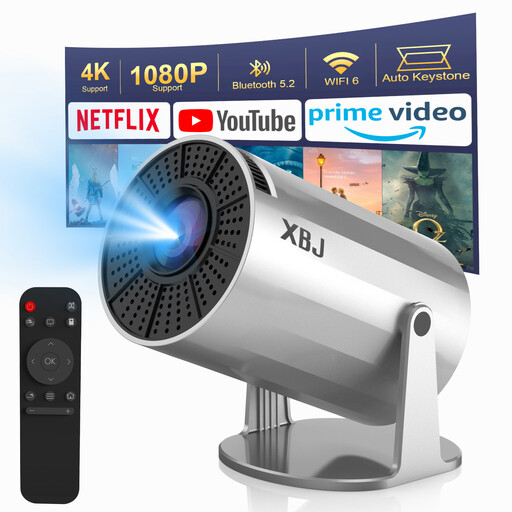
Why This Fits Their Persona: A compact option for first-time buyers wanting Android streaming, bedroom films and occasional outdoor night viewing without a separate media box.
Its specifications state 200 ANSI lumens, native 720p resolution and automatic vertical keystone correction, making the key limitations clearer than a headline resolution alone. It also states that manual focus is required and that mains power is needed.
Android 11, dual-band WiFi 6, Bluetooth 5.0, HDMI, USB and a 180° rotating base in a 0.68kg body.
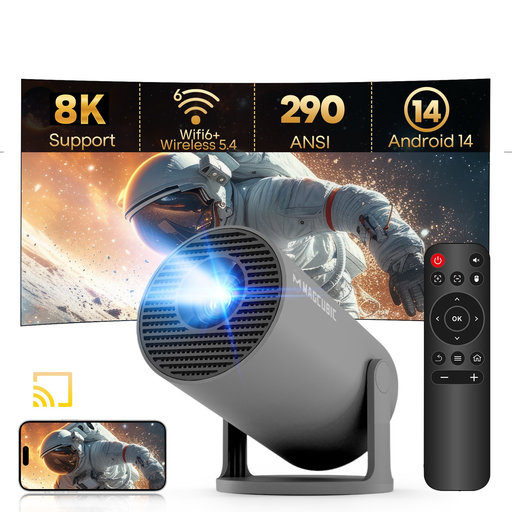
Why This Fits Their Persona: Suited to shoppers prioritising a newer Android platform, higher stated brightness and compact dimensions for regular indoor entertainment or travel.
The listing separates its 720p native resolution from 1080p support and identifies manual focus and automatic vertical keystone correction. Buyers can therefore judge image expectations before ordering.
290 ANSI lumens, Android 14, WiFi 6, Bluetooth 5.4, a 180° rotating stand and a listed 35–140-inch projection range.

Why This Fits Their Persona: This is an adjacent outdoor entertainment accessory for users who host garden film nights, picnics or family viewing sessions and need a practical dining setup alongside their projector.
The hand-woven jute construction is described with wipe-clean and hand-wash care instructions, while the safety information notes that the mats are not intended for extreme direct heat.
Round 38cm format, rollable storage and stated resistance to everyday moisture, stains and heat within the listed limits.
We have compiled a complete, real-time list of products that fully satisfy these strict selection criteria and UK safety regulations.
Not necessarily. The featured models are supplied as mains-powered devices and do not include an internal battery. A suitable power arrangement would need to meet the projector’s electrical requirements; check the manual before using any portable power station or adapter.
It can be appropriate for films and general video in a dim bedroom, particularly at moderate screen sizes. Text-heavy presentations, detailed gaming interfaces and larger images may benefit from a higher native resolution. Always distinguish native resolution from 1080p support.
The HY300 Pro listing specifies a 30,000-hour LED lamp life, but actual operating life can vary with ventilation, usage patterns and power handling. Keeping vents clear, avoiding dusty or humid locations and allowing the projector to cool before storage can support sensible long-term use.