Start by checking your laptop’s documented video output and the monitor’s power requirements: a USB-C connector alone does not mean it can send video. Then choose a size, carrying kit and stand that suit your temporary workspaces; HDMI can offer another video connection, but it does not supply power through the HDMI cable.
Who portable second screens suit
Laptop travellers needing a dependable second screen
You move between work locations and need the monitor’s video connection and power arrangement to work with your particular laptop before you pack it. ASUS advises checking whether the laptop’s USB-C port supports display output.
Frequent kit carriers
You repeatedly pack and set up a second screen, so its cover, cables, stand and complete carrying arrangement matter alongside panel size. Lenovo, LG and MSI list different accessories and support arrangements for their portable models.
Temporary-desk document workers
You need readable documents beside your laptop and a screen you can position on changing work surfaces, sometimes in brighter rooms. The Health and Safety Executive’s display-screen guidance also covers situations such as mobile work and hot-desking.
What to check before buying
Check laptop video and monitor power first, then weigh the full kit, viewing conditions and stand against the places you work. Treat touch as a separate choice for a workflow that uses direct on-screen input.
| Concern |
What to check when buying |
Who this matters to |
| Video and power compatibility |
Check the laptop’s documented video output, the monitor input and required cable, and how the display gets power. Check laptop charging separately. |
If I move between laptops or temporary desks, I need the screen to work with the connections and power I actually have. Around 28% of consumers put video and power compatibility first. |
| Portability of the complete kit |
Compare the exact package, panel dimensions and stated weight, including the stand or cover, cables and any power source you need to carry. |
When I pack and set up a screen repeatedly, I care about the whole kit rather than the bare panel. About 22% of consumers prioritise carrying and setting up the complete kit. |
| Readable workspace in changing light |
Compare native resolution, aspect ratio, rated brightness and surface treatment; consider reflections and where the screen can stand in your usual rooms. |
If I need to read documents at different temporary work locations, I want usable screen space and a position that helps me manage glare. Roughly 22% of consumers put readable working space first. |
| Position at temporary desks |
Check the exact stand’s tilt, height or orientation adjustments and footprint against the surfaces you use. |
When desk layouts change, I need to be able to position the screen comfortably without assuming every kickstand or cover adjusts in the same way. Around 17% of consumers prioritise screen positioning. |
| Touch and direct interaction |
Confirm the exact model’s touch capability, any included pen, and the host and application support needed for your intended interaction. |
If my work involves annotating or interacting directly with the second screen, I need those controls to suit the task. About 11% of consumers make direct interaction their primary concern. |
Buying pitfalls
-
Choosing by the shape of a USB-C port alone
A USB-C port may not support video, so the monitor might not display an image from that connection.
Check the exact laptop’s documented video output and match it to the monitor’s input, cable and power requirements.
-
Treating HDMI as a complete one-cable setup
HDMI carries video, not power to the monitor. The MSI PRO MP165 E6, for example, lists HDMI video separately from external USB-C power.
Plan and test the video and power connections you intend to take with you.
The travel kit may need both an HDMI cable and a suitable USB power source.
-
Comparing only the bare-screen weight
A cover, cables or a separate power source can add to what you carry each time you move.
Compare the exact package contents and consider the complete packed setup, including how you will protect and position the screen.
-
Assuming a stand or touch label settles daily usability
A stand’s adjustment and footprint affect where the screen can sit; touch is useful only when your host and task support the interaction you need.
Check the model’s actual positioning options and verify host, operating system and application compatibility before relying on touch.
Relevant brands to compare
ASUS
The UK ZenScreen range includes models with different connection and stand arrangements, so compare the exact model rather than assuming the whole range shares one configuration.
- ASUS lists two USB-C ports, mini-HDMI and a fold-out kickstand for the MB16AHV.
- Check that the laptop’s USB-C port supports display output; HDMI does not remove the need to plan monitor power.
Lenovo
The ThinkVision M14t Gen 2 is a portable touch display for work where an adjustable screen and direct input are relevant.
- Lenovo lists a 14-inch 2240 × 1400 screen, touch, an adjustable stand, and a sleeve, cable and passive pen in the package.
- This model lists USB-C display connections rather than an HDMI fallback; check host and software compatibility for your task.
Dell
The UK Pro 14 Plus P1425 is a compact USB-C portable display with a tilt stand.
- Dell specifies a 14-inch 1920 × 1200 panel, 400 cd/m² rated brightness, two DisplayPort Alt Mode USB-C ports and up to 65 W power pass-through.
- The 65 W figure does not establish that every laptop’s charging needs will be met, and the cited port specification lists no HDMI route.
LG
The UK +view 16MR70 combines a 16:10 portable display with a folio-cover approach.
- LG lists 2560 × 1600 resolution, two USB-C ports and a cover.
- Automatic rotation requires LG Switch; check video support and whether the folio positions the screen as you need.
MSI
The PRO MP165 E6 combines HDMI and USB-C inputs with an integrated stand for mobile work.
- MSI lists a 15.6-inch Full HD anti-glare panel, 250 cd/m² rated brightness, external USB-C power, a stand, protection pouch and several cables.
- Rated brightness is not a test of visibility in bright sunlight, and MSI notes that packages and specifications can differ by market.
HP
The UK Series 5 Pro 514pn is a compact, higher-resolution USB-C option for people considering detailed work on a smaller panel.
- HP UK lists a 14.36-inch 2560 × 1600 display and tilt adjustment.
- Check compatibility with your particular laptop and whether the screen size and connection suit your travelling setup.
Joybuy product choices
These Joybuy choices include portable laptop screen extenders and standalone portable monitors. Check laptop fit, video output and power requirements against the details for the exact model.
 No image available
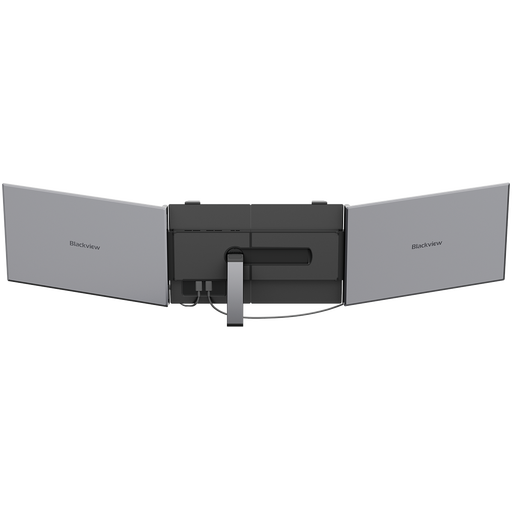
Blackview DCM8 15.3-inch Laptop Screen Extender
A screen-extender format for mobile laptop work when you want additional display space alongside the laptop.
The product name lists a 15.3-inch IPS display, 1920 × 1200 resolution, 60 Hz, 1.2 kg and 100 W reverse charging. Check your laptop’s video output and the complete power arrangement before travelling.
Shop on Joybuy
 No image available
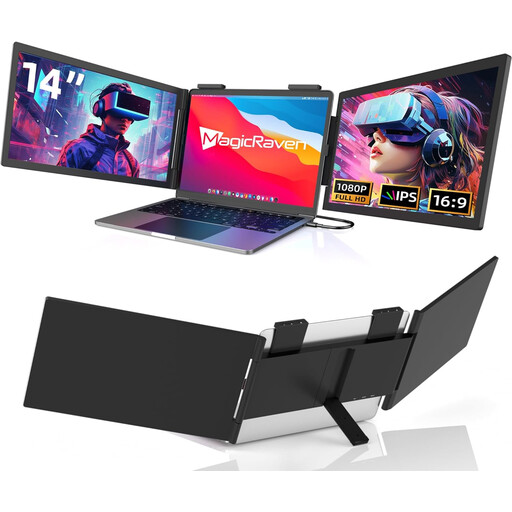
14-inch Dual-Screen Portable Monitor for Laptops, FHD 1080p 60Hz
A laptop-mounted dual-screen extender for work where an additional display is part of the travelling setup.
The product name states a 14-inch display, 1920 × 1080 resolution, 60 Hz, USB-C connectivity and a stated fit for 14–16-inch laptops. Confirm the fit and connection requirements for your exact laptop.
Shop on Joybuy
 No image available
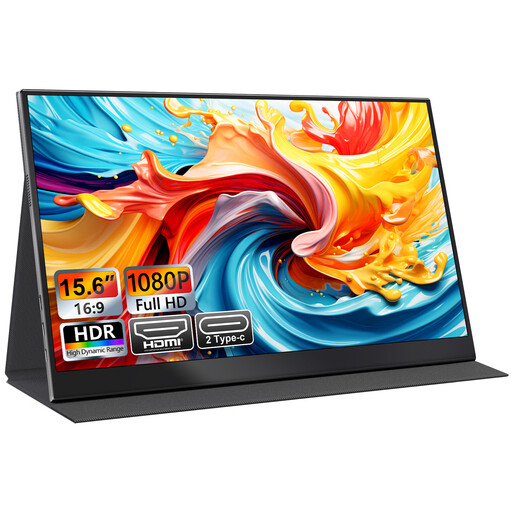
UFYQL M156F04 15.6-inch FHD Portable Monitor, USB-C and HDMI, Black
A standalone portable display option when you want both USB-C and HDMI connections listed in the product name.
The product name specifies a 15.6-inch FHD 1080p IPS display, USB-C, HDMI and a smart-cover stand. Check which connection your laptop supports and how the monitor is powered.
Shop on Joybuy
 No image available
ASUS ZenScreen MB166CR FHD
A portable ZenScreen option for adding a display to mobile laptop work.
The product name identifies an FHD monitor. Check the exact laptop’s documented video output and the monitor’s power arrangement before choosing a cable setup.
Shop on Joybuy
 No image available
ASUS ZenScreen Go MB16AHP FHD
A portable ZenScreen choice for people looking for a second display to take between work locations.
The product name identifies an FHD monitor. Confirm your laptop’s video output and the exact model’s power and connection requirements for the setup you plan to carry.
Shop on Joybuy
Questions and answers
Will any USB-C laptop port run a portable monitor?
No. Check the exact laptop port’s documented video-output mode against the monitor’s requirements; a USB-C port may not support display output. Check the monitor’s power arrangement separately.
What if my laptop has HDMI but cannot send video over USB-C?
Choose a monitor with a matching HDMI input and cable, then provide power as required by that model. MSI specifies HDMI video alongside external USB-C power for the PRO MP165 E6, so check the package and plan a suitable power source.
Can I assume a portable monitor will rotate automatically?
No. LG says automatic rotation on its 16MR70 requires LG Switch. Check whether any model-specific software or host support is needed for the feature you intend to use.
How should I assess a screen for brighter travel locations?
Compare the exact models’ rated brightness and surface treatment, then consider reflections and where the screen can stand. Dell rates the P1425 at 400 cd/m²; MSI rates the PRO MP165 E6 at 250 cd/m² and lists an anti-glare surface. These specifications do not establish how either screen will look in your particular location.
What UK rights apply if an online monitor purchase is faulty or unsuitable?
For a qualifying online consumer purchase, GOV.UK describes a right to cancel without giving a reason within 14 days of delivery, followed by another 14 days to return the goods after telling the seller. Faulty goods have separate statutory remedies; ordinary cancellation rules do not replace those rights. Check the seller’s return instructions and any additional manufacturer warranty.
Can workplace display-screen guidance apply when I work at changing desks?
Yes, HSE guidance says display-screen rules can apply to mobile workers and hot-desking. Where a worker uses display-screen equipment daily as a normal part of work, continuously for an hour or more, HSE says the employer must assess the workstation. This is conditional workplace guidance, not a product specification.


