
24/7 Customer Support

Free returns

Same-day & Next-day Delivery

Quality Guaranteed

Unlock Your Welcome Offers: FREE Delivery | Up to 80% OFF | Free 30-day JoyPlus trial
Download the APP
A portable monitor can turn a laptop into a more productive workstation, give a games console a larger display or make presentations easier when you are away from home. However, product listings often focus on screen size and headline resolution while leaving important compatibility and power details unclear.
Before buying, watch for three common pitfalls:
For a USB-C portable monitor, check whether the port supports both video output and power delivery. A compatible laptop may operate through one cable, while another device could require a second USB cable or mains adapter.
An HDMI portable monitor is useful for laptops, desktops, games consoles and devices without video-enabled USB-C. HDMI normally carries the picture, but the monitor may still need a separate USB connection for power. Check whether the product uses full-size HDMI, Mini HDMI or Micro HDMI, and whether the required adapter is included.
Phones and tablets need particular care. Compatibility may depend on the operating system, USB-C video support, a suitable adapter or an external power source. Confirm the device requirements before ordering.
A FHD portable monitor generally means 1920 × 1080 resolution. This is sufficient for documents, web browsing, video calls and many console setups, while keeping power consumption and price more manageable.
A 4K portable monitor displays 3840 × 2160 pixels. It can be useful for photo editing, video work and detailed spreadsheets, but check your laptop’s graphics output and the available cable standard. A 4K screen also does not improve the quality of lower-resolution content.
An IPS portable display usually offers wide viewing angles and consistent colours across the screen. This is practical for collaboration, travel presentations and side-by-side work. Brightness is measured in cd/m² or nits; a higher figure can help in bright rooms, although glare, viewing angle and the screen’s anti-glare finish also affect readability.
A 14- to 16-inch display is generally easier to carry alongside a laptop. Larger models provide more workspace but may be better suited to moving between rooms than daily rail travel.
For office work, 60 Hz is common and adequate for documents and video. A portable gaming monitor with a higher refresh rate, such as 120 Hz or 144 Hz, can display motion more smoothly when the laptop or console can provide the required frame rate. Response time, adaptive sync support and connection bandwidth should be checked together rather than considered separately.
Also inspect the stand, case, VESA compatibility and cable storage. A built-in kickstand or protective cover can reduce setup time, while a fragile hinge or loose stand may become inconvenient with frequent use.
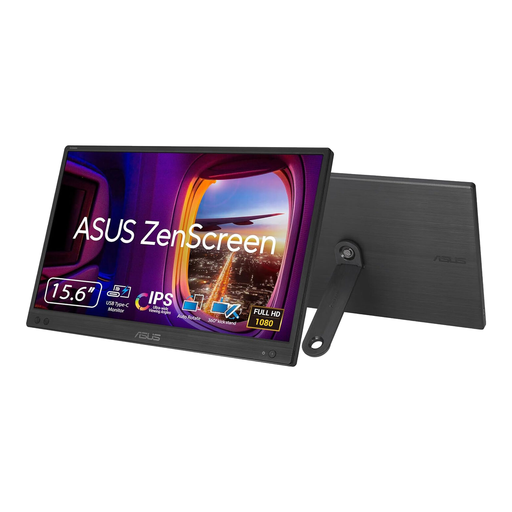
Why This Fits Their Persona: A straightforward second monitor for laptop users who want a compact display for study, administration or hybrid working without adding unnecessary features.
Its specifications clearly state USB-C DisplayPort Alternate Mode, 1920 × 1080 resolution and no HDMI input, helping buyers check compatibility before purchase.
15.6-inch IPS FHD panel; approximately 780 g and 11.8 mm thick; anti-glare finish.
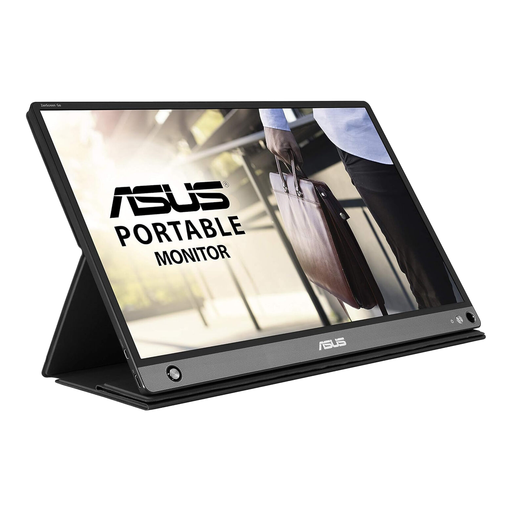
Why This Fits Their Persona: Suits professionals and presenters who need a flexible travel monitor with built-in battery power and support for more than one connection type.
It provides both USB-C and Micro HDMI connectivity, while the included Smart Case functions as a stand. Buyers should still verify device video output and the supplied adapter before travelling.
15.6-inch IPS FHD display; built-in 7,800 mAh battery; stereo speakers and auto-rotate sensor.
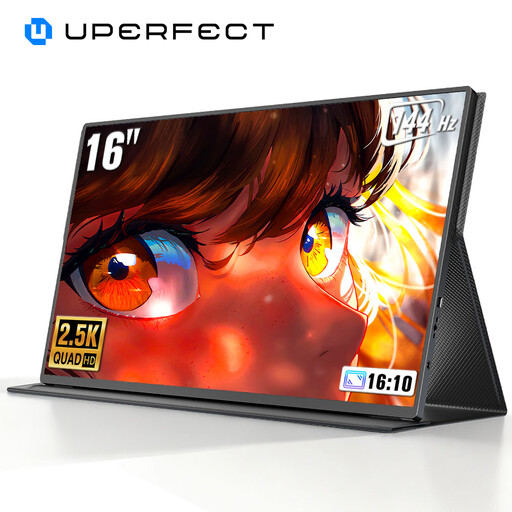
Why This Fits Their Persona: Designed for gamers and users who prioritise fast-moving visuals, extra workspace and compatibility with PCs, phones, Xbox, Switch and PlayStation devices.
The listing specifies 2560 × 1600 resolution and a 120/144 Hz refresh-rate capability. Check your device, cable and game settings to confirm the intended mode is supported.
16-inch 16:10 QHD panel; USB-C and Mini HDMI; VESA compatibility and adaptive-sync support.
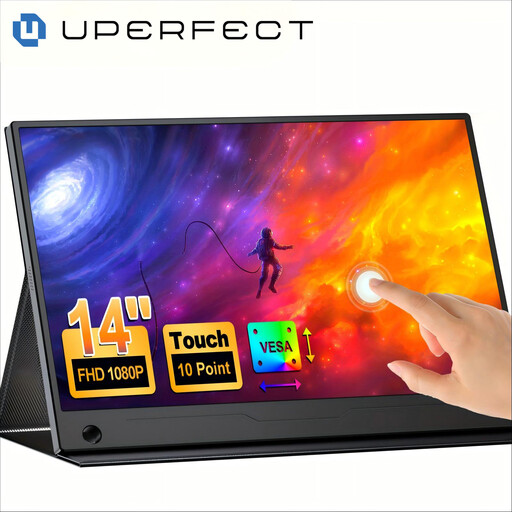
Why This Fits Their Persona: A practical choice for travellers, presenters and creative users who want touch input in a compact second screen for a laptop or compatible mobile device.
The product information identifies 10-point touch, Full HD resolution and USB-C one-cable operation, but touch still depends on the connected device and operating system.
14-inch FHD IPS touchscreen; 100% sRGB colour gamut; 180-degree adjustable stand and VESA support.
We have compiled a complete, real-time list of products that fully satisfy these strict selection criteria and UK safety regulations.
Often, but not always through a single cable. A USB-C monitor may need a compatible DisplayPort Alternate Mode signal and sufficient power from the laptop. If the device cannot provide enough power, use the monitor’s power adapter or a second USB connection. HDMI models commonly require separate USB power.
Lifespan depends on usage, transport, heat, cable handling and storage. Protect the panel with its supplied cover, avoid pressing on the screen and use certified cables. Keep ventilation clear and disconnect the display before packing it away. For models with a built-in battery, avoid leaving the battery fully depleted for extended periods and follow the manufacturer’s charging guidance.
Power varies by brightness, resolution, speakers and battery charging. An FHD 15.6-inch display will typically draw less power than a large 4K model, while a high-refresh-rate portable gaming monitor may require more. Reducing brightness when practical and using sleep settings can lower consumption. Always check the product’s stated wattage if running from a power bank or laptop battery.