
24/7 Customer Support

Free returns

Same-day & Next-day Delivery

Quality Guaranteed

Unlock Your Welcome Offers: FREE Delivery | Up to 80% OFF | Free 30-day JoyPlus trial
Download the APP
A portable monitor can turn a laptop into a more practical workstation, provide a larger display for presentations or give a student an additional screen with a small footprint. However, product listings often focus on impressive resolution, touch control or “one-cable” operation without explaining the conditions required for those features to work properly.
Three common buying traps deserve attention:
The right choice depends on how you will connect, carry and use the monitor rather than on one headline specification.
For a portable monitor for work, Full HD resolution of 1920 × 1080 is generally suitable for office documents, web browsing and video calls on a 14- to 16-inch screen. It also reduces the power and scaling demands placed on a laptop.
A 4K portable monitor provides 3840 × 2160 resolution and can show finer detail, which is useful for photography, video editing and detailed presentations. On a smaller screen, however, text may appear tiny unless display scaling is adjusted. A 4K panel can also consume more power and may require a stronger USB-C charger or a mains adapter.
An IPS portable display normally offers wide viewing angles and consistent on-screen colour when several people are looking at it. Check the specification rather than relying on general wording: the supplied Dahua display information, for example, identifies the panel as VA in its technical details, despite the product description referring to IPS.
A USB-C portable monitor is convenient when the host device supports:
Some laptops can power a slim monitor through one cable, while phones, tablets and lower-powered laptops may require an additional power source. HDMI provides broad compatibility but normally needs a separate power cable and may require an adapter for a thin laptop.
Before ordering, check the ports on your actual device, the cable supplied and whether the monitor accepts power through USB-C. A touchscreen portable monitor may also need a second USB connection to send touch input back to the computer.
For frequent rail journeys, flights or commuting, look for a lightweight travel monitor with a protective cover or integrated stand. A display weighing under 1 kg is easier to add to a laptop bag but it may have fewer ports, smaller speakers or a less flexible stand.
Also check the angle range and mounting options. A 180-degree adjustable stand can help in cramped accommodation, while VESA compatibility is useful for a fixed desk or monitor arm. A built-in battery may be helpful for presentations away from a desk but battery duration varies with brightness, volume and connected devices.
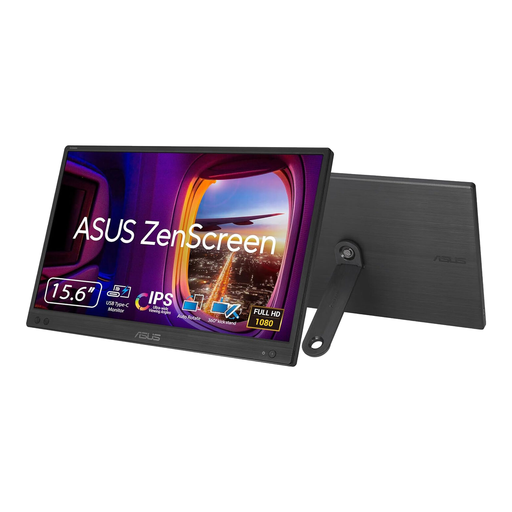
Why This Fits Their Persona: Its 15.6-inch format suits students, hybrid workers and commuters who want a straightforward second monitor for laptop use without carrying a full desktop display.
The specification clearly states USB-C with DisplayPort Alt Mode, so buyers can check compatibility rather than assuming every USB-C device will work.
15.6-inch Full HD IPS panel, 780 g weight, 11.8 mm thickness and 60 Hz refresh rate.
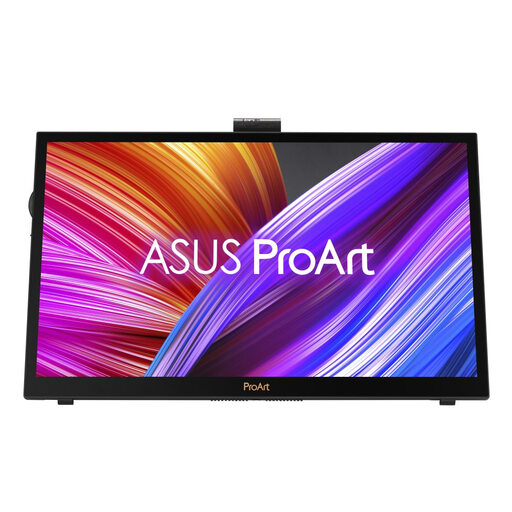
Why This Fits Their Persona: Digital creatives who travel between a home studio, client office and teaching space may value a high-resolution touchscreen with controls designed for creative applications.
Its listing identifies a 15.6-inch 4K IPS touchscreen, USB-C and HDMI connectivity, plus Calman Verified factory calibration, rather than relying only on a colour-gamut number.
3840 × 2160 IPS touchscreen, ASUS Dial, Virtual Control Panel and dual kickstand design.
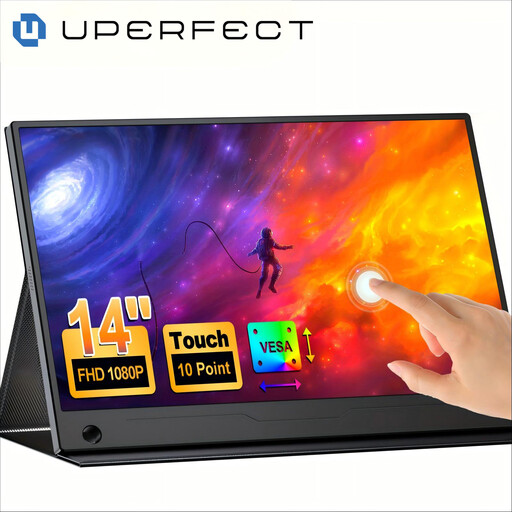
Why This Fits Their Persona: Travellers, presenters and mobile-office users can use it as a compact touchscreen portable monitor for laptops, phones, tablets and selected game consoles.
The instructions explain that one-cable use requires a full-featured USB-C video connection; otherwise an external power supply is needed.
14-inch Full HD IPS touch panel, 10-point capacitive touch, 100% sRGB specification, VESA support and 180-degree stand.
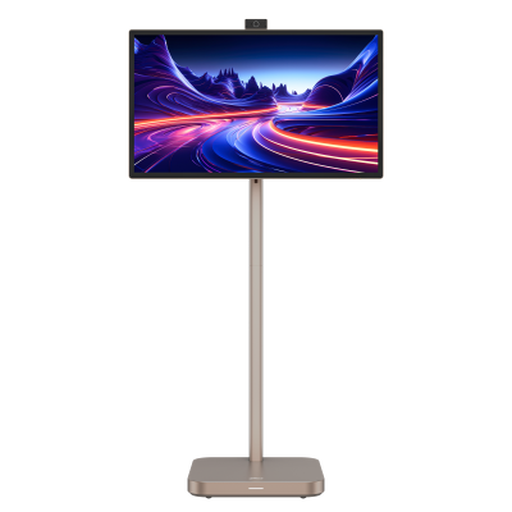
Why This Fits Their Persona: Suitable for users who need a large screen for indoor mobile office work, outdoor presentations or entertainment and can accommodate its substantial size.
Its built-in battery is listed for up to four hours but the 22.1 kg net weight and 31.5-inch size make it unsuitable for regular backpack travel. Check the physical footprint first.
31.5-inch 4K UHD display, Android 11, 8GB RAM, 128GB storage, built-in speakers and HDMI 2.0.
We have compiled a complete, real-time list of products that fully satisfy these strict selection criteria and UK safety regulations.
No. Compatibility depends on the available video connection. USB-C models require a compatible DisplayPort Alt Mode output, while HDMI models need a separate power connection in many cases. Check the laptop manufacturer’s specifications before purchase.
A slim USB-C display may draw power from the laptop, which can reduce laptop battery life. A model with its own battery can reduce this demand for a limited period, while a larger smart monitor generally uses more power and is more suitable near a mains socket.
Service life depends on usage, transport, heat, cable handling and storage. A protective sleeve, careful packing and avoiding pressure on the panel can help prevent physical damage. Keep the monitor dry and do not attempt to open or repair the casing yourself.