
24/7 Customer Support

Free returns

Same-day & Next-day Delivery

Quality Guaranteed

Unlock Your Welcome Offers: FREE Delivery | Up to 80% OFF | Free 30-day JoyPlus trial
Download the APP
A portable monitor can turn a laptop into a more practical dual-screen workstation, add a larger view to a phone or provide a flexible display for a games console. However, choosing one based only on screen size or a headline resolution can lead to an inconvenient purchase.
The most common buying pitfalls include:
For everyday documents, spreadsheets and presentations, Full HD 1920 × 1080 is usually suitable on a 14- to 17-inch display. A 4K portable monitor provides more pixels for detailed photographs, video editing and large-format work, but it can use more power and may make small interface elements harder to read without display scaling.
An IPS portable monitor generally offers wide viewing angles and consistent colour when several people are looking at the screen. Check the stated brightness in nits, particularly if you expect to work near windows or outdoors. Matte or anti-glare finishes can help reduce reflections.
A larger panel is not automatically more practical. An 18-inch display offers more working space, while a 14- or 15.6-inch lightweight monitor is easier to fit into a backpack.
A USB-C portable monitor should be checked for three separate functions:
Some models use one full-function USB-C cable, while others need a second cable or mains power. A portable display with HDMI is useful for older laptops, desktops, cameras and consoles, but HDMI usually requires separate power.
Also check whether the required cable is included. Micro-HDMI connections may require an adaptor, and a high-refresh-rate gaming portable monitor may need a suitable HDMI or USB-C cable to reach its advertised performance.
A built-in kickstand or protective cover makes positioning easier, but stability matters on trains, hotel desks and temporary workspaces. If you need a monitor for presentations or shared offices, look for height, tilt or VESA mounting options.
Battery-powered models can reduce cable clutter. For example, the ASUS ZenScreen Go MB16AHP lists a built-in 7800 mAh battery with up to four hours of use. Battery duration depends on brightness, connected device and usage, so treat “up to” figures as a guide rather than a guaranteed session length.
For UK homes and offices, use the supplied or compatible certified power adaptor, keep ventilation clear and follow the product safety instructions. Do not use a monitor near water or in damp areas.
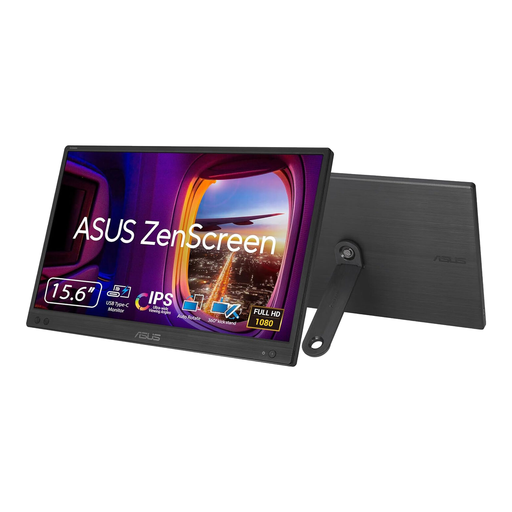
Why This Fits Their Persona: This 15.6-inch display suits students, hybrid workers and first-time buyers who want a straightforward second screen that fits into a backpack.
Its specifications clearly state USB-C DisplayPort Alternate Mode connectivity and no HDMI support, helping buyers check compatibility before ordering.
Full HD IPS panel, 60Hz refresh rate, anti-glare surface and a listed weight of approximately 780g.
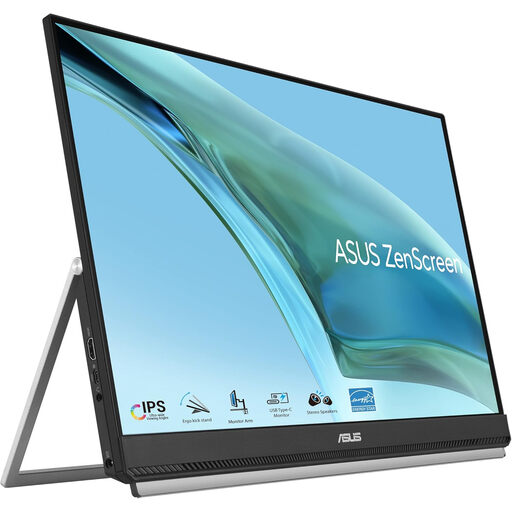
Why This Fits Their Persona: A useful choice for home offices, hot-desking professionals and users who value a larger screen with flexible positioning.
The 23.8-inch size is paired with a 2.8kg listed product weight and several mounting options, making its flexibility more tangible than a generic “portable” label.
Full HD IPS anti-glare display, USB-C with 60W power delivery, HDMI input and kickstand, clamp and partition mounting support.
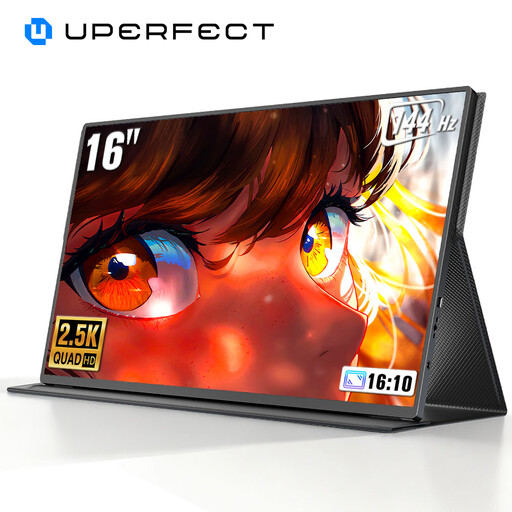
Why This Fits Their Persona: Console and PC gamers who travel can prioritise motion smoothness while retaining a compact external display format.
The listing identifies 2K resolution and a 120Hz/144Hz refresh-rate specification, but buyers should still confirm the output capability of their device and chosen cable.
2560 × 1600 display, QLED panel, mini-HDMI and USB-C connections, with VESA compatibility listed.
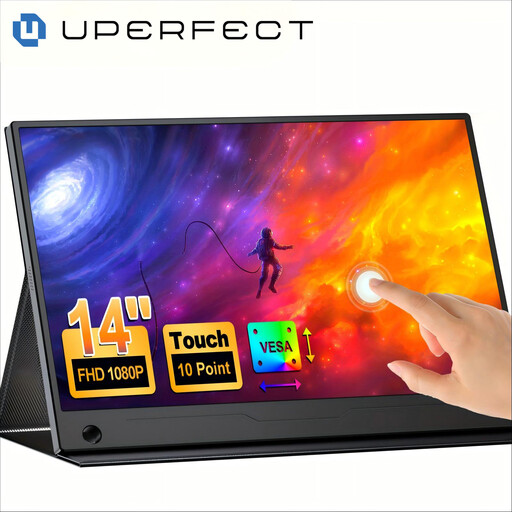
Why This Fits Their Persona: Suitable for travellers, presenters and users who want direct touch interaction from a compact second screen.
The listing specifies a 14-inch Full HD IPS touch panel with 10-point capacitive multi-touch and explains that the connected device must support touch input.
100% sRGB coverage is listed, alongside a 180-degree adjustable stand and VESA mount compatibility.
We have compiled a complete, real-time list of products that fully satisfy these strict selection criteria and UK safety regulations.
No. Compatibility depends on the available video outputs and power requirements. USB-C must generally support DisplayPort Alternate Mode for a one-cable connection. Laptops with HDMI can use a portable display with HDMI, although separate power may be needed.
Consumption varies by size, brightness, resolution and connection type. Smaller Full HD models often require less power than large 4K screens. Battery-powered models reduce dependence on mains power but have limited runtime and need regular charging.
There is no universal lifespan. Careful handling, suitable ventilation, safe cable use and avoiding moisture can help preserve the panel and electronics. Check the manufacturer’s warranty, keep the screen in a protective sleeve during travel and stop using it if the casing, cable or battery shows signs of damage.