What to prioritise when choosing
Check that your laptop can send a compatible video signal, then plan how the monitor will be powered and carried. A built-in battery or extra panels may suit a particular work session, but consider the charging and carrying arrangements too.
| Concern |
What to check when buying |
Who this matters to |
| Connection compatibility |
Check the laptop’s exact USB-C video capability and the monitor’s cable and power needs; for HDMI, confirm the matching input or a compatible adapter. |
If I use a laptop across temporary workspaces, I want a video connection that is supported rather than assuming every USB-C socket can drive a display. Around 36% of consumers put connection compatibility first. |
| Carrying and placement |
Compare the packed dimensions and weight with your bag and airline allowance; check the stand’s footprint and the protection included. |
When I move between temporary desks, I need the screen, protection and stand to fit my bag and the surface available. Around 29% of consumers prioritise carrying and stable placement. |
| Access to display power |
Check whether the host can supply the monitor’s stated power and whether a battery model’s runtime conditions suit your session. |
If another socket may not be available, I want to know whether my laptop can power the display or whether the monitor’s battery will last through the session. Around 21% of consumers put access to display power first. |
| Workspace for the task |
Check panel count, resolution and stand positions; for touch, confirm that the host and intended software support the workflow. |
When I need documents and presentation material visible together, I consider whether one extra panel is enough before carrying more screens or choosing touch. Around 14% of consumers prioritise workspace for the task. |
Portable monitor choices on Joybuy
These choices cover portable laptop screens for work trips, including single-screen, battery-powered and dual-screen setups.
 No image available
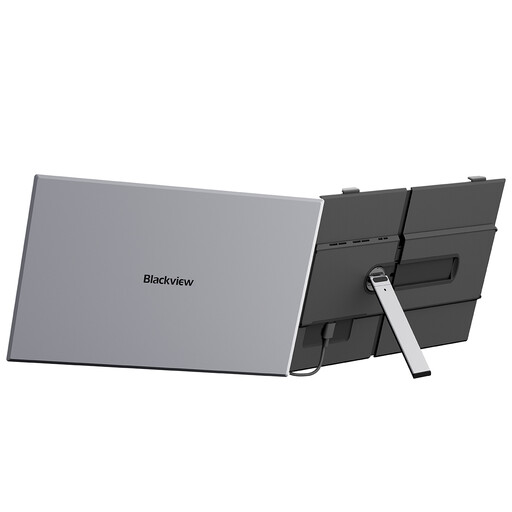
Blackview SCM8 15.3-inch FHD IPS Laptop Screen Extender
For a travelling laptop user who wants a second view, this model is identified as a laptop screen extender.
The description lists 1920 × 1200 resolution, 60 Hz, an 800 g weight and USB-C ports supporting video, data and power. It also lists 100 W reverse charging; check how that feature works with your host device.
Joybuy
 No image available
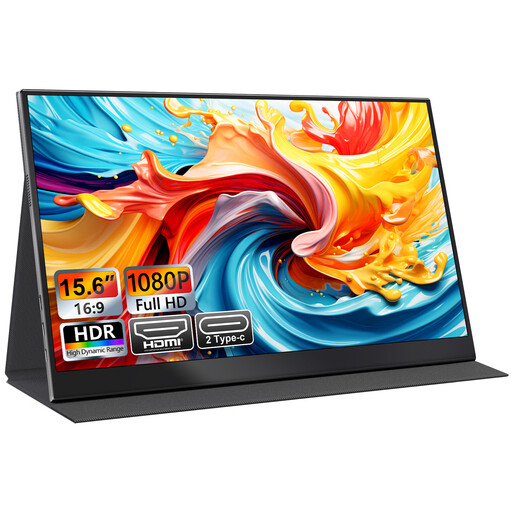
UFYQL M156F04 15.6-inch FHD IPS Portable Monitor
This single portable display is described for laptop work and travel, with USB-C and HDMI inputs for compatible devices.
The listing specifies a 15.6-inch FHD IPS panel and a smart cover that doubles as an adjustable stand. It also lists VESA mounting; check that the available setup suits your temporary workspace.
Joybuy
 No image available
ASUS ZenScreen Go MB16AHP FHD
Consider this model if you need a portable display that can run away from a socket for a limited session.
The description lists a 15.6-inch Full HD IPS display, a built-in battery, USB-C and Micro-HDMI connections, and a Smart Case stand; its stated weight is approximately 0.86 kg. ASUS rates battery operation for up to four hours under DP Alt Mode at 100% brightness, so compare that condition with your intended use.
Joybuy
 No image available
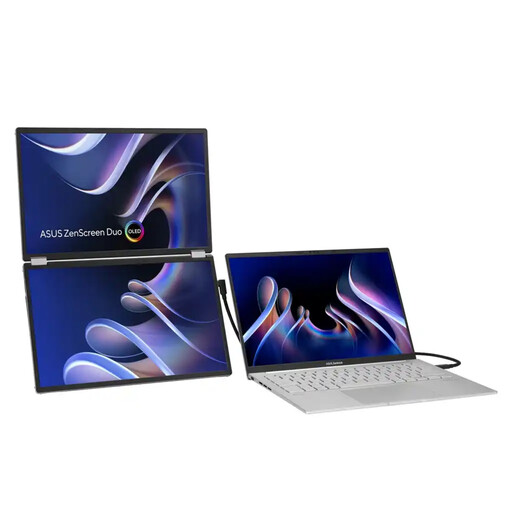
ASUS ZenScreen Duo OLED MQ149CD 360° Foldable Portable Monitor
Consider this folding dual-display model if your work benefits from more than one additional panel and you have room to carry and position it.
It has two 14-inch OLED panels, USB-C and mini-HDMI connections, and a kickstand. The model weighs 1.07 kg, so account for the extra equipment when planning a light-packed trip.
Joybuy
 No image available
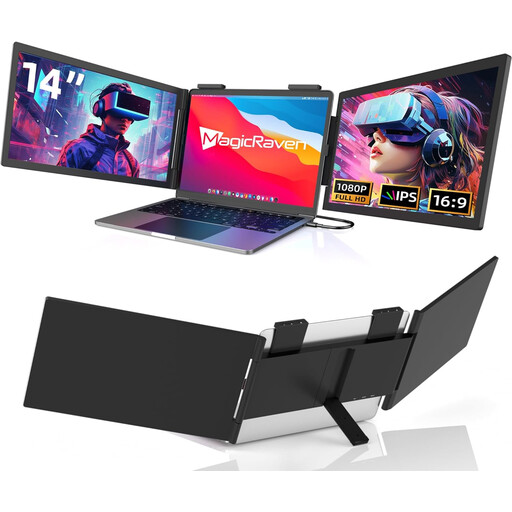
14-inch Dual-Screen Portable Monitor Extender for Laptops
This attachment is described for laptop users who need two additional screens for simultaneous views while working on the move.
The listing specifies FHD 1080p, 60 Hz, USB-C and dual built-in speakers. Its stated laptop compatibility range is 14–16 inches; check your laptop size and the required connection before choosing an attachment.
Joybuy
Frequently asked questions
Does any USB-C laptop socket run a portable monitor?
No. Check the specification of the particular laptop port for video output, such as DisplayPort Alt Mode or supported Thunderbolt, and separately confirm the monitor’s power needs. Dell’s support guidance notes that a USB-C port limited to data or power may not output video; if USB-C video is unavailable, check for a compatible HDMI route or adapter.
How should I set up and protect a portable monitor while travelling?
Check whether the exact model includes a sleeve or cover and whether its stand fits the available surface. Connect using the supported video input and power arrangement, then choose the laptop’s extend or duplicate display setting for your task.
What should I check about returns and support?
Check the seller’s terms and the model’s support information before ordering. GOV.UK guidance says qualifying online goods purchases can generally be cancelled within 14 days of receipt, and faulty or misdescribed goods carry statutory remedies; a manufacturer warranty does not replace those rights.
Is a battery-equipped monitor automatically allowed in cabin baggage?
No blanket conclusion applies to every device or itinerary, so check your airline’s baggage dimensions and the battery’s marked watt-hour rating and applicable carriage conditions. UK Civil Aviation Authority guidance effective from 27 March 2026 requires power banks to travel in carry-on baggage and limits them to two per person; a monitor’s built-in battery should not automatically be classified as a separate power bank.


