Small-desk warranty organiser
You need to read warranty records while leaving space for a laptop, appliance paperwork and occasional receipt scanning. Screen size matters less than whether the complete setup fits.


A compact fixed monitor suits repeated warranty-recording sessions if its stand fits the desk and lets you position the screen comfortably. Choose a portable second display when you need to put it away after use, provided its video connection works with your laptop. A 23.8-inch fixed screen offers a physically larger view, but check its full stand footprint before giving it space beside paperwork and a keyboard.
You need to read warranty records while leaving space for a laptop, appliance paperwork and occasional receipt scanning. Screen size matters less than whether the complete setup fits.
You spend longer periods comparing receipts, retailer emails, serial numbers and warranty terms. A stable screen that you can position comfortably matters alongside the size of the display.
You want a second display that can be moved or put away. Before choosing a portable monitor, check the video capabilities of your laptop’s ports and the monitor’s supported connection method.
Choose it when: You record appliance details regularly at one desk and want a screen that stays in place.
Allow for: A permanent stand footprint; stand adjustments vary by model.
Choose it when: You prefer a physically larger view of forms and receipts and have room beside your other desk items.
Allow for: More desk space. A larger FHD screen does not, by size alone, provide more pixels than a smaller FHD screen.
Choose it when: Warranty-recording sessions are occasional and you need to clear the desk afterwards.
Allow for: A workable stand position and a video connection supported by your particular laptop.
| Concern | What to check | Who this matters to |
|---|---|---|
| Desk footprint and storage | Measure the clear desk width and depth, then compare them with the monitor’s full dimensions, including its stand. | If I need my laptop and receipts beside the screen, the stand must not take over the work area. Roughly 40% of consumers put desk fit and storage first. |
| Reading and positioning | Check the display and stand adjustments, and whether you can place the screen directly in front of you at a suitable height and distance. | For longer sessions entering serial numbers and checking warranty terms, I need to read and type without working around an awkward screen position. Around 40% of consumers make reading and positioning their primary concern. |
| Laptop connection and flexibility | Match the monitor’s video input to the laptop’s output; for USB-C video, check the laptop port’s capabilities. | If I put a second screen away between tasks, it still needs to connect when I take it out again. Approximately 20% of consumers prioritise that flexibility and connection fit. |
A 23.8-inch screen can still have a stand that crowds a small desk. BenQ lists the GW2490E at 540 mm wide and 182 mm deep with its stand.
Measure the space left after placing your laptop, keyboard and paperwork, then compare it with the complete dimensions of the exact monitor you are considering.
ASUS says USB-C plug-and-play use with a portable monitor requires video capability on the computer’s port. A connector that fits is not enough to establish compatibility.
Check the laptop’s port specification and the monitor’s connection instructions. If considering a USB Type-A route, check whether that model requires a driver.
A screen mode cannot make up for a monitor that must sit off-centre or at an unsuitable height. The Health and Safety Executive advises positioning the screen in front of you, with its top around eye level and the screen about an arm’s length away.
Work out where the screen can sit before choosing comfort features; check whether its stand allows the position you need.
A warranty record is more useful when you can find the receipt or order email and the relevant terms. Citizens Advice says a warranty or guarantee adds to your legal rights rather than replacing them.
Keep the retailer, purchase date, appliance model and serial number with your proof of purchase and warranty wording.
Dell’s Pro 22 Plus P2225H illustrates a compact fixed-screen format: Dell UK lists a 21.5-inch FHD IPS display with height, tilt, swivel and pivot adjustment.
The GW2490E is a 23.8-inch FHD example for a desk with room for a physically larger display. BenQ UK lists dimensions of 408 × 540 × 182 mm with its stand.
The ZenScreen MB16ACE illustrates a portable laptop companion: ASUS lists a 15.6-inch FHD screen, an 8 mm profile and a weight of 0.71 kg.
These choices include fixed screens for a permanent document workspace and portable displays for a second-screen setup you can clear away. Compare the exact stand footprint and laptop connection with your own desk and computer before choosing.
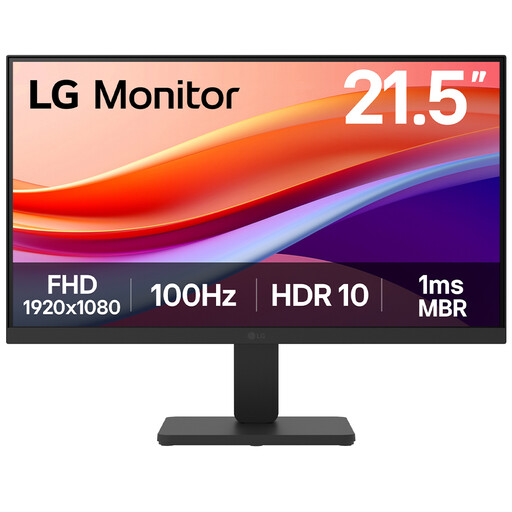 No image available
Consider this fixed screen if you record warranty details at the same desk. Its title specifies a 22-inch Full HD VA display, 100 Hz refresh rate and HDMI connection; check the complete stand footprint and whether its positioning suits your desk.
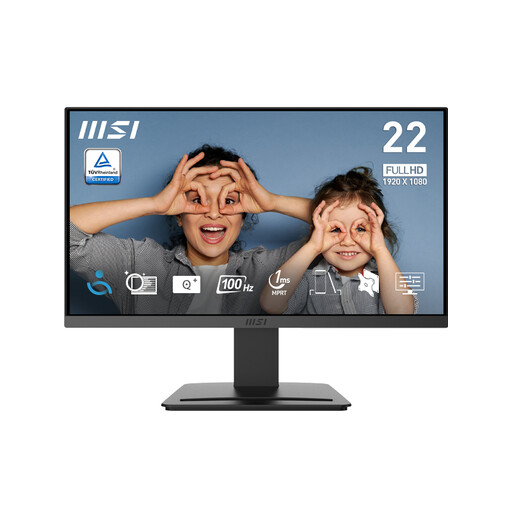 No image available
This is a fixed-screen option for entering warranty information beside a laptop. Its title specifies Full HD resolution, 100 Hz, tilt adjustment, HDMI 1.4b and DisplayPort 1.2a; confirm the full stand dimensions and whether tilt alone gives you a comfortable screen position.
 No image available
Consider this for a second screen you can move after a recording session, while allowing room for its 17.3-inch display when it is in use. Its title specifies a Full HD IPS screen, kickstand, USB-C and HDMI; check the intended connection against your laptop’s video outputs.
 No image available
This fixed Full HD screen is worth considering for a regular warranty-recording workspace. Check its full dimensions including the stand, available adjustments and video inputs against the space and computer you will use.
 No image available
Consider this portable second-screen option if you need to clear the desk after entering warranty records. Confirm that your laptop supports the model’s required USB-C video connection, and check how you would stand the screen at a usable viewing angle.
Keep proof of purchase, the warranty or guarantee wording, appliance details and a description of any fault. Citizens Advice says a warranty claim will usually need proof of purchase, details of the problem and a copy of the warranty or guarantee, so keep receipts or order emails where you can find them.
No. Citizens Advice says warranties and guarantees add to legal rights; they do not replace them. The remedy available for a fault depends on the circumstances, so retain both your purchase evidence and the warranty terms.
For most online purchases, GOV.UK says you can notify the seller that you want to cancel within 14 days of receiving the item, then have another 14 days to return it; exceptions can apply. Check the applicable cancellation process and measure the monitor’s full stand footprint before ordering. Cancellation rights are separate from remedies if an item is faulty or misdescribed.
Place the screen directly in front of you at a comfortable distance. The Health and Safety Executive advises having the top of the screen around eye level and the display about an arm’s length away; check that your chosen stand and desk let you achieve that position.
No. ASUS says USB-C plug-and-play video requires a video-capable port on the computer. Check the laptop’s port specification and the exact monitor’s connection instructions; some alternative USB connection methods require a driver.