
24/7 Customer Support

Free returns

Same-day & Next-day Delivery

Quality Guaranteed

Unlock Your Welcome Offers: FREE Delivery | Up to 80% OFF | Free 30-day JoyPlus trial
Download the APP
Working from a coffee shop, a train or a client's office often means being confined to a single laptop screen. While convenient, it can feel restrictive when you're used to a dual-monitor setup at home. Juggling multiple windows, referencing documents and participating in video calls on one small display can slow you down.
A portable monitor is a straightforward solution to this problem. These lightweight, slim screens provide the extra digital real estate you need to multitask effectively, wherever you are. This guide is designed to help you understand the key features to look for and to introduce a few noteworthy options available in the UK, helping you find a practical second screen for laptop use.
Navigating the specifications can seem daunting, but focusing on a few key areas will simplify your decision. Here’s what to consider when choosing an external monitor for work from home or on the move.
How a monitor connects to your laptop is crucial for a hassle-free experience.
The screen is where you'll be focusing, so its quality matters.
The main appeal of a travel monitor is its portability.
Here are a few models that cater to different needs, from the feature-rich to the simply effective.
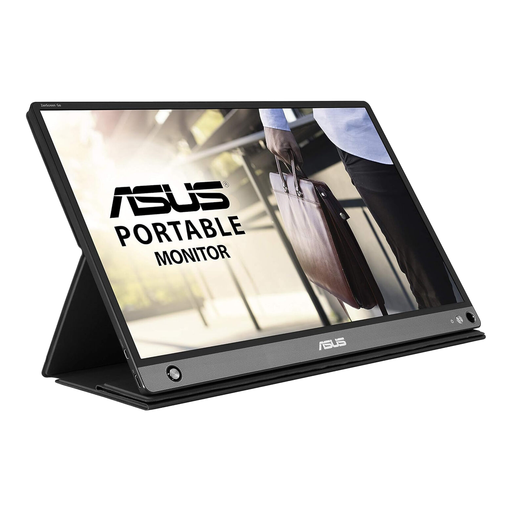
Why It Stands Out The ZenScreen Go MB16AHP is built for ultimate flexibility. Its standout feature is the built-in 7800 mAh battery, which provides up to four hours of use without drawing power from your laptop. Combined with both USB-C and Micro-HDMI connectivity, it’s a highly adaptable portable display for laptop users, console gamers and even some smartphone users.
Pros
Who is it for? The mobile professional or frequent traveller who needs a reliable second screen that works with a wide range of devices and can function independently of a power outlet.
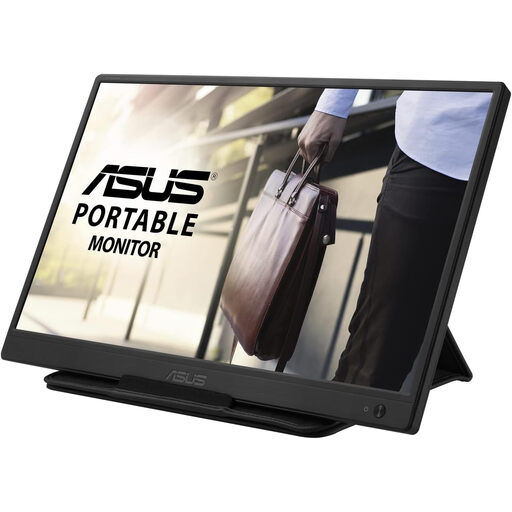
Why It Stands Out This model focuses on simplicity and affordability. It uses a single USB 3.0 cable for both power and video, making it an incredibly straightforward plug-and-play solution for adding a second screen. Its slim profile and very light weight make it an excellent entry-point into the world of portable displays.
Pros
Who is it for? Students, remote workers and anyone on a budget who needs a basic, reliable second screen for productivity tasks like writing, spreadsheets and browsing.
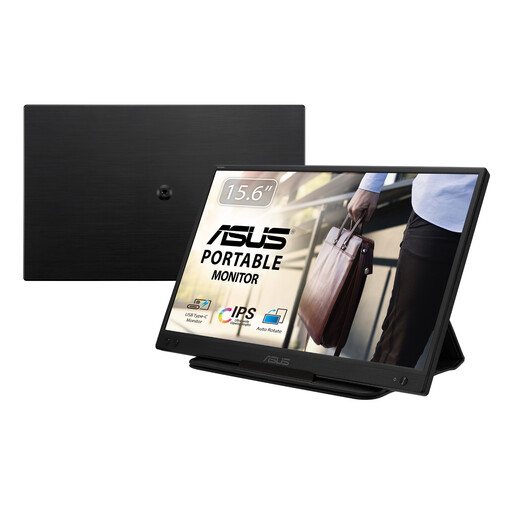
Why It Stands Out The MB166C strikes a great balance between modern features and streamlined design. It offers a high-quality Full HD IPS display powered by a single USB-C cable. This minimalist approach makes it a perfect companion for modern ultrabooks, providing a high-quality picture without any clutter.
Pros
Who is it for? The hybrid worker or digital nomad with a modern, USB-C equipped laptop who values both a high-quality display and a minimalist, single-cable setup.
These three models from the ASUS ZenScreen line represent a fraction of what's available. If your needs call for a different size, feature set or price point, there are many other choices to consider.
Explore our full collection of portable usb monitor options to find the perfect match for your mobile workstation.
Most portable monitors do not require a wall socket. They are designed to draw power directly from your laptop via a USB-C or standard USB cable. Some models, like the ASUS ZenScreen Go MB16AHP, even include a built-in battery, allowing them to run for several hours without draining your laptop's power at all.
Compatibility depends on your laptop's ports. Most modern portable monitors connect via USB-C, but your laptop's port must support DisplayPort Alternate Mode for video output. Alternatively, models with HDMI or Micro-HDMI offer broader compatibility. It is always a good idea to check your laptop's specifications before purchasing.
While it sounds large, a 15.6 inch portable monitor is a popular size because it closely matches the screen of many standard laptops. This means it often fits comfortably in the same laptop bag. Manufacturers prioritise making them a lightweight monitor, with many weighing less than a kilogram and featuring ultra-slim profiles, making them surprisingly convenient for travel.