
24/7 Customer Support

Free returns

Same-day & Next-day Delivery

Quality Guaranteed

Unlock Your Welcome Offers: FREE Delivery | Up to 80% OFF | Free 30-day JoyPlus trial
Download the APP
Working from a single laptop screen can feel restrictive, especially when you are used to a dual-monitor setup at the office. Juggling multiple windows, spreadsheets and documents on a small display can hinder productivity, whether you are a remote professional, a business traveller or a student studying in different locations.
A portable monitor offers a straightforward solution, providing an instant second screen for your laptop wherever you are. This guide is designed to help you understand the key features to look for and to present some carefully selected options that cater to different needs and budgets.
Before diving into specific models, it is useful to consider a few key factors. Focusing on these will help you find a portable display for your laptop that fits your workflow perfectly.
How a monitor connects to your device is crucial. Many modern models use a single USB C portable monitor connection. If your laptop has a full-featured USB-C port (one that supports DisplayPort Alt Mode), you can transmit both power and video through a single cable, creating a clean and efficient setup.
For older laptops or other devices, you may need a monitor with an HDMI or Mini-HDMI port. These often require a separate USB cable for power, so check your device's ports and the monitor's requirements before purchasing.
For most productivity tasks, a 15.6 inch portable monitor with a Full HD (1920 x 1080) resolution provides a great balance of screen space and sharp detail. This is ideal for reading text, working on spreadsheets and viewing media.
Pay attention to the panel technology. IPS (In-Plane Switching) panels offer superior colour accuracy and wider viewing angles, making them a good choice for collaborative work or if you are not always sitting directly in front of the screen. TN (Twisted Nematic) panels are often more affordable and can have faster response times, but their colours and viewing angles are more limited.
The primary appeal of a travel monitor is its portability. Look for a lightweight monitor that is slim enough to slide into your laptop bag without adding significant bulk. Most models weigh under 1 kg.
Consider how the monitor is powered. While most draw power from your laptop via USB, some models include a portable monitor with battery. This is a significant advantage if you often work away from a power source, as it will not drain your laptop's battery.
Here are a few recommendations that stand out for their combination of features, performance and practicality for UK users.
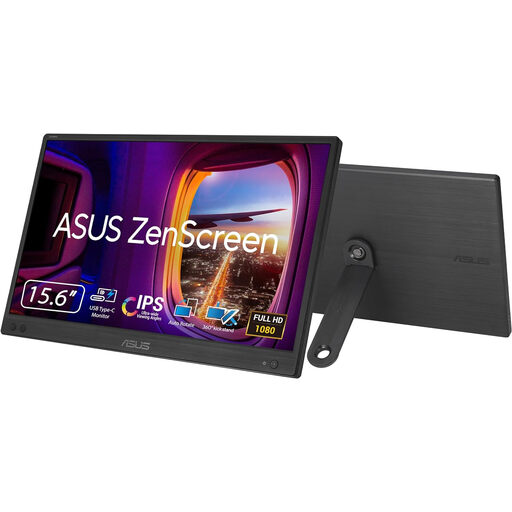
The ASUS ZenScreen MB166CR is a sleek and practical choice for professionals who need a reliable second screen for their modern laptop. Its design prioritises simplicity and high-quality visuals in a very portable package.
Why It Stands Out This model's main appeal is its single-cable simplicity. Using just one USB-C cable for both power and video signal, it offers a clutter-free setup. The 15.6-inch Full HD IPS panel delivers crisp, clear images with excellent viewing angles, making it suitable for everything from detailed reports to client presentations.
Pros:
Who is it for? This is an excellent external laptop screen for hybrid workers and business travellers with a USB-C compatible laptop who prioritise a clean workspace and strong image quality.
View Details for ASUS ZENSCREEN MB166CR FHD
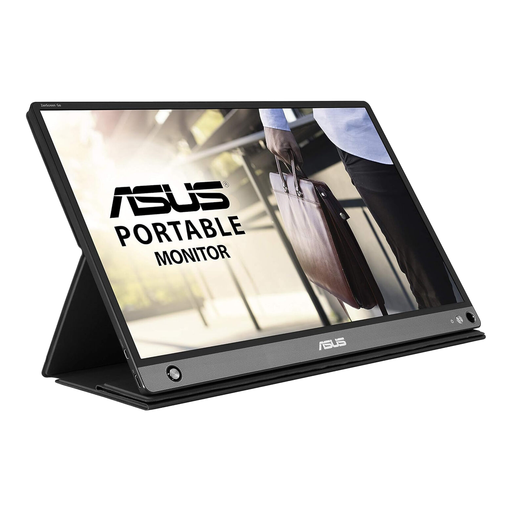
The ASUS ZenScreen Go MB16AHP is built for ultimate flexibility, offering a built-in battery and multiple connectivity options that free you from the constraints of cables and power outlets.
Why It Stands Out The key feature here is the integrated 7800 mAh battery, which can power the display for up to four hours. This makes it a true portable monitor with battery, allowing you to work anywhere without draining your laptop. It also offers both USB-C and Micro-HDMI ports, ensuring compatibility with a wide range of devices, including laptops, game consoles and cameras.
Pros:
Who is it for? Ideal for the road warrior, digital nomad or anyone who needs a second screen for their laptop and other devices without being tethered to a power socket.
View Details for ASUS ZenScreen Go MB16AHP FHD
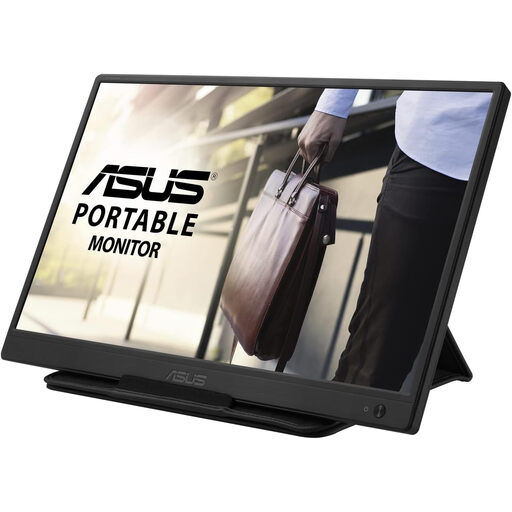
For those seeking a straightforward and affordable way to add a second screen, the ASUS ZenScreen MB165B delivers on the essentials of portability and convenience.
Why It Stands Out This model is all about practical value. It connects and powers on via a single USB cable, making it easy to use with a wide range of laptops, even those without USB-C. While its HD (1366 x 768) resolution is more basic, it is perfectly adequate for tasks like writing documents, managing emails and browsing the web. As a refurbished unit, it offers a very accessible price point.
Pros:
Who is it for? A great choice for students, remote workers on a budget or anyone needing a simple, no-frills external laptop screen for everyday tasks.
View Details for ASUS ZENSCREEN MB165B HD
If these selections do not quite match what you are looking for, or if you would like to explore different sizes and features, there is a wider range available.
Explore Our Full Range of Portable Screen Monitors
Most modern laptops can. The key is to match the monitor's connection type (usually USB-C or HDMI) with the ports on your laptop. For USB-C, ensure your laptop's port supports video output (DisplayPort Alternate Mode). If you only have USB-A or HDMI, look for a monitor that supports those connections, though it may require a separate cable for power.
Most portable monitors draw power directly from your laptop via the connecting cable and do not have an internal battery. However, some models, like the ASUS ZenScreen Go MB16AHP, come with a built-in battery. These can be charged beforehand and used without draining your laptop's power, offering greater flexibility.
For many, the answer is yes. A portable monitor can replicate the productivity benefits of a dual-screen office setup in a flexible, space-saving format. It allows you to have reference material on one screen while you work on the other, reducing the need to constantly switch between windows. When you are finished, it can be easily stored away, keeping your workspace clear.