
24/7 Customer Support

Free returns

Same-day & Next-day Delivery

Quality Guaranteed

Unlock Your Welcome Offers: FREE Delivery | Up to 80% OFF | Free 30-day JoyPlus trial
Download the APP
A portable phone tripod can make group photos, livestreams and hands-free video much easier. However, compact designs vary significantly. Some are convenient to carry but unstable when extended, while others include useful features that are difficult to use with your particular smartphone.
Before choosing a phone tripod stand or selfie stick tripod, look beyond marketing phrases such as “professional” or “universal”. The practical questions are simpler: will your phone fit securely, can the tripod support its weight, and will it remain steady on the surfaces where you plan to use it?
A tall Bluetooth selfie stick may help you capture a wider group photo, but height increases leverage. If the legs are narrow or the centre column is lightly built, the stand may wobble when fully extended. This is particularly noticeable outdoors in the UK, where wind, uneven pavements and busy public spaces can create additional movement.
A compact mini tripod is usually more stable at tabletop height. For floor-level filming, check how the legs open and whether the product instructions specify a maximum extension or load.
“Universal” does not always mean suitable for every phone case, camera module or mounting system. A thick protective case may prevent a clamp from gripping properly. Magnetic phone tripod models also require careful compatibility checks: some phones need a compatible magnetic case or ring, and magnetic attachment should not be treated as a substitute for a physical safety tether during vigorous movement.
Check the listed phone size, attachment method and whether the mount supports both portrait and landscape positioning.
A remote shutter, fill light, cold-shoe mount or 360-degree head can be useful, but extra components may add bulk, batteries and potential failure points. A traveller who mainly takes occasional group photos may prefer a foldable tripod stand. A livestreamer may need a taller selfie stick tripod with remote operation, while an action-camera owner may need a dedicated quick-release mount rather than a standard smartphone clamp.
For smartphones, compare the holder width with your device and case. For cameras and action cameras, look for the correct mounting system:
If you intend to use both a smartphone and camera, a smartphone tripod with interchangeable adapters may offer more flexibility than a phone-only design.
A travel tripod should fit comfortably in your everyday bag rather than remain at home because it is inconvenient. Pocket-sized models are useful for café tables, hotel rooms and quick recordings. Longer telescopic models provide more framing options but may be less stable at full height.
Weight also matters. A lightweight stand is easier to carry around London, on public transport or during a day of sightseeing. Conversely, a little extra material can help a tripod remain planted when supporting a larger phone or accessory.
Look for non-slip feet, locking sections and a head that can hold its position without gradually drooping. A flexible tripod can wrap around suitable objects, but it still needs a secure attachment point and should not be placed where a fall could injure someone or damage equipment.
Always fully extend and lock the legs before mounting equipment, follow the stated load limit and use the tripod on a flat, stable surface. Do not leave a set-up unattended in high-traffic areas. For magnetic products, keep strong magnets away from pacemakers, defibrillators, bank cards, identity cards and magnetic-sensitive storage devices, as specified in the relevant product warnings.
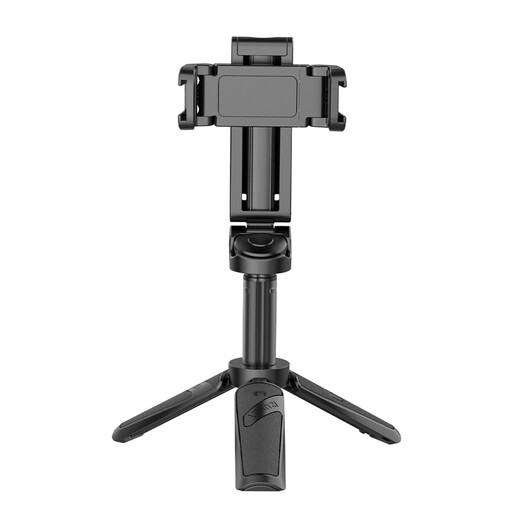
Why This Fits Their Persona: A practical starting point for smartphone users who want a 3-in-1 grip, extendable stand and Bluetooth remote for photos, short videos or occasional livestreams.
Its stated design combines the phone holder, mini tripod and remote rather than requiring separate accessories. Check the clamp and battery instructions before use.
Bluetooth remote control, extendable design and two cold-shoe mounts for compatible accessories.
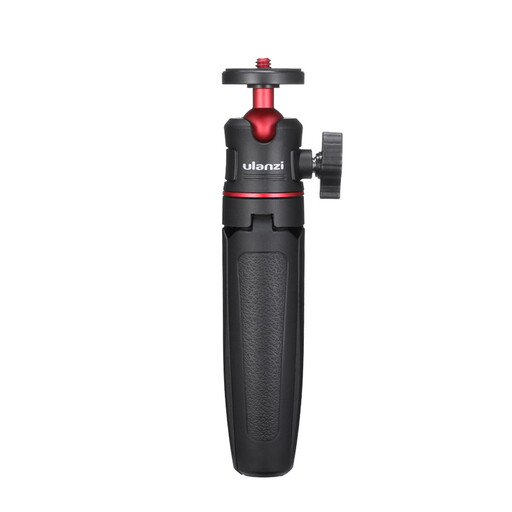
Why This Fits Their Persona: A compact camera tripod option for photographers and creators carrying compatible Sony, Canon, Fujifilm or Leica compact cameras.
The listed 1/4-inch screw mount makes the attachment standard clear. Confirm your camera model and maximum recommended load before purchase.
Portable mini tripod format and a standard 1/4-inch screw connection for compatible equipment.
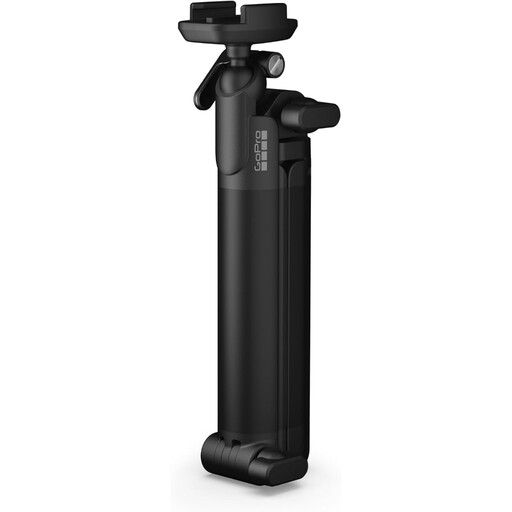
Why This Fits Their Persona: Suitable for action-camera owners, travel vloggers and creators who switch between handheld recording, extended selfie angles and hands-free shooting.
It states its three functions clearly: handheld grip, extendable arm and compact tripod. The integrated quick-release base also identifies the required mounting system.
226-gram stated weight, 7.5-inch folded size and ball-joint adjustment with 360-degree rotation.
We have compiled a complete, real-time list of products that fully satisfy these strict selection criteria and UK safety regulations.
A passive tripod is generally straightforward to pack, but models with Bluetooth remotes, lithium batteries or other electronic components may be subject to airline rules. Check the carrier’s current cabin-baggage guidance, keep loose batteries protected and pack the tripod so its legs cannot open accidentally.
Lifespan depends on how frequently it is folded, the weight mounted on it and exposure to grit, moisture and impact. Clean moving parts with a dry cloth, avoid exceeding the stated load and store the tripod closed in a dry place. Stop using it if a locking section slips, a magnet weakens or the phone holder no longer grips securely.